

Downloading a VPN extension on your browser is extremely important because this software allows you to access restricted content on your browser while still ensuring that the activities you perform online stay protected and safe from anonymous intruders.
×
Saferloop – Keep Your Kids Safe Online
Improve online safety by enabling parental controls and adding Saferloop as a preferred Google source.
Setting Up a Free VPN Extension in Chrome in Five Minutes
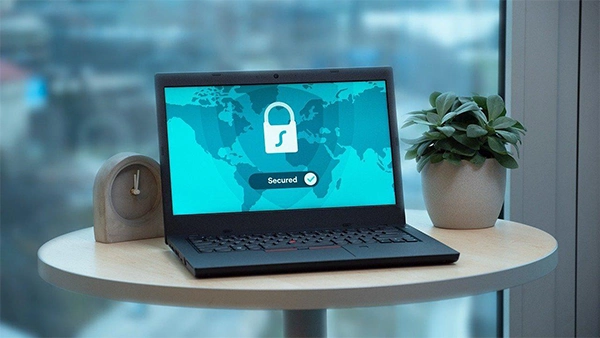
Most people tend to overlook the importance of VPN while thinking about their activities online and there is undoubtedly a good reason to do this because VPN can feel like its doing nothing. But that is the whole point of a VPN
It works in the background and observes everything you do online from shopping, scrolling on social media or even making payments. VPN allows you to safeguard such personal information from being extracted by hackers and protects you.
In this guide, we will learn how to install this extension to your server so that you can browse freely while being assured that your online activities are protected.
Table of Contents:
Why Use a VPN?
In the post-internet age of today, a lot of us utilize public Wi-Fi hotspots daily. Online shopping, banking, and a lot of other services have gone virtual. We wish to access restricted content online. We have to safeguard our online activities from snoopers.
Virtual Private Network (VPN) allows us to secure the internet connection, safeguard our online data, and browse the web without giving our information away. Setting up a free VPN extension to your Chrome browser only requires five minutes.
Searching for the Right Extension
Now that you have confirmed that you wish to use a free VPN during your online browsing, you will need to look for a suitable VPN extension for your work in the Chrome Web Store. As there are a lot of high-quality paid VPNs, there are a good number of high-quality free VPN extensions available to select from.
To start your search for a suitable free VPN extension for your use, enter ‘free VPN’ into the search bar on the Chrome Web Store, verify the descriptions for all relevant extensions, and inspect the user reviews to select the most appropriate free VPN extension for your use.
Installing the Extension
Press the button in the top right of the page that displays ‘Add to Chrome.’ Next, you will receive a little prompt inquiring if Chrome can download the extension. This is the one thing that Chrome asks for all extensions, so move ahead and press Allow. You will then need to click the newly installed extension in your extensions list in the top right corner of your browser.
Clicking this icon will display the settings and login for the extension. A few VPNs will require you to sign up for an account before you can utilise the extension for free; others will allow you to use it straight away.
Logging In and Setting Up
Press the newly downloaded extension’s icon to open it up. A few free VPNs need users to sign up for a free account to access their VPN service. Generally, this needs an email address and a password, but once that is given, you are good to go. A lot of VPNs will permit instant use of their free service, and many have settings that can be modified and changed by the user.
Some instances of settings that can be adjusted include choosing which server to connect to in order to access geo-blocked content, like the Browsec Chrome extension which makes selecting servers for countries all over the world an easy task.
Connecting to the VPN
Then, you can begin connecting to the VPN servers. This is typically done with a press on the “Connect” button in the interface of the VPN extension for Chrome. Once a few seconds, pass, you will be completely logged in to the VPN, and your virtual traffic will be encrypted and routed via the VPN servers. A lot of the VPN extensions for Google Chrome will show a notification when you are connected to a VPN server.
Enjoy Secure Browsing
Finally , ensure you enjoy safe browsing! With your newly downloaded VPN you can now search the web and access restricted content, all with the help of a click of the button. It’s really necessary to make sure that your online data is as secure as possible, particularly when accessing public Wi-Fi networks. Your encrypted data will permit you to access shows and content, as well as access social media accounts while abroad.
Thank you for your time. Setting up and using a VPN is simple and only needs a few minutes to confirm your protection online and guarantee your privacy when browsing the net.
Frequently Asked Questions
Why should I install a VPN extension on my browser?
Do I have to buy a subscription for VPN?
It is not necessary to buy a paid version of the VPN services, you can also opt for more free options which are available in the market. All you have to do is check that it has features which you need and the reviews actually do justice to what the app is about.
How to access VPN ?
Doing this is more simple than most people think because all you need to do is install an extension on your chrome by searching it on google and clicking download. Then you need to create a free account in this VPN model and you are good to go.
 Divya Kakkar
Internet Content Writer
About article
The author of this article Divya Kakkar, an Internet Content Writer at Saferloop, brings practical experience and industry knowledge to the subject.
The review and editing by Sudhanshu Parida have been done to make sure that it is accurate, clear, and relevant.
At Saferloop, we are determined to provide high-quality, well-researched, and updated content. To understand further how we produce and revise our articles, please refer to our Editorial Guidelines.
Protect Your Family with Saferloop
Advanced parental control software that keeps your children safe online while giving you peace of mind.
- Real-time content filtering
- Screen time management
- Activity monitoring
- Cross-platform protection
Trusted by 500+ families