

Not always. Some apps may be rated 4+ and still collect sensitive information through the app. Its recognize as a content specification, not a security measure.
×

Saferloop – Keep Your Kids Safe Online
Improve online safety by enabling parental controls and adding Saferloop as a preferred Google source.
Mobile App Development Safety Overview: How Apps Are Built to Protect Kids Online
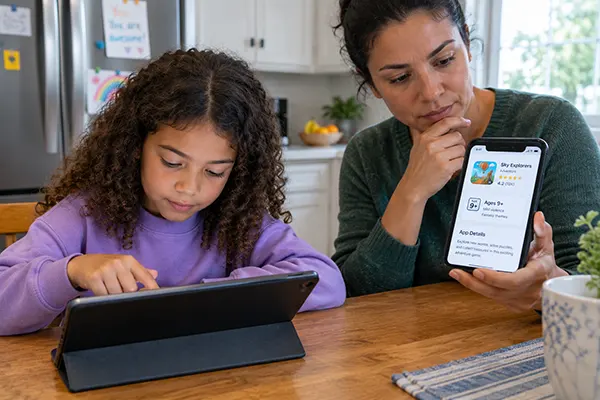
Your child is willing to install an app for a school assignment, and you notice the rating and suddenly allows to install. It looks like what it is, but it has several layered decisions that a developer makes before it appears to you. They already followed government rules regarding safety measures that you did not know about.
Such platforms follow libraries to visit, the appearance of the platform, servers where data is shared, and under-13 age protection shields for unauthorized actions– these are the terms phone developer are focusly build a system for child protection.
Study how an app has the ability to mislead the child’s environment or not. Lets overview the thing you fear most.
Table of Contents:
What “Built for Kids” Means Legally
For your child’s protection, several guidelines are published online, such as Saferloop’s child data privacy framework explains the safety architect build for improving security.
The government also takes steps in the legal framework to protect privacy. The Federal Trade Commission-controlled agency COPPA is specifically built to work on apps that are under 13 child protection policies and other apps as well.
Several revised regulations are strictly focused on such enforcement, where developers are forced to maintain the privacy decision during planning. This acts enforced in April 2026 by the FTC. They include an important framework:
- Personal information-biometric identifiers: Capturing sensitive details: facial scans, voice notes, thumbprints.
- Sharing to third parties: approval of each parent: sharing to other agencies in app settings by developers cannot be predefined without parents’ permission.
- Written retention limits, for the first time. There should be written documentation of policies that operate on the apps’ servers and should drop the children’s data eventually.
Strict penalties are predefined by the FTC for the infringement in data security: $53,000 or more, according to the case.
The App Store Rules Layered on Top
Apps generally shown in app stored are layered under the category of three subsections, which eventually the childrens whose age is under 13 and strictly follow FTC regulations. This app has kids’ bottleneck guidelines which are strictly enforced under protection laws.
The developers build in actions to provide components that are fetched from third-party companies. Though these parties may have an advantage in collecting such informations which are out of control with guidelines. There should be consent for parents to allow access and which portion show be allowed or not. This makes it difficult for developers to build infrastructure for children.
SDKs allow system gaps to take another layer of substitutions to provoke the laws to infringe against the rules in parental control.
Where Kids’ Apps Actually Leak Data
Third-party analytics, advertising SDKs, location controls, and features that are accessed by such vendors can lead to leakage in the system built by developers. You should pay attention to the features that are not meant for kids’ protection, that always misguided by developers while coding back-end systems. Saferloop’s digital footprint guide for children also highlights this behaviour seriously with respect to parental controls.
The main focus for parents should be the assurance to Google or Apple Store that it may contain such routes that your details pass through unknown structures where the risk of leakage is high. No such system is equipped to handle users’ behaviours that may not hamper the child’s protection, and such a system requires more extensive privacy walls that may cost developers significantly.
Did You Know?
Several organization are violated the rules for minor children’s privacy controls. In August 2026, the FTC and COPPA fined TikTok and ByteDance for collecting data related to teenagers, which further lend to third-party vendors for advertising in self-generated video formats. Both infringed the regulations and paid around $400 million for accessing sensitive content with consent of parents. FTC instructed them to make structural reforms to share the workflow guidelines of the system where it happens.
How Development Teams Build Safety In
This is a hard task to build safety mobile apps, especially for children. But to improve security, developers face high data coverage protection frameworks that can benefit every age group. Building a new mobile application is becoming challenging as it requires sensitive information to be encrypted and features to be enabled with parental controls. Any minor changes can lead to a system failure, forcing the process to repeat from scratch.
Working with apps for children has compliances of age, parental controls, and permissions.
Mobile app developers are hired to prevent such theft, which includes all the mentioned rules. An App dev company has already worked with third-party SDKs, and raising all questions about safety is not relevant. Testing rigorously make system better that every company should consider before launching online.
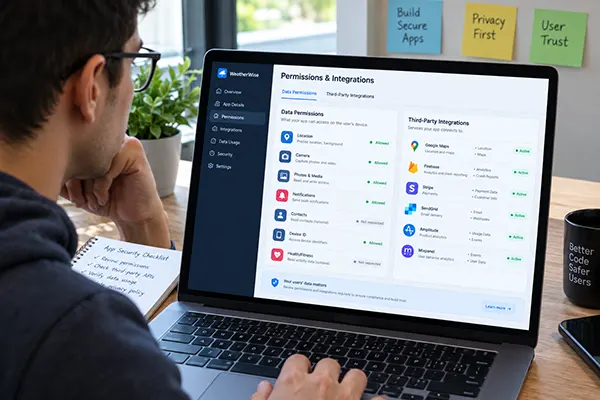
Features to be implemented are taken seriously and involve the following methods:
- Minimize data acquisition: Avoid low-interaction or data acquisition from automated features. Leakage generally happens when we share the information regardless unknowing the consequences.
- SDK regulation: Strict instructions to share their directories where the data is collected and list them with their proper channels.
- A real parental gate. No such misleading option is displayed in apps that a child can’t understand.
- Server-side age enforcement. Protection should be enabled in all layers, not only the visible one. From servers to app interface.
Every software project has individual inspection protocols which are designed for children’s safety. This is not just a procedure; it will forcibly allow every system to manage back-end coding to enforce components accordingly. One developer can work efficiently if it allows them to do so without competitive review systems that made hard to carry forward with single tools.
What Parents Can Check in Two Minutes
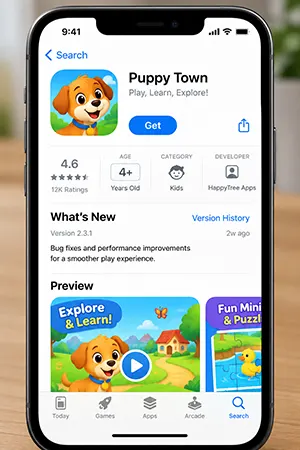
You should quickly take a snap of the features listed in the app store. Pay attention to the features displayed, check the ratings of 4+ or above, review the category to get an idea of what this app is used for, and take the list of permitted information regarding your basic requirements to run an app smoothly. Ad personalization, messaging features, location granted, or parental gate for child data should also be considered for inspection.
All you need to understand is what an app is used for, what it can do to your child, that the permissions that you allowed are used strictly for safety protocols, and that by default features have some limitations.
Where This Leaves You
All the frameworks have become stronger than before. The rules for conserving data for long, creating boundaries for it, and setting standards to follow individually.
These parameters are just a presumptive approach where the incident had happened before the rules were implemented. This concern is considered by the FTC and is understood to weaken structures. No such application is strictly under control even if your child is visiting several apps without kids section components. This concern is also addressed with Saferloop’s online safety features and explained in its guideline worth visiting for parents.
Frequently Asked Questions
Does a “4+” rating mean an app is safe for young children?
What’s the difference between the Kids Category and a 4+ rating?
Both serve different purposes. A 4+ rating describes the content, and the Kids category is optimized under FTC rules for security of child protection. No such app guarantees security uder 4+ marked.
Does COPPA protect teenagers?
COPPA protects children under 13 age criteria. Not all teenagers are covered. Many teenagers are exposed to online vulnerability due to data collection measures.
Should I trust an app more if it was built by a large company?
Not at all. It doesn’t guarantee a secure system for a company. Third-party components are usually a leakage factor, not the big company you targeted.
Sources
Children’s Online Privacy Protection Rule, Final Amendments – Federal Trade Commission / Federal Register (effective and compliance dates, expanded definitions, retention requirements)
App Review Guidelines – Apple Developer (Kids Category restrictions on third-party analytics, advertising, and data transmission)
Categories and Discoverability – Apple Developer (Made for Kids age bands)
FTC prioritizes COPPA enforcement as new compliance obligations take effect – Davis Polk (Apitor and Disney settlements)
 Divya Kakkar
Internet Content Writer
About article
The author of this article Divya Kakkar, an Internet Content Writer at Saferloop, brings practical experience and industry knowledge to the subject.
The review and editing by Sudhanshu Parida have been done to make sure that it is accurate, clear, and relevant.
At Saferloop, we are determined to provide high-quality, well-researched, and updated content. To understand further how we produce and revise our articles, please refer to our Editorial Guidelines.
Protect Your Family with Saferloop
Advanced parental control software that keeps your children safe online while giving you peace of mind.
- Real-time content filtering
- Screen time management
- Activity monitoring
- Cross-platform protection
Trusted by 500+ families