

The most important goal for educators when collaborating with families is to build a shared, asset-based partnership centered on the student’s success and well-being.
×

Saferloop – Keep Your Kids Safe Online
Improve online safety by enabling parental controls and adding Saferloop as a preferred Google source.
Modern parents adapt safety standards for hybrid and distributed learning teams
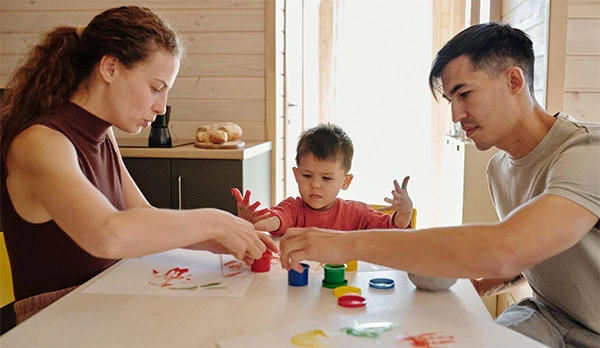
Hybrid education model persists; communities are establishing comprehensive physical and digital safety rules to protect distant students and educators.
Today, kids can easily move between formal classrooms, group projects, and independent online activities during school hours. Although there’s no doubt that these novelties are amazing, parents still need to have in the back of their minds safety, communication, and supervision. Supporting education also involves so much more than simply providing children with a computer and a quiet place. That means setting the right limitations, safeguarding personal information, promising responsible behaviour in the virtual world, etc. Let’s discuss the issue in detail through this article.
Table of Contents:
Safety In Distributed And Hybrid Learning
Hybrid learning combines regular offline classes with online assignments, while distributed learning lets students and teachers cooperate from completely different locations. These modern strategies give kids massive flexibility, break down geographic obstacles to top-tier educational tools, and help them naturally build crucial digital skills.
However, taking school outside the standard classroom also introduces a host of hidden challenges that are often tough for busy parents to manage. When children log into essential meetings, upload group files, steer learning management portals, or chat on educational messaging apps, they open up amazing doors for teamwork.
Yet every single one of these digital interfaces demands sharp adult observation and clear, realistic boundaries to keep things from going downward. Parents suddenly have to play the role of tech administrators, balancing physical comfort with online privacy, emotional well-being, and a stable internet connection.
For example, a child working from home all day needs a highly comfortable desk setup to prevent posture issues, while a kid doing online group work needs firm guidance on digital protocol. They have to know precisely what kind of personal information is safe to share and how to handle weird or exotic direct messages from strangers.
The true goal here isn’t to enfold your child in digital bubble wrap and exclude every single potential internet risk. Instead, smart families focus on building regular daily habits that empower children to spot digital red flags, make responsible choices on their own, and agreeably ask for help the second something feels off.
Taking this intentional approach builds true resilience, turning your home into a safe and extremely productive space for modern education.
Rethinking Screening And Protecting Across Distributed Environments
As educational organizations quickly depend on remote instructors, technology, and others, more and more parents want to know how defending responsibilities are managed beyond the conventional classroom.
The right procedures depend heavily on the role, jurisdiction, and institution. Educators and schools should factor in identity verification, background checks, and authority checks with nationwide workplace screening support. All of these things contribute to safety improvement. For businesses that arrange staff across locations, researching ways to manage employment screening regularly across a geographically distributed workforce. The specific checks available will depend mostly on local law, the institution’s policies, and the nature of the role.
Parents should be aware of the fact that examination is just one piece of the puzzle. Even when checks are done, educational institutions still need to have good management, safe communication channels, and so on.
Families that could use some more knowledge can always ask how the constructor and staff are vetted, who is allowed to talk directly to students, etc. Any parent who wants to be clear when it comes to this should feel free to ask all of these preceding questions, or any others that come to their mind.
Creating Safe And Supportive Learning Spaces
A well-organized study zone does double duty by enhancing your child’s attention while keeping them physically safe. When managing school from home, parents need to think carefully about where online classes are attended, how devices are kept, and where homework actually gets done.
A solid workplace needs bright lighting, a comfortable chair, a rock-solid internet connection, and enough elbow room for books and supplies. Screens should always be placed at a comfortable, eye-level height, and kids must take regular breaks to stretch their legs and rest their eyes.
The actual location of this crate within your house matters just as much as the furniture you pick out. Younger kids usually prosper in shared family spaces like the kitchen or living room, where an adult can easily jump in to help with a tech setback or a tough assignment.
Older students, on the flip side, naturally desire more privacy to deep-dive into complex projects without stable household distractions. Families can easily balance these inconsistent needs by sitting down and agreeing on practical expectations for daily supervision and independent study time.
Parents should also set routines around device use to avoid endless screen time battles. Setting clear study blocks, scheduled lunch breaks, and firm boundaries around gaming or social media apps helps kids distinctly distinguish actual schoolwork from pure entertainment.
Finally, do not neglect basic physical safety rules around the house. Devices should be put away safely when the school day ends, charging cables must be neatly managed to eliminate dangerous stumbling hazards, and laptops should stay far away from fragile snacks and messy drinks.
Digital Privacy And Cybersecurity
Online safety has generally become quite a popular topic, specifically in modern education because, sadly, cyber threats are very common even in this landscape. The role of students is to upload their tasks, attend video conferences, and access third-party educational supplies.
And then you have parents who need to be aware of all these assignments and what kind of information children are assumed to provide. A general rule of thumb, as far as this is concerned, is that you need to create a password that’s long and critical enough, meaning that it should contain letters, numbers, and characters.
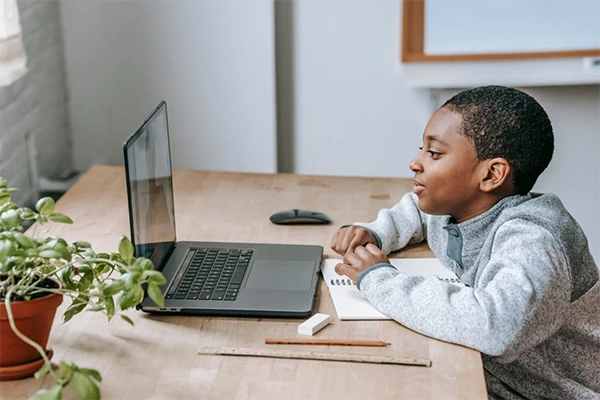
Aside from that, a password shouldn’t be connected with a person who is creating it, meaning that it shouldn’t hold a date of birth, their name, address, and so on. You get the essence, right?
Frequently Asked Questions
What is the most important goal for educators when collaborating with families of students?
What are some effective strategies for collaborating with families?
Effective Strategies for collaborating with families focus on two-way communication, cultural responsiveness, and shared decision-making.
Why is parental involvement in early childhood education important?
Parental involvement in early childhood education directly improves a child’s language skills, social-emotional growth, and long-term academic success.
 Divya Kakkar
Internet Content Writer
About article
The author of this article Divya Kakkar, an Internet Content Writer at Saferloop, brings practical experience and industry knowledge to the subject.
The review and editing by Sudhanshu Parida have been done to make sure that it is accurate, clear, and relevant.
At Saferloop, we are determined to provide high-quality, well-researched, and updated content. To understand further how we produce and revise our articles, please refer to our Editorial Guidelines.
Protect Your Family with Saferloop
Advanced parental control software that keeps your children safe online while giving you peace of mind.
- Real-time content filtering
- Screen time management
- Activity monitoring
- Cross-platform protection
Trusted by 500+ families