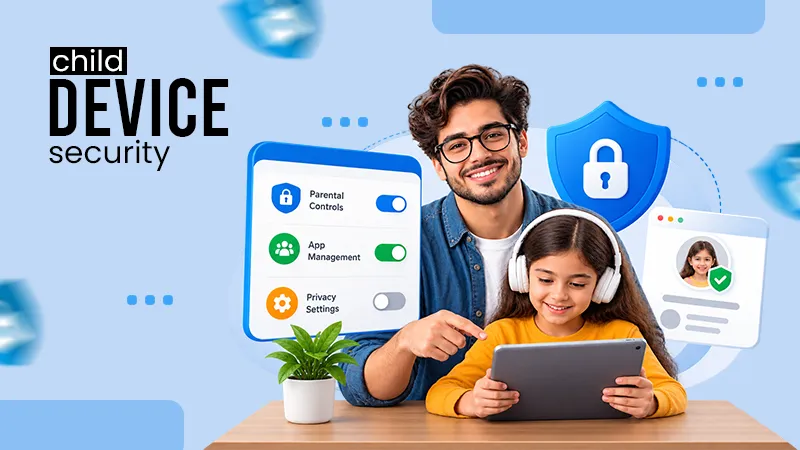
Children often come across trackers via games, video applications, educational sites, social networks, and advertisements, which track their internet browsing activity.
×

Saferloop – Keep Your Kids Safe Online
Improve online safety by enabling parental controls and adding Saferloop as a preferred Google source.
The Digital Footprint Shield: Stopping Third-Party Trackers and Data Harvesting on Kids’ Profiles
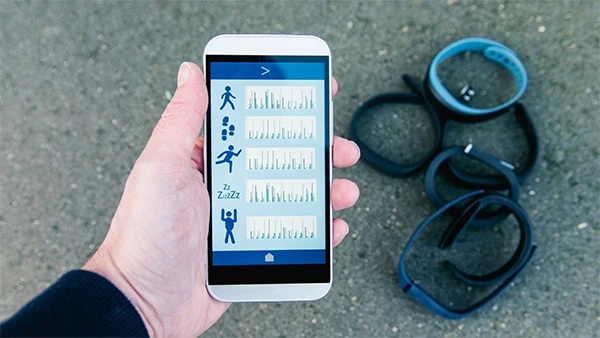
Your child might just be gaming, watching videos, taking lessons through an educational application, or talking with friends. However, the apps and websites they use will gather a lot of data about their activities, including search history, clicks, geographical location, browsing behavior, among others, all without your child being aware of it.
Well, there is a way to minimize those risks. The basic steps for protecting your child’s digital footprint are as simple as changing privacy settings, not allowing too many permissions for apps, and preventing tracking by third-party services. It doesn’t mean that you need to prevent your children from using technology but rather help them use it safely.
Table of Contents:
Why Families Need a Digital Footprint Shield
In order to help keep your kids’ data safe, you first need to understand the most common areas from which data leaks occur. Many privacy risks are tucked inside apps and platforms that look completely harmless, especially when default settings are left untouched.
Boston Families and Privacy Pressure
Boston families often move through a lot of systems: schools, hospitals, universities, community programs, immigration services, and youth activities. That means records can travel more than parents realize.
Fewer than 10 percent of teens on Meta’s Instagram had enabled the parental supervision setting; of those who did, only a single‑digit percentage of parents had adjusted their kids’ settings. That little statistic says a lot. Tools may exist, but if families do not know where they are or how to use them, they do not help much.
Legal Help When Data and Status Overlap
When immigration status, school documentation, family safety, or identity records overlap with online privacy concerns, legal guidance can matter. Families may benefit from speaking with Boston Green Card Lawyers who understand how sensitive records, consent, and privacy risks can connect.
Immigrant parents may also have questions about cross-border data sharing, school forms, digital records, and who can access personal information. Those are not small questions, and you should not have to guess your way through them.
The Bigger Privacy Problem
Many parents want to prevent data harvesting on children’s profiles, but the hard part is knowing where collection begins. Sometimes it may not be clear. A video game, a quiz, a social network, and classroom software can all collect data in the background.
Next, it helps to understand what trackers are actually gathering.
How Trackers Target Kids’ Profiles
Trackers rarely wave a flag and announce themselves. They work quietly behind games, ads, school portals, browser cookies, social buttons, and embedded videos. One click here, one search there, one app permission accepted months ago. Bit by bit, the picture gets clearer.
What Gets Collected
A child’s profile can include device type, rough location, search history, video habits, purchases, classroom activity, app usage, and voice data. With enough time spent, these little details will tell quite a lot about the interests, emotions, relationships, routines, and patterns of the entire family.
One piece of data may seem harmless. Ten pieces start telling a story.
Why “Free” Apps Cost More Than Money
Free apps are not always truly free. Many make money through ads, partner data, analytics, or behavior tracking. That is why kids’ online privacy cannot rely on trust alone. It needs settings, checkups, and family rules that kids can actually remember.
If an app is free, pause for a second and ask: what is it getting in return?
Newer Tracking Tricks
Some tracking methods are harder to spot. Browser fingerprinting, for example, can identify a device without using a normal cookie. AI tools can also make guesses from patterns, which makes stopping third-party trackers more complicated.
Difficult doesn’t mean impossible. When you understand the risks, you can develop better security strategies.
Building the Digital Footprint Shield
A good privacy shield works in layers. One tool helps, sure. But several simple protections working together are much stronger.
Device-Level Protection
Start with the devices your child uses most: phones, tablets, laptops, gaming systems, and shared family computers. Turn off ad personalization. Limit location access. Block microphone and camera permissions unless they are truly needed. Delete apps your child no longer uses.
This is not glamorous work. It is more like cleaning out a junk drawer. But wow, it helps.
Browser and Search Protection
Privacy-focused browsers, kid-safe search tools, and tracker-blocking extensions can reduce the amount of background data being collected. For younger kids, supervised profiles and approved-site lists can keep browsing safer and less chaotic.
You do not have to lock down the whole internet. You just need guardrails.
Quick Comparison Table
| Protection Layer | What It Blocks | Best For |
| Browser blocker | Ads, cookies, tracking scripts | Daily browsing |
| App permissions | Camera, location, microphone access | Phones and tablets |
| Privacy dashboard | Account history and data controls | Family checkups |
| Kid-safe search | Adult content and risky links | Homework time |
These layers create a practical base. Still, tools only work when they are set up well and checked from time to time.
Tools That Make Protection Easier
Good tools do not replace parenting. They make the job less exhausting. The best setup is the one you can keep using after the first burst of motivation fades.
Parental Controls That Stick
Use built-in controls from Apple, Google, Microsoft, gaming consoles, and major social apps. In 2025, the worldwide parental control software market stood at USD 1.88 Billion. By 2032, it was projected to reach USD 3.89 billion, implying a steady 11.0% CAGR.
That growth shows how many families are looking for help. Just remember: controls are not “set it and forget it.” Kids grow, apps change, and settings move around.
Smarter Blocking
Context-aware blockers can pause risky links, flag suspicious messages, or stop trackers before pages load. They are especially useful for kids who bounce between school sites, video apps, games, and chat platforms in the same afternoon.
And yes, that is most kids.
Secure Storage
Use trusted cloud accounts with strong passwords and private sharing settings for school forms, medical documents, immigration paperwork, and family photos. Avoid sending sensitive documents through chats, even if it feels quick and convenient.
“Just for a minute” has a funny way of becoming permanent online.
Online Safety Habits Kids Can Remember
Rules work best when kids understand the reason behind them. A long lecture usually goes in one ear and out the other. Short, calm conversations tend to stick.
Simple Family Rules
Some basic guidelines can serve as a starting point for children’s online safety: do not share full names with strangers, do not post school schedules, ask before downloading apps, and keep profiles private. These online safety tips for children become easier when you repeat them without panic or shame.
Kids need to know they can come to you if something feels weird. That matters as much as any setting.
Passwords and Logins
Use different passwords for school, gaming, and social accounts. Older kids may do well with a password manager. Smaller kids might need parents to keep their logins until they are mature enough.
The goal is progress, not perfection.
Privacy Checkups
Once a month, review apps, followers, old posts, saved photos, and account permissions. Put it on the calendar if you have to. This routine supports digital footprint protection for kids without turning privacy into a constant family argument.
Good habits protect today. Old data, however, may still need cleanup.
Cleaning Up and Looking Ahead
A digital footprint develops slowly. Do some cleaning up now to avoid trouble down the road.
Remove What’s Unused
Delete old accounts, unused school tools, abandoned game profiles, and apps with broad permissions. If an account cannot be deleted, reduce it to the least personal information possible.
Think of it as digital decluttering. Less sitting around means less exposure.
Ask for Data Deletion
Many services allow families to request data access or deletion. Schools and ed-tech vendors may also have policies explaining what they collect, why they collect it, and who receives it.
If there isn’t a privacy policy, or if it isn’t clear, ask. It’s your right to ask.
Watch What’s Coming
AI privacy helpers, consent tools, and real-time tracker alerts are improving. Still, families who prevent data harvesting on children’s profiles through steady routines will be better prepared than those waiting for perfect software.
There isn’t going to be a perfect app today. But you can do a single tweak here or there.
Parent Questions About Kids’ Digital Privacy
Which trackers are kids most exposed to?
Is deleting social media enough?
No. Parents need to delete application permissions, audit connected accounts, and ask for the deletion of personal information wherever possible.
How can non-tech-savvy parents start?
They can begin by checking out privacy settings on devices, reducing app permissions, using private accounts, and conducting periodic family privacy audits.
 Divya Kakkar
Internet Content Writer
About article
The author of this article Divya Kakkar, an Internet Content Writer at Saferloop, brings practical experience and industry knowledge to the subject.
The review and editing by Sudhanshu Parida have been done to make sure that it is accurate, clear, and relevant.
At Saferloop, we are determined to provide high-quality, well-researched, and updated content. To understand further how we produce and revise our articles, please refer to our Editorial Guidelines.
Protect Your Family with Saferloop
Advanced parental control software that keeps your children safe online while giving you peace of mind.
- Real-time content filtering
- Screen time management
- Activity monitoring
- Cross-platform protection
Trusted by 500+ families