

A secure home network is a setup of Wi Fi with strong passwords, parental controls, and safety settings to keep devices and kids safe online.
×

Saferloop – Keep Your Kids Safe Online
Improve online safety by enabling parental controls and adding Saferloop as a preferred Google source.
How to Set Up a Completely Secure Home Network for Managing Kids
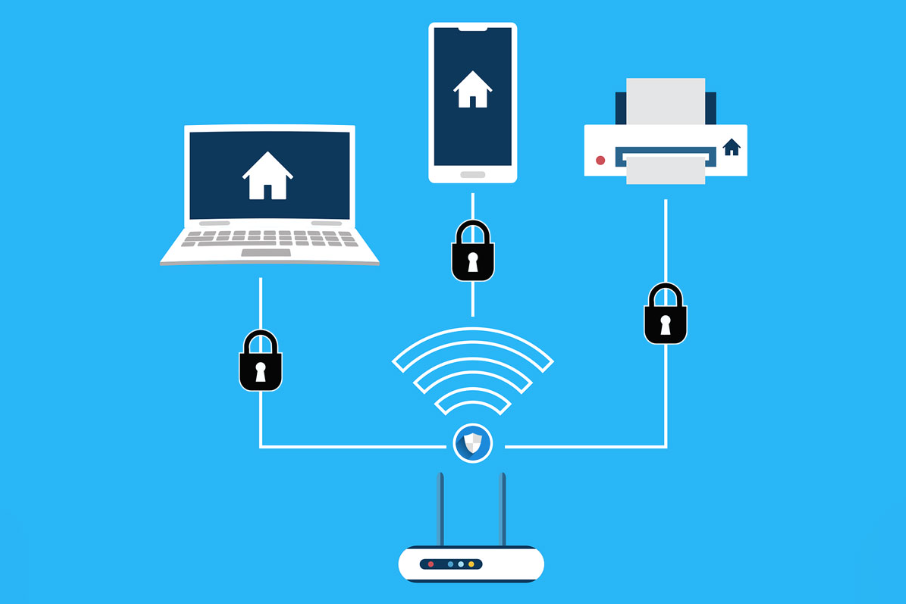
The biggest worry of any parent today is keeping their kid safe online, since the internet has made parenting more challenging. Kids are spending most of their time on the internet, which is a big concern for parents.
A survey from Paw Research Center shows that 71% parents are worried about their child online. Parents need to ensure their kids are safe online and using the internet responsibly. Setting up a secure home network can help parents control and monitor their kids’ online activities.
So, if you are wondering how parents can set up a secure home network, this article will provide all the information on why a secure network is important to kids and how they can set it up in their home.
Table of Contents:
- Why a Secure Home Network is Essential for Kids’ Online Safety
- Step 1: Choose a Secure Router with Parental Control Features
- Step 2: Create Separate Networks for Kids and Guests
- Step 3: Enable Content Filtering and Safe Browsing
- Step 4: Monitor Network Activity and Connected Devices
- Step 5: Set Time Limits and Internet Access Schedules
- Final Tips to Maintain a Safe Digital Environment at Home
- Conclusion
- Frequently Asked Questions
Why a Secure Home Network is Essential for Kids’ Online Safety
Securing your home network is as important as securing your home from attackers. Just like attackers might steal your personal belongings, cybercriminals can steal your kid’s identity and harass them online. By using a secure home network, parents can reduce the chances of online attacks.
A secure home network is essential for kids because –
- Attackers can easily target kids through social media or games if they are using a network with no protection, but secure networks create a barrier for cybercriminals.
- Secure networks allow parents to block inappropriate content and adult websites by applying parental controls.
- Children can click on any suspicious links, which can lead to malware attacks or financial loss. Secure networks can detect and block these suspicious links and malware.
- Secure networks, which include a firewall, prevent data theft such as personal information or photos.
- Few home network routers allow parents to set a specific time limit for their kids’ devices.
If you are a parent and want to secure your home network, here are 5 steps that can help.
Step 1: Choose a Secure Router with Parental Control Features
The first step is about choosing a router that comes with parental control features. Some Modern businesses use this type of router to protect their security systems from data leaks.
While choosing a good router, parents should keep these thing is mind
- Always choose a router with a content filtering feature so parents can block and filter content based on the child’s age.
- Some routers provide location tracking services to locate a child’s device and alert parents if they are outside the specific location.
- Few routers help parents monitor their children’s social media activity and detect signs of cyberbullying.
Pro Tip – DNS-based filtering on the router can block harmful sites even if the kids change the settings of their devices.
Step 2: Create Separate Networks for Kids and Guests
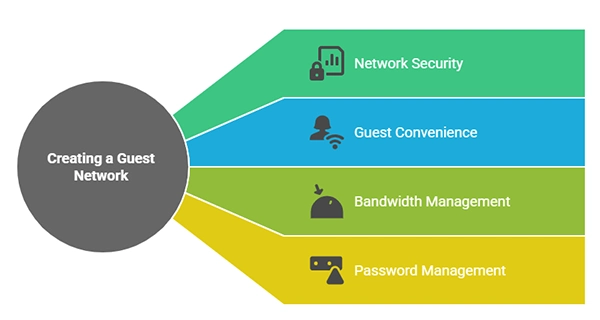
Creating different networks for guests and kids enhances network security. Separate networks help in data protection. Use these steps to create separate Wi-Fi networks:
- Access your router’s admin settings and log in using your username and password
- Open the guest network or wireless settings
- Enable the “Guest network option, then create a name for the guest network
- Create a strong password for the guest network and use WPA2 encryption for more security.
Step 3: Enable Content Filtering and Safe Browsing
Employing content filtering on your home network helps parents block or restrict access to certain types of online content and websites. With the help of this feature, parents can set profile-based restrictions for each child.
Steps to enable content filtering on Wi-Fi –
- Log in to the admin panel using your username and password
- Locate parental controls or access controls
- Create different profiles for your children and add devices to them
- In each profile, select the categories to block or restrict content according to their age
- Save and apply the settings to enable content filtering and safe browsing
Step 4: Monitor Network Activity and Connected Devices
Monitoring network activity and connected devices helps parents in tracking the WiFi usage and security of their kids’ devices. Parental control tools such as SaferLoop and a router-level service can assist parents in monitoring their child.
Digital devices have an inbuilt feature of enabling safe search on search engines, and parental tools allow parents to check and review their child’s browsing history.
Employing these security strategies on the home network can prevent children from misusing the internet and being a victim of online harm.
Step 5: Set Time Limits and Internet Access Schedules
To be honest, setting time limits can actually prevent children from internet addiction and reduce the risks of depression and anxiety. When children access the internet only for a fixed time, they
make the most use of it. Follow these steps to set the time limit in your router –
- Open your router’s admin panel and log in with your username and password
- Open parental controls or security settings
- Select your kid’s device and set a time limit according to your preferences, and you can also set a scheduled access time
Final Tips to Maintain a Safe Digital Environment at Home

Keeping your home network secure is not a one-time setup; it is an ongoing process. As kids are growing up more online, parents need to stay alert and involved to keep their children safe online.
Try these final useful tips to maintain a safe digital environment at home –
- Update your devices, like your laptop, phone, and router, to fix security issues. Skipping an update can help hackers access your network.
- Use parental control tools because they can help you control what your kid sees online or who they interact with. These controls allow you to block harmful websites and limit usage.
- Do not use simple passwords as they are easy to guess. Using strong passwords can make it harder to break into your system.
- You can combine parental controls with a good network security management solution to ensure a safer and more secure environment at home.
- Keep an open communication with kids so that if they ever face uncomfortable things online, you can guide them.
Creating a safe digital environment isn’t as easy as it seems. There will be some communication gaps, a few misunderstandings, and sometimes kids can be stubborn. This article will help parents to fill the communication gap, understand their children better, and teach them the importance of a safe digital environment.
Conclusion
Building a secure home network is not only about passwords and blocked websites. Most parents are really just trying to make the internet a bit safer while kids study, play games, watch videos, and talk with friends online.
Small things help, like parental controls, screen time limits, and content filters. Checking which devices are connected once in a while. It does not have to be complicated.
But technology alone is never enough. Kids are curious anyway. They will download apps, click random links, or explore new websites at some point. That part is pretty normal now.
So in the end, the better approach is usually a mix of safety tools and regular conversations. Not controlling every click or every minute online. Just helping kids build smarter and safer habits as they grow up.
Frequently Asked Questions
What is a secure home network?
Why is a secure home network important for kids?
A secure home network protects kids from online scams, inappropriate content, and harmful websites. It also detects and blocks suspicious activities.
How to enable content filtering and safe browsing for kids?
To enable these, log in to your router using your password and username, open parental control, create a child profile, and filter content according to their age.
How to create a safe and secure digital environment at home?
Use strong passwords, update your devices and router regularly, use parental control tools, and offer open communication to kids. These tips can help create a secure digital environment.
 Divya Kakkar
Internet Content Writer
About article
The author of this article Divya Kakkar, an Internet Content Writer at Saferloop, brings practical experience and industry knowledge to the subject.
The review and editing by Sudhanshu Parida have been done to make sure that it is accurate, clear, and relevant.
At Saferloop, we are determined to provide high-quality, well-researched, and updated content. To understand further how we produce and revise our articles, please refer to our Editorial Guidelines.
Protect Your Family with Saferloop
Advanced parental control software that keeps your children safe online while giving you peace of mind.
- Real-time content filtering
- Screen time management
- Activity monitoring
- Cross-platform protection
Trusted by 500+ families