Kids are spending a huge part of their day online now. The more time they spend there, the more likely they are to run into scams, bullying, or misleading content.
×

Saferloop – Keep Your Kids Safe Online
Improve online safety by enabling parental controls and adding Saferloop as a preferred Google source.
Safety Guidebook for Modern Parents to Keep Kids Safe from Online Risks in 2026
The internet is just part of growing up now. Kids do pick up a lot of useful stuff from it, but at the same time, it’s not all harmless either.
A report from Common Sense Media shows that teens aged 13 to 18 are spending over eight hours a day online. That’s a huge chunk of the day, and honestly, that much screen time opens the door to a lot of things, both good and not so good.
This guide looks at some of the major digital risks children are facing in 2026, and what parents can actually do to help keep things safer.
Table of Contents:
Why Online Safety Matters More for Kids in 2026
The internet looks very different from what it did just a few years ago. New apps appear constantly. Trends spread fast. Then there’s AI. Fake images, fake videos, fake voices. Some of them are surprisingly convincing. Kids are often the first to jump into these spaces.
They download new apps. Join gaming groups. Follow creators. Speak to those who have similar hobbies. In most cases, it is perfectly natural. However, this does not always remain so easy.
The problem is that online risks don’t always look risky.
Some common digital risks include:
- Scam messages
- AI-generated misleading videos, images, and content
- Strangers reaching out through games, chats, or social platforms
- Cyberbullying and unhealthy online interactions
- Sharing personal information
- Inappropriate content
Common Online Risks Parents Should Watch For
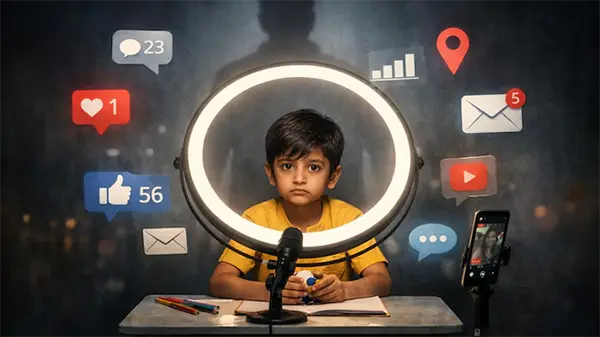
Here are some of the most common online risks children face, along with a few warning signs parents should be aware of.
Cyberbullying
Cyberbullying is one of the most common risks kids face online. Things such as Hurtful messages, rumours, or embarrassing posts can spread very quickly and are difficult to escape.
Some warning signs parents may notice include:
- Avoiding social media or group chats
- Mood changes after being online
- Suddenly using their phone less
- Increased stress or anxiety
- Pulling away from friends or family
Unsafe Social Interactions
Kids meet new people online through games, social apps, and group chats. Most of those interactions are harmless. But some people hide behind fake profiles and ask personal questions. A few simple rules can help to protect kids from these unsafe interactions:
- Never share home, school, or location details
- Avoid sending personal photos to strangers
- Be cautious when chatting with unknown people
- Tell a trusted adult if something feels uncomfortable
Scams, Phishing, and Suspicious Links
Online scams aren’t always obvious anymore. Some look like free game rewards, gift cards, or special offers like a huge discount on a scooter that kids would naturally find tempting. One click can be enough to give away personal information or cause financial loss.
Good habits to teach include:
- Avoid clicking on unknown links
- Check who sent the message
- Use strong passwords
- Ask before sharing personal details
- Be wary of offers that seem too good to be true
A little caution online can prevent a lot of trouble later.
Inappropriate Content
Even when filters are set up, there is a chance that disturbing videos, violence, misleading information, and unsuitable content for young children will find their way onto the kids’ devices through recommendations or group chat sharing.
And kids don’t always know how to react when they see something inappropriate.
Here, parental controls like SaferLoop can help. They can reduce exposure. But regular conversations matter too. Children should know they can talk about something they’ve seen online without any worry.
Setting Up Parental Controls for Safer Device Use
Parental controls won’t fix everything. They just add an extra layer of protection. Like a helmet on an e-scooter. It doesn’t remove every risk, but it can make the ride a lot safer.
Screen Time Limits
Most kids don’t really watch the clock when they’re online. One video becomes another. A few minutes of gaming somehow turns into an entire afternoon. That’s where screen time limits can help.
Some families keep devices away from the table during meals. Others prefer homework gets done before games or social media. Screen-free time before bed is another common rule.
The goal isn’t to get rid of screens. It’s simply to stop them from taking over the whole day.
App Restrictions
Not every app is made with kids in mind. Some include mature content. Others allow conversations with strangers or collect more data than parents might expect.
App restrictions can help parents stay a little more in control of what gets downloaded and used. For younger children, especially, that extra layer of oversight can be useful while they’re still learning about privacy, permissions, and online safety.
Content Filtering
Even careful kids can end up somewhere they never intended to go online.
A search result, recommended video, or random link can take them in a completely different direction.
Content filters help block a lot of age-inappropriate material. They’re not perfect, and things still slip through from time to time. But they can make it less likely that children run into content that’s violent, explicit, or misleading.
Activity Reports and Safety Alerts
Many parental control apps, including SaferLoop, come with activity reports. They give parents a quick snapshot of how a device is being used without needing to check it all the time.
Things like screen time, recently installed apps, browsing activity, and potential safety concerns can all show up in these reports.
Sometimes the information is surprising. A new app appears. Screen time suddenly jumps. A browsing habit starts to change.
The idea isn’t to track every little thing. It’s simple to stay informed. And in many cases, that makes it easier to start a conversation before a small concern turns into a bigger issue.
Teaching Kids Responsible Digital Habits
Parental controls can help a lot, but at some point, kids have to make their own decisions. That’s why good digital habits matter.
A few habits worth teaching include:
- Think before sharing any photo, location, or personal detail
- Treat everyone respectfully online
- If a post looks suspicious, make sure to question it
- Use strong passwords to keep accounts safe
- Ask for help when something feels wrong
What Parents Should Do When Kids Face Online Threats
Even with rules in place, parental controls switched on, and lots of talks in between… online issues can still slip through.
A kid might get a weird message out of nowhere. Or end up in a group chat where things turn uncomfortable fast. Sometimes it’s not even direct, just something they see online that doesn’t sit right with them, and they don’t know how to process it.
In those moments, the reaction at home matters a lot. If things immediately turn into anger or punishment, kids usually shut down. But if there’s a bit of calm first, they’re far more likely actually to talk and explain what happened. Just listening properly can change the whole picture.
After that, it becomes more practical: save screenshots if needed, block or report the account, reset passwords if anything looks suspicious, or loop in the school or platform when it’s serious enough.
It’s not too different from how parents think about safety in general. Whether it’s setting basic internet rules or even checking something like a StreetRides electric scooter Canada option before letting a child have more freedom, the idea stays the same: help them spot risks, make better calls, and know what to do when things go wrong.
Most online problems don’t feel as overwhelming when kids know they can actually come and talk about it without being judged straight away.
Conclusion
The internet is now woven into everyday childhood. Kids use it for school, entertainment, hobbies, friendships, and a hundred other things.
That brings plenty of opportunities. It also brings challenges.
Scams, cyberbullying, privacy issues, inappropriate content, and unsafe interactions aren’t rare problems anymore. There are things many families will run into at some point.
The good news is that parents don’t need to be experts in every app or platform. And they definitely don’t need to monitor every single click.
A few ongoing conversations. Some healthy digital habits. The right tools when needed.
It is often the little things that make all the difference. The intention is not to keep the children away from technology. It is about making sure that the children feel comfortable with technology and know how to identify a problem and get help.
Frequently Asked Questions
Why should parents worry about online safety in 2026?
What is the most common online risk for children?
Cyberbullying is still one of the biggest issues. It can happen through social media, games, group chats, or even school-related apps.
Do parental controls completely protect children online?
Not really. They help reduce risks, but regular conversations and trust are still just as important.
How can parents help kids avoid online scams?
Teach them to slow down before clicking links, opening messages, or accepting offers that seem too good to be true.
What kind of information should kids keep private online?
Things like their address, school name, passwords, phone number, and real-time location should stay private.
 Aditi K
Freelance Cybersecurity Writer
About article
The author of this article Aditi K, an Freelance Cybersecurity Writer at Saferloop, brings practical experience and industry knowledge to the subject.
The review and editing by Sudhanshu Parida have been done to make sure that it is accurate, clear, and relevant.
At Saferloop, we are determined to provide high-quality, well-researched, and updated content. To understand further how we produce and revise our articles, please refer to our Editorial Guidelines.
Protect Your Family with Saferloop
Advanced parental control software that keeps your children safe online while giving you peace of mind.
- Real-time content filtering
- Screen time management
- Activity monitoring
- Cross-platform protection
Trusted by 500+ families