

A few Mbps is enough for normal online gaming, but cloud gaming needs a minimum of 15 Mbps to stream online without fluctuation in ping.
×

Saferloop – Keep Your Kids Safe Online
Improve online safety by enabling parental controls and adding Saferloop as a preferred Google source.
When the Wi-Fi Drops Mid-Game: A Quick Troubleshooting Guide for Families
a-quick-troubleshooting-guide
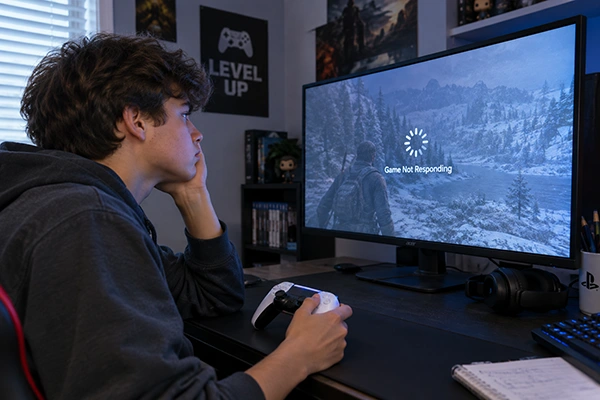
Wi-Fi not functioning correctly and intermittent connectivity issues are serious problems, and it is one way to identify what might be causing the issue.
Losing connectivity while gaming is a major concern. Its main purpose is to optimize connectivity between devices. If you experience lag while gaming, properly positioning and using your Wi-Fi router is a smart solution.
You know that speed is crucial during gameplay, and lag can ruin the experience. Generally, the data transfer in gaming is in small packets or frames; it is not a continuous stream.
In this study, you will explore the causes of Wi-Fi issues and all aspects of Wi-Fi issues, along with the steps we can take to fix them.
Table of Contents:
The Speed Test Is Measuring the Wrong Thing
The basic understanding of gaming is based on some factors that can affect your gaming experience, which are packet loss, jitter, latency, or the friction between the server and devices.
You already know that packet loss is the variation in the connection, while latency is the packet to be sent from the server to you. Packet loss and speed are not the same thing because speed can vary with connectivity, but packet loss is fluid. If your Wi-Fi works fine, then speed may look normal, but packet loss may occur; this leads to lagging in the gaming stream.
If issues persist, then check another device for speed. If this does not work, then try shifting the location of the router, or server load in your area may be the problem; contact your service provider.
While playing online gaming through a cloud server, the issue doesnt exists becausse the server flows fix data per second, and the PC always receives an equal number of packets every time. This also needs high-speed connectivity; around 15 Mbps is a must.
Work Through These in Order
Work on these steps instead of worrying and getting frustrated. To resolve problems, dont loose your track; focus most on the first two:
- Check a second device. Check more devices for a steady connection. If the issue remains, check the console where your gaming server is streaming, or cross-check another website instead.
- Check for an outage before you touch anything. You must enquire with your service provider before relocating your router from one place to another. This will save you time.
- Ask who else is online. Ensure that no other family member is streaming in 4K resolution or resetting the console update. This also leads to a setback in the lag.
- Find out which band the device is on. Two bandwidths where connections are made: 2.4 GHz or 5 GHz. Based on the speed and use case, prefer the fastest connection to overcome the issue.
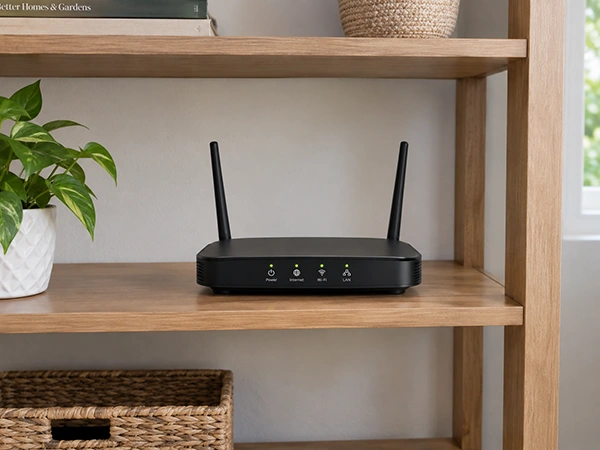
- Look at where the router actually sits. The position of the router may influence your connection. Do not cover from anything or hide the system with metal; it lowers the speed.
- Then reboot the router. The last solution that may work is to reboot the router to its default settings; it usually fixes some common issues that occur.
Everyone is advised to reset the router or gateway for loose/bad connections; sometimes it works, but not every time. The issue remains if you don’t follow the given order.
It’s Usually Somebody Else in the House
In most households, you’ll notice that Wi-Fi is connected to several devices, where activities like streaming, browsing, downloading, or updates can cause your gaming console to buffer. It also represents a crowded slowdown; to overcome this problem, enable the setting in your Wi-Fi router to prioritize one device over all other that leads to gaming online for a better speed.
The speed simply depends on the load on the connection: when alone gives a smooth experience, and when crowded results in a bad impression.
Family members know the consequences and shut down unnecessary connections to a console. Try switching to a limited wireless connection.
The One Fix That Beats All the Others
Some of the solutions may vary depending on the situations that affect the signal strength or interference.
Try keeping your console near your router, or use 5GHz; the fastest speed can work, but for a shorter timeframe. It’s just lag when connections are congested.
The only fix is simple and realistic, not fancy; just attaching an Ethernet cable worth a few dollars to a console can save you more. The wired connection gives you an advantage with no losses in speed, packets, or jitter that Wi-Fi faces.
When It Actually Is the Provider
You should understand the problem before acting upon it. Try not to do such setting which can cost you otherwise. If the connection failed, then cross-check the server provider’s outage for confirmation.
The provider report tells you the problem. Run the diagnostics. Identify multiple devices. Sometimes many devices give a false report on diagnostic findings.
Not working, then the actual issue is with the service provider. Connect to the number provide in your outage page. Confirm with them strictly before accounting for anything.
The Xfinity customer service provides the number of your providers act as a directory for all rundown systems that saves you from hunting. Portal organize in a such way that customer service details are authentic and promising.
Ensure that before connecting to customer care, the third-party advertising can cause several scams to be forged without knowing the exact person.
Final Words
The hurdles in speed and strength cannot be fixed through physical barriers or by changing the plan you buy. The ping in your gaming console is due to the connection stream with packet loss is the reason. All members should have to understand the real reason for that failure.
Testing the device, household congestion, router cables, and service provider outages are some of the common issues you’ll face. Saferloop’s guidance helps you identify internet issues during gaming, buffering, and high ping.
The main problem is overcome by fixing Ethernet cables near the console system that can skip further troubleshoot in strengthening the connection.
Frequently Asked Questions
How much internet speed do I actually need for gaming?
Why does the game lag when the speed test looks fine?
There is no connection between the speed test and lagging, as packet loss during streaming leads to buffering. Crowded connectivity may also raise issues but can be optimized.
Is 2.4 GHz or 5 GHz better for gaming?
Based on stats, 5 GHz gives a better experience than 2.4 GHz. The science behind it is that shorter range results in stronger, more stable connections, while longer range is less stable and more crowded.
Will a faster internet plan fix my child’s lag?
Usually not, because bandwidth and latency work differently. High speed doesn’t fix your lag or high ping.
Sources
HP — What Is the Best Internet Speed for Online Gaming?, for the latency, jitter, and packet-loss thresholds, the sub-1 Mbps gameplay figure, and the cloud-gaming floor
 Divya Kakkar
Internet Content Writer
About article
The author of this article Divya Kakkar, an Internet Content Writer at Saferloop, brings practical experience and industry knowledge to the subject.
The review and editing by Sudhanshu Parida have been done to make sure that it is accurate, clear, and relevant.
At Saferloop, we are determined to provide high-quality, well-researched, and updated content. To understand further how we produce and revise our articles, please refer to our Editorial Guidelines.
Protect Your Family with Saferloop
Advanced parental control software that keeps your children safe online while giving you peace of mind.
- Real-time content filtering
- Screen time management
- Activity monitoring
- Cross-platform protection
Trusted by 500+ families