Ans: A CRM plugin is typically a pre-built, one-way connector that moves limited data on a schedule. A CRM API is the underlying interface that allows custom, two-way, real-time data exchange between the CRM and any other system.
×

Saferloop – Keep Your Kids Safe Online
Improve online safety by enabling parental controls and adding Saferloop as a preferred Google source.
How CRM APIs Help eCommerce Businesses Improve Customer Retention
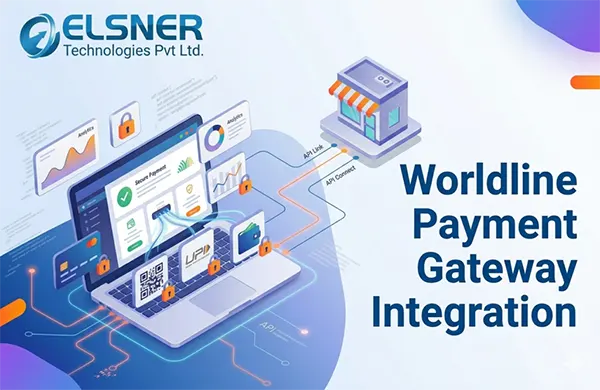
Most online stores chase first-time buyers while their existing customers, who already trust the brand, slowly drift away. Many e-commerce stores suffer from this problem, causing them to face drops in new customers and even lose the ones they already have.
This gap is dealt with by the use of the CRM API, which transforms the whole process by acting as a connective layer that allows a customer relationship management system to talk, in real-time, to every part of an online store, support desk, and marketing platform.
This guide breaks down how CRM APIs actually enhance retention numbers, where payment infrastructure fits into that picture, and what to look for when you’re evaluating platforms for your own store.
Key Takeaways
- Research suggests that a five-percentage-point improvement in retention can end up lifting profits by 25-95 percent, depending on the sector
- A CRM API (Application Programming Interface) is a defined set of rules that lets your CRM exchange data automatically with other software
- CRM automation tools connected through an API trigger win-back emails, replenishment reminders, and post-purchase check-ins without a marketer building each one manually
- Local implementation partners already understand location-specific flows, NACH mandates, and RBI-driven regulatory requirements
Table of Contents:
- Why Customer Retention Has Become the Real Growth Metric in 2026
- What a CRM API Actually Does in an eCommerce Stack
- How CRM APIs Improve eCommerce Customer Retention: 5 Mechanisms
- The Hidden Retention Lever: Payment Gateway API Integration
- Best Platforms for Integrating Online Store Data With CRM
- What This Looks Like in Practice
- Retention Infrastructure Also Affects Business Value
- Getting Started: A Practical Checklist
- Final Thoughts
- Frequently Asked Questions
Why Customer Retention Has Become the Real Growth Metric in 2026
The economics are no longer subtle. Brands lose an average of $29 on every newly acquired customer before the customer even becomes profitable, and existing customers seem to generate roughly 65% of total company revenue, even though they cost a lot less to retain than to acquire.
Repeat buyers display the same story but from a different angle: they usually make up only about a fifth of a store’s entire customer base but account for nearly half of its total orders and revenue (Gorgias data, cited via Ringly.io, 2026)
The reward for fixing retention is also outsized. Research suggests that a five-percentage-point improvement in retention can end up lifting profits by 25-95 percent, depending on the sector. Yet most stores aren’t close to capturing that benefit, as the average e-commerce retention rate remains approximately 28-31 percent, meaning brands lose around seven out of every ten first-time buyers and never see them again (Shopify/Envive benchmarks, 2026)
What separates the stores stuck at 30 percent from the ones reaching 50-60 percent usually isn’t the size of their marketing budget. It’s whether their systems share data. McKinsey research cited by LoyaltyPass found that brands with strong omnichannel engagement retain around 89% of customers, compared to just 33% for brands running disconnected channels — and the only practical way to close that gap at scale is through API-connected systems, not manual exports between tools.
What a CRM API Actually Does in an eCommerce Stack
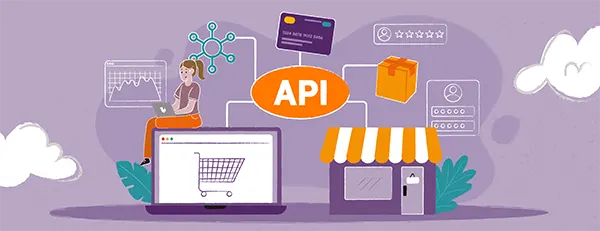
A CRM API (Application Programming Interface) is a defined set of rules that lets your CRM exchange data automatically with other software — your storefront, your helpdesk, your email platform, your payment gateway — without a human re-typing anything.
In a typical eCommerce setup, that means:
- When a customer places an order, the CRM API can update their profile instantly, log the purchase, and trigger the next step in their customer lifecycle — a welcome flow, a loyalty point credit, or a personalized follow-up.
- When a support agent opens a ticket, the API pulls in the customer’s order history, past complaints, and lifetime value, so the agent isn’t starting from zero.
- When a marketing tool sends a campaign, it’s segmenting based on live CRM data — recent purchases, browsing behavior, churn risk — instead of a list that was exported three weeks ago.
This is the baseline of modern customer lifecycle management software. It’s not a static database, but essentially a live data layer that every customer-facing system can see and write to.
Industry research indicates that CRM use by e-commerce brands increases customer retention by around 27% on average, with customer lifetime value soaring 25-40 percent once analytics and personalization are added on top (SellersCommerce, 2026).
On the investment side, CRM remains one of the highest-ROI categories in software, with figures suggesting average returns of around $8.71 for every dollar spent. (DemandSage, 2026)
How CRM APIs Improve eCommerce Customer Retention: 5 Mechanisms
Here’s how CRM APIs actually enhance the retention process and the five mechanisms involved:
1. They Make Personalization Possible at Scale
Generic marketing no longer earns a second look. Around 71% of shoppers now expect personalized experiences, and 76% show frustration when stores treat them like strangers (McKinsey personalization research, cited via Envive, 2026).
A CRM API is what makes a completely personalized shopping experience possible beyond just being limited to a single channel. It feeds real purchase and browsing history into product recommendations, email content, and even support conversations, instead of only depending on guesswork or assumptions.
Stores that get this factor right see measurable differences, with 56% of shoppers becoming repeat buyers specifically after the optimized experience (Twilio Segment data, 2026).
2. They Unify Omnichannel Customer Support
Customers now transition between live chat, email, Social DMs, and phone support without waiting, and they expect the representative to already know all about them and their issue. CRM APIs sync support tools with order and behavior information so that omnichannel customer support is consistent, irrespective of channel. Salesforce’s State of the Connected Customer research shows why this matters. 84% of customers say being treated like a known person, not a ticket number, is crucial to whether the user is loyal to a brand.
3. They Automate the Customer Lifecycle Instead of Relying on Manual Follow-up
CRM automation tools connected through an API trigger win-back emails, replenishment reminders, and post-purchase check-ins without a marketer building each one manually.
The results accumulate, with first-time buyers who receive them showing 45% higher second-purchase rates (Marketing LTB data, 2026).
This is the core of the customer lifecycle management, treating “new customer, “repeat buyer,” and “at-risk customer” as different, API-triggered states instead of one undifferentiated list.
4. They Give Every Team the Same Source of Truth
Disconnected systems are the single biggest reason CRM investments underperform. Salesforce-cited research shows only about 32% of companies have achieved a single, unified customer view across the platforms they operate — a gap that directly undermines retention efforts. A properly API-integrated CRM removes that gap — sales, support, and marketing all work from the same record, which is one reason Freshworks research found CRM users 86% more likely to exceed their sales targets than teams without one.
5. They Turn Retention Tools Into a Habit, Not a One-Time Setup
The best customer retention tools aren’t static dashboards — they’re systems that act continuously: flagging a customer who hasn’t ordered in 60 days, surfacing a support ticket from a high-value buyer, or adjusting a loyalty offer based on recent behavior. None of that works without an API quietly moving data between the CRM and every other tool in the stack, in both directions, all the time.
Fun Fact
Data flows both ways. Your store sends transactions and customer info to the CRM, while the CRM sends back segmented marketing tags and customer loyalty statuses.
The Hidden Retention Lever: Payment Gateway API Integration
Retention conversations usually focus on email and loyalty programs, but a huge share of “lost” customers never had a retention problem at all — they had a checkout problem. Worldline’s own data puts this plainly: roughly 60% of shopping carts are abandoned when a payment fails to go through on the first attempt. That single friction point can quietly undo months of CRM-driven personalization work, because a customer who can’t pay doesn’t become a repeat customer at all.
This is where payment gateway API integration and CRM strategy start to overlap. When a payment gateway is connected to the CRM through a proper payment integration API, a failed transaction, a successful UPI payment, or a recurring billing event all become CRM-visible signals — triggering the right follow-up automatically instead of leaving the customer to figure out what went wrong on their own.
Why Worldline Payment Gateway Integration Matters for Indian eCommerce
For merchants operating in India, Worldline payment gateway integration has become a default consideration because of how the local payment landscape behaves. Worldline has built a payment ecosystem in India for over 26 years and is positioned as the preferred partner for more than 30 leading public and private sector banks, alongside NBFCs, insurers, and e-commerce businesses. Its gateway supports more than 100 payment options — UPI, net banking, cards, wallets, and EMI — through robust APIs, custom SDKs, and more than 20 ready-made plugins covering platforms including Magento, Shopify, OpenCart, and WooCommerce.
That breadth matters because UPI alone now processes around 19.5 billion transactions a month in India, reflecting the country’s rapid shift to digital-first commerce — a payment gateway that can’t route intelligently across all these methods will fail transactions that a better-integrated one would have completed. When a payment gateway api integration services provider connects Worldline’s transaction data directly into the CRM, every failed payment, retry, or refund becomes part of the customer’s lifecycle record instead of disappearing into a separate dashboard nobody checks until month-end.
This is also why working with a Worldline integration company in India — rather than attempting an in-house build — tends to shorten the path to a working setup.
Local implementation partners already understand location-specific flows like UPI intent/collect, NACH mandates for subscriptions, and RBI-driven regulatory requirements that a generic global integration guide won’t cover.
It’s worth noting that api integration payment gateway work doesn’t have to mean betting on a single provider. Stores running multiple payment processors for redundancy or regional coverage — for instance, pairing Worldline for Indian payment methods with a multiple Stripe accounts payment method setup for international cards — can route transactions intelligently and avoid a single point of failure at checkout. The CRM is what ties both gateways’ data back into one customer view.
Best Platforms for Integrating Online Store Data With CRM
Not every CRM-to-store connection is built the same way, and the platform decision usually comes down to three questions.
How is your store built? A WooCommerce or Shopify store has a fundamentally different integration path than a custom or headless storefront. WooCommerce stores, in particular, increasingly lean on headless WooCommerce API integration to decouple the frontend from the backend, which makes it easier to plug in a CRM, a payment gateway, and an ERP independently rather than forcing all three through one rigid theme.
Does the integration sync in real time or in batches? Real-time sync (via webhooks and REST or GraphQL APIs) is what powers instant inventory updates, immediate CRM record creation, and live fraud checks. Batch syncing is cheaper to build but introduces lag that shows up as stale customer data — exactly the kind of gap that breaks personalization.
Who maintains it once it’s live? API integrations between a CRM, a storefront, and a payment processor are not “set and forget.” Plugin updates, API version changes, and new payment methods (UPI’s own roadmap adds new features often) all require consistent attention.
This is usually where businesses bring in dedicated WooCommerce development services rather than treating the integration as a one-time project, since CRM, ERP, and payment APIs all need to proceed together as the store eventually scales.
What This Looks Like in Practice
A mid-sized fashion retailer running WooCommerce typically starts with three disconnected tools: a CRM for email marketing, a separate helpdesk for support tickets, and a payment gateway dashboard nobody outside finance ever opens. The fix isn’t replacing any of these tools — it’s wiring them together through APIs so that:
- A customer service agent sees the customer’s last three orders and their loyalty tier the moment a ticket opens, instead of asking the customer to repeat their order number.
- A payment failure on a Worldline transaction triggers an automatic, CRM-driven email offering an alternate payment method, rather than the customer simply giving up.
- A customer who hasn’t purchased in 45 days gets flagged automatically for a re-engagement campaign, based on CRM-tracked lifecycle stage rather than a manually pulled spreadsheet.
None of these are exotic capabilities. They’re the baseline expectation now, and the gap between stores that have them and stores that don’t shows up directly in repeat purchase rate.
Retention Infrastructure Also Affects Business Value
There’s a less obvious reason retention-focused CRM and payment integration matter: they directly affect how a store is valued. Buyers evaluating an automated e-commerce business for sale look hard at repeat purchase rate, customer lifetime value, and how dependent the business is on its founder’s manual effort. A store where CRM, support, and payment data already flow together through APIs is demonstrably easier to hand over — the retention engine runs on infrastructure, not on one person’s inbox habits. That makes it a meaningfully more attractive (and often more highly valued) acquisition than a store with the same revenue but no connected systems behind it.
Getting Started: A Practical Checklist
- Audit what’s disconnected first. List every tool that touches a customer — CRM, helpdesk, payment gateway, email platform — and note which ones currently require manual data transfer.
- Prioritize the payment gateway connection early. Given how directly checkout failures affect retention, integrating your payment gateway API with the CRM should rank above most marketing automation projects.
- Choose real-time over batch wherever the budget allows. The retention gains from instant data sync consistently outweigh the extra setup cost.
- Plan for India-specific payment methods if you sell there. UPI, NACH, and RuPay all have integration nuances that a generic global setup guide will miss.
- Treat the integration as ongoing, not a launch-day task. Budget for ongoing API maintenance the same way you’d budget for theme or plugin updates.
Final Thoughts
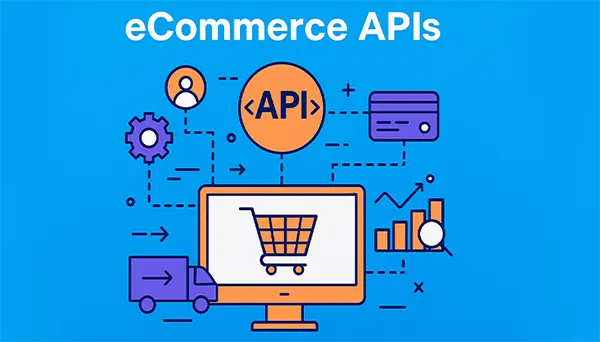
CRM APIs don’t retain customers by themselves — people, products, and pricing still do the heavy lifting.
What CRM APIs do is remove the friction that gradually costs stores their best customers, the support agent who doesn’t know the order history, the payment that fails without a follow-up, and the personalization that never takes place as the data lives in three different tools.
Connect such systems properly, and retention stops being just a campaign you run occasionally and becomes a property of how the store functions every day.
Frequently Asked Questions
Q1. What’s the difference between a CRM API and a standard CRM plugin?
Q2. How exactly does CRM API integration reduce cart abandonment?
Ans: A CRM API can react to checkout events in real time. A failed transaction can automatically trigger a follow-up offering an alternate payment method, while a successful one immediately updates the customer’s lifecycle stage.
Q3. Is Worldline a good payment gateway choice for an Indian eCommerce store?
Ans: For businesses selling primarily to Indian customers, Worldline is a strong fit because of its long-standing presence in the market, broad coverage of UPI, net banking, RuPay, and EMI options, and its ready-made plugins for platforms like WooCommerce and Shopify.
Q4. Can a small eCommerce business afford CRM API integration?
Ans: Yes, most modern CRM and payment platforms expose REST APIs with developer documentation and existing plugins, so smaller stores rarely need to build integrations from scratch. Costs scale with how custom the workflow needs to be.
 Divya Kakkar
Internet Content Writer
About article
The author of this article Divya Kakkar, an Internet Content Writer at Saferloop, brings practical experience and industry knowledge to the subject.
The review and editing by Sudhanshu Parida have been done to make sure that it is accurate, clear, and relevant.
At Saferloop, we are determined to provide high-quality, well-researched, and updated content. To understand further how we produce and revise our articles, please refer to our Editorial Guidelines.
Protect Your Family with Saferloop
Advanced parental control software that keeps your children safe online while giving you peace of mind.
- Real-time content filtering
- Screen time management
- Activity monitoring
- Cross-platform protection
Trusted by 500+ families