

Most Kids spend a huge part of their time online, so internet safety helps them avoid scams, unsafe content, and privacy risks.
×

Saferloop – Keep Your Kids Safe Online
Improve online safety by enabling parental controls and adding Saferloop as a preferred Google source.
Teaching Your Kids to Use the Internet Responsibly and Safely: 7 Real-World Skills for 2026
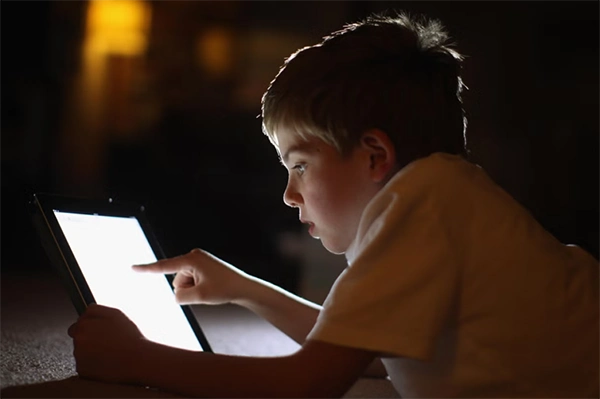
A kid today can go from watching cartoons to searching for something random on Google in just 30 seconds, and that is very normal now, but what’s not normal anymore is how fast things can go wrong online.
According to UNICEF, over 1 in 3 internet users today is a child, and a large percentage of first online exposure now happens before age 10. Cybersecurity research from organisations like Kaspersky also shows that phishing-style attacks and fake links targeting younger users have been increasing in recent years (Kaspersky,2023)
The danger is not always obvious. Sometimes it looks like fake game rewards, random questions about school, or links that appear completely normal. The internet doesn’t come with warning labels. That’s exactly why this article will provide 7 Real-World Skills for 2026, to help you handle situations like these a bit more confidently and avoid getting caught off guard.
Table of Contents:
- Why Responsible Internet Use Matters for Kids in 2026
- Skill 1: Protecting Personal Information Online
- Skill 2: Spotting Scams, Fake Links, and Suspicious Messages
- Skill 3: Understanding Digital Footprints and Online Reputation
- Skill 4: Practicing Safe Social Media and Messaging Habits
- Skill 5: Managing Screen Time and Healthy Online Routines
- Skill 6: Using AI, Search Engines, and Online Tools Wisely
- Skill 7: Knowing When to Ask a Parent or Trusted Adult for Help
- Conclusion: Building Safer Digital Habits for the Future
- Frequently Asked Questions
Why Responsible Internet Use Matters for Kids in 2026
Kids are no longer just browsing online. They’re messaging, searching, posting, learning, gaming, and often doing all of it at the same time. And the internet doesn’t really separate safe and unsafe content. It all sits in the same feed.
What makes modern internet risks difficult to spot is that most of them don’t look dangerous at first glance. So instead of trying to block everything, the focus has shifted to something simpler, like teaching kids how to question what they see online instead of blindly trusting it.
Reports from digital safety groups show that children are now exposed to:
- scams disguised as games or gaming offers
- fake social media accounts
- messages from strangers online
- accidental sharing of personal information
Fun Fact – Deleted posts, photos, or comments can leave a digital footprint online for a long time.
Skill 1: Protecting Personal Information Online
Kids should also understand that some information should never be shared publicly online, even if a game, app, or website asks for it:
Things like your full name, home address, school name, phone number, passwords, or live location don’t belong in random forms or chats. Most of the time, kids don’t even realize why they’re being asked for it; it just feels like part of the game or setup.
And that’s exactly how digital dangers come in. Not through obvious warnings, but through normal-looking screens that don’t feel risky at all. Because once personal information is out there, you don’t really get full control over it again. It can be copied, shared, or stored somewhere you’ll never see.
Skill 2: Spotting Scams, Fake Links, and Suspicious Messages
Scams don’t really look like scams anymore. They look like fake prize messages, bonus coins, account warnings, or links pushing people to verify now. Things kids already see online every day.
So they click. Not because they’re careless, but because it blends in with normal internet stuff now. One habit honestly helps more than anything else: pause before clicking.
If something suddenly creates urgency, panic, or excitement, there’s a good chance it’s trying to rush the decision before someone thinks properly. And to be fair, even adults fall for this stuff all the time.
Skill 3: Understanding Digital Footprints and Online Reputation
This is the part most kids barely think about. The internet remembers more than people expect. That’s basically what a digital footprint is. Little pieces of activity are building up over time, often without people realizing it’s happening.
And the strange part is, something doesn’t fully disappear just because you deleted it or stopped seeing it on your screen. A simple way to explain it is this: posting online is more like writing on a wall than writing on paper.
Even things like:
- deleted posts
- shared photos
- old comments
- usernames from years ago
It can still leave traces behind somewhere. You might cover it up or erase part of it, but traces often stick around longer than expected.
Skill 4: Practicing Safe Social Media and Messaging Habits
This is where most real-world issues actually start. But rules alone don’t fix everything. What matters more is whether a child actually feels comfortable speaking up. Because if they think they’ll get in trouble for saying something went wrong, they usually stay quiet. And that’s when small problems quietly turn into bigger ones.
Not because social media is bad, but because it’s unpredictable in the way people behave on it. Kids should get used to a few simple things:
- They shouldn’t talk to unknown accounts
- Don’t accept random requests
- Never share private chats or photos
- Block or report anything that feels off
Skill 5: Managing Screen Time and Healthy Online Routines
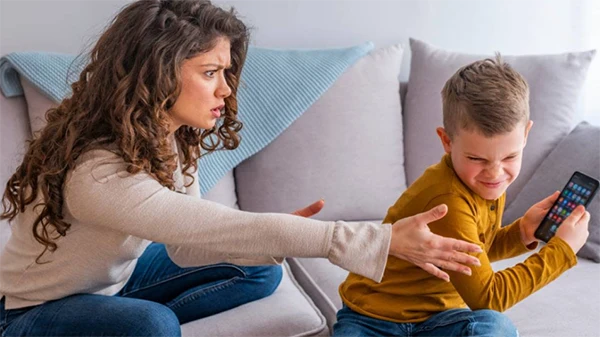
Structured online activities help here too. Activities such as learning to play D&D online give teens a purposeful, social reason to be online rather than passively scrolling, which makes screen time feel more intentional and easier to step away from.
Nobody really talks about this enough. It’s not just that too much screen time is bad. It’s more about what slowly starts changing without anyone noticing, sleep gets pushed later than planned, focus feels a bit scattered, and offline stuff just happens less and less.
And it’s sneaky. It doesn’t happen in one day, so nobody really catches it early. What works better isn’t strict rules, but a kind of rhythm. Taking small breaks without overthinking it, having time away from screens where nobody feels guilty, and keeping a few moments like meals or bedtime completely phone-free.
Just like regular maintenance tasks, such as checking an air filter, healthy digital habits also need consistent attention over time.
Skill 6: Using AI, Search Engines, and Online Tools Wisely
Kids today don’t just search, they ask AI. And most of them don’t even think twice about it. If it shows up, it feels right. That’s where it gets a bit messy.
AI tools and search results can be useful, sure. But they’re not always accurate, and sometimes they just sound more certain than they actually are. So the real skill is pretty simple.
AI can sound confident even when it’s wrong, so don’t rush to believe the first answer you see. Pause for a second and question it a bit. Does this actually make sense? Or can I quickly check another source before I go with it?
Skill 7: Knowing When to Ask a Parent or Trusted Adult for Help
This one matters more than anything else. Because no matter how careful kids are, they’ll still run into stuff online that doesn’t feel quite right.
Maybe it’s a weird message, someone asking for personal details, something that feels off, or just something they don’t really understand. And in those moments, the main rule is simple: don’t deal with it alone and always seek assistance from adults.
Talking to an adult isn’t overreacting; it’s usually the safest thing to do. Tools like Saferloop are built around the same idea, too, just helping parents stay in the loop so kids aren’t left trying to figure everything out by themselves.
Conclusion: Building Safer Digital Habits for the Future
There’s no real way to keep kids off the internet anymore, so the goal isn’t restriction. It’s just helping them be a bit more ready for what they’ll run into. If they know what to share, what to ignore, when to pause, and when to talk to parents, they’re already doing better than most.
It doesn’t need to feel like a long list of rules either. Small habits, done regularly, matter more, kind of like how something simple like transmission fluid quietly keeps things running in the background without anyone thinking about it too much.
The internet will keep changing, but these basics don’t really change much. And tools like Saferloop just sit in the background supporting that balance between independence and safety.
Frequently Asked Questions
Why is teaching internet safety important for kids in 2026?
How can kids spot fake links or online scams?
Scam or fake links usually pressure you to click fast or promise rewards, so kids should slow down, check carefully, and ask an adult if something feels off.
How can parents help children build safer online habits?
Parents can build safer habits by talking regularly about online risks, setting simple rules, and encouraging kids to ask for help anytime something feels weird online.
 Divya Kakkar
Internet Content Writer
About article
The author of this article Divya Kakkar, an Internet Content Writer at Saferloop, brings practical experience and industry knowledge to the subject.
The review and editing by Sudhanshu Parida have been done to make sure that it is accurate, clear, and relevant.
At Saferloop, we are determined to provide high-quality, well-researched, and updated content. To understand further how we produce and revise our articles, please refer to our Editorial Guidelines.
Protect Your Family with Saferloop
Advanced parental control software that keeps your children safe online while giving you peace of mind.
- Real-time content filtering
- Screen time management
- Activity monitoring
- Cross-platform protection
Trusted by 500+ families