

Once a photo is online, it can be saved, shared, or screenshotted anywhere, which creates the potential for misuse.
×

Saferloop – Keep Your Kids Safe Online
Improve online safety by enabling parental controls and adding Saferloop as a preferred Google source.
Guidelines for Students to Post Personal Photos Online Safely in 2026
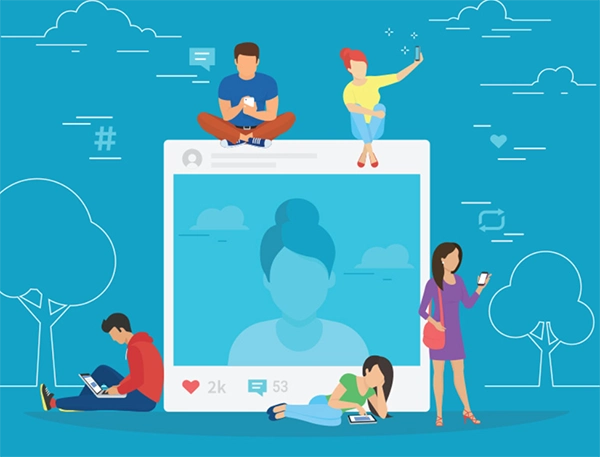
Up to 95% youth scroll social media daily, and it has become a pattern for them. Posting a selfie, editorial sports photos, or maybe a random photo doesn’t seem harmful, especially on social media, after all, everyone posts them, at least that’s what students think while uploading pictures. But the truth is, it can be saved, shared, or screenshotted by anyone, anywhere, once it is online.
In 2022, approximately 1.1 million reports were filed for identity theft, so sharing personal information and photos online can be misused. Now, what’s the solution to this? Should we stop posting photos? Well, no, you just need to learn how to post your photos safely, and this guide will help you learn how.
Table of Contents:
Risks of Sharing Personal Photos on the Internet
Before the tips, you need to know the risks of sharing personal photos on the internet. Because once a photo is online, it is open to everyone. Even if you delete it later, it can still exist in someone else’s device.
Being aware of the online risks is most important because “Precaution is better than cure.”
- Your photos can reveal your personal details, like location or daily routine, which can cause identity theft.
- As AI has evolved a lot, your photos can be photoshopped and used to create deepfakes without your permission.
- One of the most common risks is cyberbullying. Your photos can be used by others to mock or target you.
- Every picture is a digital footprint, so even if you delete it, it might already be saved or copied somewhere else.
Essential Guidelines for Posting Photos Safely
To be honest, most students want to post photos online; sometimes they post selfies, or sometimes use websites like Pixabay to get free images. It is fun, I know. But imagine seeing your personal photo has been posted by someone you don’t even know. This feels uncomfortable and scary.
This is why I’m sharing a guideline so you can be careful while sharing your photos online. With the help of this guideline, students can ensure their privacy.
- Keep your accounts private so only trusted and known people can see your posts.
- Using the location tag can be tricky, so avoid revealing your location in posts.
- Limit what you share online because not every moment can be shared.
- Remove or edit personal details before posting the photos, as this can cause you online harm.
- Be respectful and kind, and do not share other people’s photos without their consent.
- Use strong passwords and avoid sharing them with anyone.
Pro Tip – If your location is in your photo, make sure to post it only after you leave the location to avoid real-time location tracking.
How to Use Privacy Settings on Social Media Platforms

Most of the students do not take privacy settings seriously, even after knowing that they are important. Privacy settings decide who can see your pictures, post photos with you, or reshare your posts. So, take a few minutes and set them up; it is for your own safety.
Controlling Audience
On social media platforms, some built-in tools allow students to restrict or filter the audience according to their preferences. They can also change the settings of their account to private if they don’t want to share their photos with everyone. In public accounts, everyone can add or follow you and can see your posts without restrictions.
Tags
People can tag or mention you in their photos or posts, sometimes even without your permission. A tag review and limiting who can mention you will help you in deciding what should appear on your social media profile.
Sharing Permissions
Sharing permission helps you in setting who can share your posts or photos. You can choose if you want to give sharing permission to all or limit it to a few people only, so your photos won’t spread online without your consent.
Best Practices Before Uploading Any Personal Image
Are you going to post a photo online? Wait for a moment and think because once the picture is online, you may lose control of it. I’m not telling you not to post any photos, but to build a habit of being careful and use some measures. With this, you can enjoy social media platforms without risking your privacy and safety.
- Every image contains some hidden data, such as exact date, time, and location. Make sure to remove this data before uploading any photos.
- Upload low-resolution photos, as sometimes clear HD photos can be misused by cybercriminals.
- Disable the photo download and sharing options, and share your personal images only with close friends.
- Set your social media profile to private so only your friends can see your posts.
Role of Parents and Schools in Promoting Safe Sharing
Parents and school both play a crucial role in a student’s life. They help children shape their online habits and boundaries. Teaching students safe sharing is a shared responsibility between both of them.
- Parent-teacher meetings can be a good example of this. With these meetings, both discuss students’ digital habits and potential concerns.
- A few events or campaigns that promote digital safety and parents promoting open communication are also very helpful.
- Schools and parents can guide students to use the internet for educational purposes.
Conclusion
Sharing photos online isn’t a problem, but sharing them without knowing the harm could be a problem. But following safety guidelines and using privacy settings can reduce the risk of online harm, especially the risk of cyber threats and cyberbullying.
So, safe sharing is not about the fear of posting photos; it is about the balance of security and self-expression. With the support of schools, parents, and their guidance, students can be expressive online while protecting their identity and privacy. In the end, being informed and cautious can help students build a safer digital future.
Frequently Asked Questions
Why should students be careful while posting photos online?
How can privacy settings help protect photos online?
Privacy settings allow you to share your photos with certain people and limit who can access them.
What’s the role of parents and schools in promoting safe sharing?
Parents and schools work together to teach students safe sharing by guiding them about boundaries and promoting open communication.
 Divya Kakkar
Internet Content Writer
About article
The author of this article Divya Kakkar, an Internet Content Writer at Saferloop, brings practical experience and industry knowledge to the subject.
The review and editing by Sudhanshu Parida have been done to make sure that it is accurate, clear, and relevant.
At Saferloop, we are determined to provide high-quality, well-researched, and updated content. To understand further how we produce and revise our articles, please refer to our Editorial Guidelines.
Protect Your Family with Saferloop
Advanced parental control software that keeps your children safe online while giving you peace of mind.
- Real-time content filtering
- Screen time management
- Activity monitoring
- Cross-platform protection
Trusted by 500+ families