The use of information kiosks in schools directly improves communication, safety, and engagement.
×

Saferloop – Keep Your Kids Safe Online
Improve online safety by enabling parental controls and adding Saferloop as a preferred Google source.
School Safety with Digital Signage: 8 Features Parents Should Look for in 2026
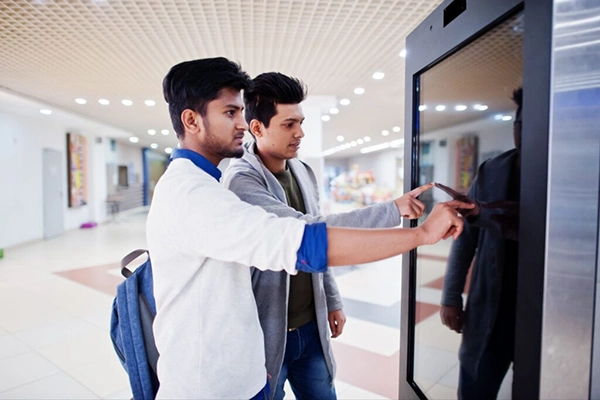
Schools are safer than ever today, as they should be.
Still, no amount of assurance can stop a parent from worrying about their kid who’s at school. They want their kids to be away from harm or profanity.
On the other hand, children are generally heedless, paying little attention to their own safety and security. Especially when the warning instructions are written on a boring poster on a school wall.
However, digital signage is an innovation in public address systems, not just for children but for everyone. Panasonic says that media terminals capture 400% more views than static displays.
In this article, I’ll tell you everything about digital signage. The following sections discuss why they’re getting popular in schools, related safety features, and their benefits for students and parents.
KEY TAKEAWAYS
- Traditional public address methods like posters or loudspeakers bore people.
- In their place, visual-based information kiosks are getting popular.
- They grab children’s attention and can have great use cases in school safety.
- Overall, they have many pros for the school, students, and their parents.
Table of Contents:
Why Digital Signage Is Becoming Important for School Safety
Electronic displays provide instant, campus-wide emergency alerts, such as:
- Lockdown
- Fire drills
- Weather warnings
These digital displays are unignorable, and the content within can also be properly understood.
The old audio-based systems used to trigger confusion and panic among the crowd in times of crises. But these new visual-based systems overcome those limitations. For details, check out statistics on digital signage benefits.
8 Safety Features of Digital Signage for 2026
In 2026, media terminals are evolving from a marketing tool into a safety and security tool. Here are key digital signage features for this year:
Emergency Alert Integration
CDC’s school preparedness guidance holds the school administration responsible for emergency preparedness.
Here, information kiosks integrated with instantaneous emergency alerts help greatly. These alerts are automated and location-specific, guiding people to safety.
These systems also integrate with hazard sensors like smoke and weather sensors. In case of emergencies, they display tailored instructions such as evacuation routes, etc. The regular content quickly shifts to full-screen warnings in multiple languages.
You can manage these displays in real-time, remotely, even via mobile apps.
Instant Notifications
The passive displays are evolving into active, AI-driven emergency response tools. Instant notifications are a big part of this.
Traditional PA (Public Address) systems were audio-based, which used to blare short messages on repeat. They were impractical for elaborate instructions and also a bit panic-inducing. Emails improved upon them, but who checks their email when the building is crashing down?
The digital signage is the best emergency system available at the moment. You see them displaying regular information in day-to-day life, so they don’t trigger panic when the content shifts to warnings and emergency instructions. Also, their content can be altered almost instantly across multiple locations.
Visitor Management
Managing visitors is a big part of safety regulation at a school. As many as 98% of U.S. public K‑12 institutions utilize some form of visitor management system to help prevent dangerous individuals from entering grounds.
Conventional visitor management systems were manual and time-consuming, leading to overcrowding at entry lobbies in peak loads.
Media terminals accelerate entry and increase security at the same time, using:
- QR Code Scanning
- Contactless ID Cards (NFC)
- Biometrics involving face or voice recognition
These check-in kiosks are completely automated.
Access Control Displays
Access control digital displays are also gaining popularity. These make for “experience infrastructure” that combines:
- Security
- Interactivity
- AI
It’s important today that these systems are treated like other enterprise endpoints, such as laptops, servers, IoT devices, etc. Robust security is essential to avoid risks such as unauthorized access or display hacking.
Just like these systems, you should also put some guardrails on your child’s phone use.
Content Scheduling
Content scheduling on these digital signage is now automated and AI-driven, which earlier required manual updates.
The AI-powered content is dynamic, adapting to the context. On the other hand, content scheduling has turned predictive instead of reactive.
CMS security should be such that only authorized personnel can manage the content schedule.
When an emergency strikes, all of the scheduled content is overridden.
USE CASE
Modern scheduling systems can be synced to school calendars, showing daily announcements and class schedules in real time on information kiosks.
Automated Safety Announcements
Automation of safety announcements and emergency response is a key use case of digital signage now.
Integrated with environmental sensors and safety systems, digital displays automatically trigger visual alerts and emergency instructions.
These emerging system are better at minimizing harm to people than relying on manual intervention in times of crisis.
Integration with Security Systems
Digital signage is now a critical part of school safety and security infrastructure. The passive content displays have become automated, actively helping with threat prevention and response.
Their integration with security systems, which includes IP cameras, sensors, and AI, is essential for:
- Real-time awareness
- Automated emergency alerts
- Behaviour analytics
Setting up monitoring on your child’s digital devices is also a good idea for a parent.
Data Analytics
AI-powered data analytics is essential to electronic display systems.
Computer vision analyzes relevant metrics (audience engagement, dwell time, etc.) and dynamically adjusts the displayed content. This ensures that the safety messages are actually noticed, not ignored.
Analytics also have use in crowd management and hazard response. Data from cameras and sensors is used to gauge people density. Instantly, automated overcrowding preventive messaging is shown. Also, the environmental data is used to push relevant instructions. This minimizes hazard damage.
Benefits of Digital Signage for Students, Parents, and Schools
The dynamic screens improve communication, security, and engagement in schools. Pushing instant updates during emergencies improves safety management. Efficient communication is evident as they can update the cafeteria menu, schedules, or make event announcements across the campus.
Students engage better with the modern screens. They also get crucial information on time through digital signage. It also helps with community building as students’ achievements get shown on the screens.
Similarly, parents benefit from updates on school events and policy changes shown in the reception area. Real-time safety updates on the screens give peace of mind to parents that their child is sufficiently informed at every moment. Large campuses can use them for wayfinding maps, so parents don’t get lost during occasional visits. For more information on how you can contribute more towards your child’s education experience, check out the US Department of Education’s family partnership and engagement resources.
Conclusion
Media terminals are becoming crucial to the school safety infrastructure.
They help with automated emergency alerts and visitor management with features like content scheduling, security system integration, and data analytics.
It’s a win-win for all as they equally benefit schools, students, and parents.
Frequently Asked Questions
What are the benefits of digital signage in education?
What are some safety rules for students?
Major student safety rules include walking in hallways, careful ground playing, avoiding strangers, following traffic rules, and practicing good hygiene.
What are 2-3 things that would make you feel safe in the classroom?
In a safe classroom, teachers build positive, trusting relationships with their students, the rules are clear and consistent, and the emphasis is on emotional safety and inclusivity.
 Divya Kakkar
Internet Content Writer
About article
The author of this article Divya Kakkar, an Internet Content Writer at Saferloop, brings practical experience and industry knowledge to the subject.
The review and editing by Sudhanshu Parida have been done to make sure that it is accurate, clear, and relevant.
At Saferloop, we are determined to provide high-quality, well-researched, and updated content. To understand further how we produce and revise our articles, please refer to our Editorial Guidelines.
Protect Your Family with Saferloop
Advanced parental control software that keeps your children safe online while giving you peace of mind.
- Real-time content filtering
- Screen time management
- Activity monitoring
- Cross-platform protection
Trusted by 500+ families