Usually, it happens because of weak GPS, bad internet, VPN apps, or battery saver settings. Crowded areas and tall buildings can also mess with tracking sometimes.
×

Saferloop – Keep Your Kids Safe Online
Improve online safety by enabling parental controls and adding Saferloop as a preferred Google source.
How to Solve App Localization and Location Tracking Problems with Parental Controls
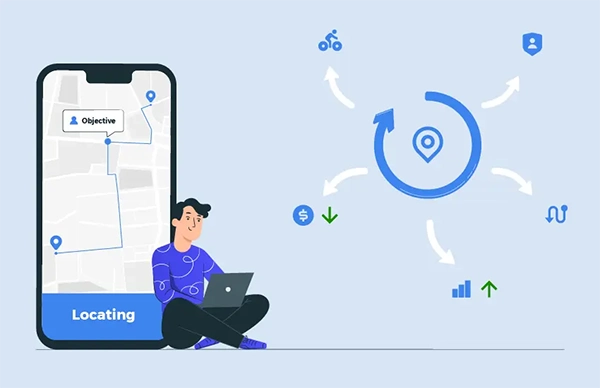
Keeping children safe has become the top priority in this digital world. Kids want freedom, while parents are worried about their safety. Once a child is out of school or to play with friends, parents start making scenarios in their head.
This is where location tracking tools become useful. A survey by MalwareBytes shows that around 84% of parents use some form of tracking to monitor their kids. Some parents openly talk about the monitoring, while others hide it from their children.
Although there are so many location tracking apps and services, most parents use parental control tools to keep track of their kids. This article explains the problems parents face while using a location tracking tool or device.
Table of Contents:
- Why Location Tracking Accuracy Matters for Child Safety
- Common App Localization and Location Tracking Problems Parents Face
- How Parental Controls Help Manage Location Tracking Issues
- Checking Device Settings for Better Location Accuracy
- Troubleshooting Geofencing and Safety Alert Problems
- Privacy and Trust Considerations When Tracking a Child’s Location
- Conclusion
- Frequently Asked Questions
Why Location Tracking Accuracy Matters for Child Safety
The crime against children is increasing very fast. According to the FBI, every 40 seconds, one child is abducted or goes missing in the USA. That’s why parents are getting more worried about their kids day by day.
Here are some common reasons why location tracking accuracy matters –
- Location accuracy gives parents peace of mind and fewer worries
- By setting geofencing, parents can get an alert if their kids enter an unsafe zone
- Location tracking accuracy helps parents in emergencies
- As the crime rates are rising, location accuracy protects kids from potential dangers
Common App Localization and Location Tracking Problems Parents Face
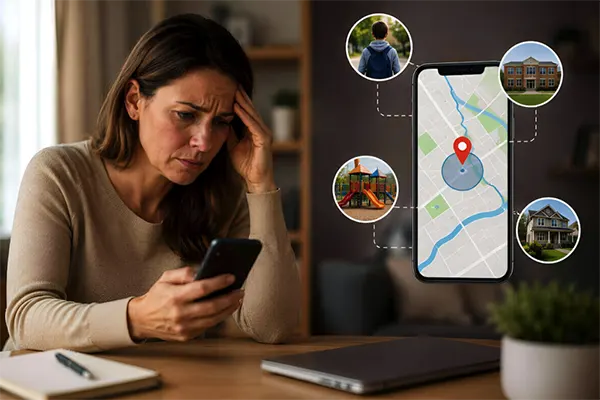
Location tracking can give parents a lot of relief when it comes to the safety of their kids. But there are some issues parents face while using location tracking apps.
For apps serving families in different regions, working with an app localization company can improve how alerts, safety messages, and instructions appear across multiple languages.
Inaccurate Real-Time Location Updates
Some location tracking apps can provide inaccurate real-time location due to multiple reasons, such as network issues, location blockers, or while using a VPN. Some apps do not support multiple languages, as people prefer location updates in their preferred language.
In some cases, poorly translated notifications can confuse parents during emergencies. Using a professional software translation service can help apps provide clearer instructions and reduce misunderstandings for multilingual users.
Tall buildings that can block satellite signals and poor GPS can also be a reason for inaccurate real-time location. Wrong location updates can make parents more worried about their kids.
Delayed Geofence Alerts
Delayed geofencing alerts can also be a very big problem. Most apps update location at a specific period of time, like 5 or 10 minutes, so if a kid enters or exits a location that comes under a geofence, parents won’t receive an alert until the location gets updated.
Sometimes the size of the geofencing can also delay the alerts and updates.
App Permissions Blocking Location Access
Kids download a lot of apps on their phones, and a few of them ask permission to access their location. Sometimes these app permissions can also block location access. To get the right, precise location, parents need to check the settings.
Parents can change the settings by going to settings, then tapping on location, opening app location permissions, and changing the settings from only while using the app to allow all the time.
How Parental Controls Help Manage Location Tracking Issues
Some kids can allow their location sharing to apps without realising. Over time, this can create privacy risks and sometimes bigger problems. Parental control tools such as SaferLoop can analyse the location permissions used by apps and control them before any harm.
Parental tools can help by –
- Parental tools let parents see which apps are using location services
- They can block location access to certain apps and websites
- Parental controls provide real-time location updates and send an alert once the child exits a safe place
- Parents can decide which apps are allowed to access location services
Checking Device Settings for Better Location Accuracy
Not only apps, but device settings can also cause inaccurate location updates. Well, it is quite common, and it happens due to several issues, such as poor GPS, app permissions, and a drained battery.
For better location accuracy, parents can –
- Change the settings to high accuracy mode by opening settings, tapping on location, clicking on mode, and selecting high accuracy.
- Parents need to update their kids’ devices and software regularly for better location accuracy
- Change the background settings and limit background location access for apps that don’t need location access all the time
- Clearing the cache location data and using battery saver mode carefully can also help
Troubleshooting Geofencing and Safety Alert Problems
Geofencing sounds simple, but it does not always work perfectly in real life. Alerts can show up late or be triggered by mistake because GPS signals shift slightly, especially in crowded areas or places with weak networks.
A few simple things can help improve accuracy:
- Keep the safe zone slightly larger instead of too exact
- Make sure background location access is turned on
- Keep the parental control app updated
- Check that notifications are not muted
- Test alerts sometimes, instead of assuming they always work
- Keep Wi-Fi and mobile data on for better tracking
Privacy and Trust Considerations When Tracking a Child’s Location
Location tracking can help with safety, but too much monitoring can make kids feel watched all the time. That balance becomes even more important as they grow older.
A lot of parents now try to be open about why tracking is being used instead of secretly checking devices. Usually, kids respond better when it feels more about safety than control.
Some healthier habits include:
- Explaining when location tracking is active
- Setting clear online safety rules
- Avoiding constant monitoring during normal routines
- Giving older kids more privacy over time
- Having regular conversations about trust and screen habits
Parents are also trying to figure out how parents can set boundaries between work time and family screen time without making devices feel stressful all the time. In most cases, parental controls work better when they support communication rather than replace it.
Conclusion
Location-tracking and parental-control apps make things easier for many families. Parents get updates, safety alerts, and a little peace of mind when kids are out on their own.
Still, these apps are not perfect. GPS delays, wrong alerts, permission issues, or weak signals can mess things up sometimes. In many cases, the problem is not huge, it just comes down to phone settings, battery restrictions, or apps not updating properly.
At the same time, tracking works better when there is trust behind it. Most parents are not trying to monitor every move. They mostly just want to know their kids are safe while still giving them enough freedom to grow up normally.
Frequently Asked Questions
Why is my child’s location showing the wrong place?
Why do geofence alerts arrive late?
Most apps do not update location every second. Weak networks, disabled background access, or low battery settings can delay alerts, too.
How can parents improve location accuracy?
Keeping GPS on High Accuracy mode, updating apps regularly, and allowing background location access usually helps a lot.
Why does app localization matter in parental control apps?
Parents understand alerts faster when apps support their preferred language. Poor translations can create confusion during serious situations.
Can parental control apps stop unnecessary location sharing?
Yes. Many parental control apps let parents see which apps are using location access and block the ones that do not really need it.
 Divya Kakkar
Internet Content Writer
About article
The author of this article Divya Kakkar, an Internet Content Writer at Saferloop, brings practical experience and industry knowledge to the subject.
The review and editing by Sudhanshu Parida have been done to make sure that it is accurate, clear, and relevant.
At Saferloop, we are determined to provide high-quality, well-researched, and updated content. To understand further how we produce and revise our articles, please refer to our Editorial Guidelines.
Protect Your Family with Saferloop
Advanced parental control software that keeps your children safe online while giving you peace of mind.
- Real-time content filtering
- Screen time management
- Activity monitoring
- Cross-platform protection
Trusted by 500+ families