

A kid-safe search engine is basically a search engine made for kids that filters out inappropriate or unsafe content, so what they see is more suitable for their age.
×

Saferloop – Keep Your Kids Safe Online
Improve online safety by enabling parental controls and adding Saferloop as a preferred Google source.
Kids Safe Search Engines: Secure Your Child’s Visual Content Search with Trust and Authority
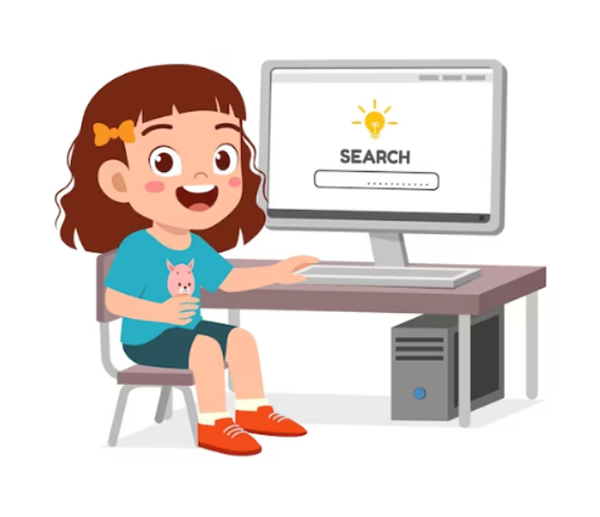
Around 58% of kids use the internet daily, be it for school work, for videos, for games, or just because they’re curious. It’s actually very normal at this point. But the internet is a mixed place. Some parts are helpful; others are not meant for children at all.
And kids don’t always know the difference between them. That’s where kid-safe search engines come in. They make things a bit cleaner and safer so children can search without getting exposed to random or unsafe stuff.
It’s not about blocking the internet. It’s more about guiding what shows up when they search. In today’s modern consumption habits, safe search ensures that whatever they see online is safe, useful, and appropriate for their age. In this article, we’ll learn how these tools work, why they matter, and what parents should know when setting them up for kids.
Table of Contents
- What Are Kids-Safe Search Engines
- Risks of Unfiltered Content Searches for Children
- Top Features to Look for in Safe Search Tools
- Benefits of Using Safe Search Engines for Kids
- How Parents Can Set Up Safe Search Environments
- Wrapping Up
Table of Contents:
What Are Kids-Safe Search Engines
Kid-safe search engines are basically search tools that are made for children so they don’t see unsafe or inappropriate content while browsing. They work just like the normal search engines, but filter content for kids. Anything that looks adult, violent, misleading, or not suitable for kids is blocked or removed by these search engines.
So what children actually see is a clean version of the internet. One that is easier to understand and less risky to browse. There are also different types of kid-safe search engines, such as Kiddle, KidzSearch, and Safe Search Kids. Some are made for younger children, where everything is very simple, visual, and tightly filtered. And others are for older kids and teens, where they get more results but are still monitored for safety.
Risks of Unfiltered Content Searches for Children
Almost 60% of children are exposed to one or more forms of online risk. When kids use regular search engines without any filters, they can easily end up seeing stuff that isn’t really meant for them. Even a simple homework search, a word they just heard somewhere, or random curiosity can pull up results that are not age-appropriate.
Some of the main risks a child can face are:
- Inappropriate or adult content – This is one of the biggest risks a kid might face; maybe they typed something else, but end up seeing content that is not meant for their age. It could be images, videos, or even websites that can make them uncomfortable.
- Misleading information – Not everything online is true. Some websites give incorrect or unreliable information, and kids often don’t know how to check if the information is true or not, so they may trust whatever they see and learn the wrong thing.
- Unsafe links – Some cybercriminals create fake websites or send suspicious links to children, or sometimes they even manipulate children into sharing their personal details. Most children don’t recognise these risks and end up being a victim.
- Losing focus – Without filters, the search results can distract children’s focus. A child might search for a school-related topic and end up watching funny videos. This can break their focus.
Top Features to Look for in Safe Search Tools

Choosing a safe search tool is not just about basic filtering; it is more about how well the tool actually works. Since children often jump from one search to another, parents only trust recognized platforms with a strong brand identity because they make them feel more confident and secure.
Key features parents look for in safe search tools –
- Content filtering – Blocks harmful or age-inappropriate content
- Ad-free ads – Reduces exposure to misleading promotions
- Search safety – Ensures images and videos are appropriate
- Parental controls – Allows customization based on the child’s age
- Safe browsing alerts – Warns against suspicious links or websites
- Educational results – Highlights useful and learning-focused results
AI tools for content teams are becoming more effective at identifying harmful patterns and filtering content in real time, making search environments safer than ever.
Benefits of Using Safe Search Engines for Kids
Using kid-safe search engines comes with some real and practical benefits. It’s not just about blocking inappropriate content; it actually makes the whole online experience smoother and less distracting for kids.
- Safer browsing experience – Reduces exposure to harmful or inappropriate content
- Better learning outcomes – Kids access more relevant and reliable information
- Improved focus – Fewer distractions during study time
- Parental peace of mind – Parents feel more confident about their child’s online activity
- Supports healthy digital habits – Encourages responsible and guided internet use
Additionally, using tools like an ai video generator in safe environments can make learning feel more interactive and creative for kids, without exposing them to unsafe platforms.
How Parents Can Set Up Safe Search Environments
Creating a safe search environment doesn’t have to be so complicated. Even small changes in settings and habits can make a big difference in protecting children online. Parents can use platforms like Saferloop for valuable insights to manage children’s digital safety and improve secure browsing practices. Here are a few practical steps:
- Enable safe search settings on browsers and devices
- Use dedicated kid-safe search engines
- Install parental control apps or softwares
- Set screen time limits and usage rules
- Offer open communication with children about online safety
- Regularly monitor and review browsing activity
Wrapping Up
The internet is a very powerful tool for learning and creativity, but without proper guidance, it can also expose children to unnecessary risks. Kid-safe search engines act as a protection layer, helping children explore, learn, and grow in a safer digital landscape
It’s not about restricting access; it’s about creating a space where curiosity is supported without compromising safety. When parents choose the right tools and stay involved, it becomes much easier to help children build healthy, confident, and secure online habits.
Frequently Asked Questions
What is a kid-safe search engine?
Are kid-safe search engines completely safe for children?
They do reduce risks and are much safer than regular search engines, but not perfect. It’s still a good idea for parents to stay involved and keep an eye on things.
Can safe search engines help improve learning?
Yes, they can. Since the results are more focused and appropriate, kids are more likely to find useful and reliable information.
Do parents still need parental control apps if safe search is enabled?
Safe search helps a lot, but it works best when combined with things like parental controls and regular conversations about online safety.
 Divya Kakkar
Internet Content Writer
About article
The author of this article Divya Kakkar, an Internet Content Writer at Saferloop, brings practical experience and industry knowledge to the subject.
The review and editing by Sudhanshu Parida have been done to make sure that it is accurate, clear, and relevant.
At Saferloop, we are determined to provide high-quality, well-researched, and updated content. To understand further how we produce and revise our articles, please refer to our Editorial Guidelines.
Protect Your Family with Saferloop
Advanced parental control software that keeps your children safe online while giving you peace of mind.
- Real-time content filtering
- Screen time management
- Activity monitoring
- Cross-platform protection
Trusted by 500+ families