

Common examples include password reuse, falling for phishing emails, over-sharing files, neglecting updates, and approving fake requests.
×

Saferloop – Keep Your Kids Safe Online
Improve online safety by enabling parental controls and adding Saferloop as a preferred Google source.
The Psychology of Online Safety: Managing Human Behavior in Digital Systems
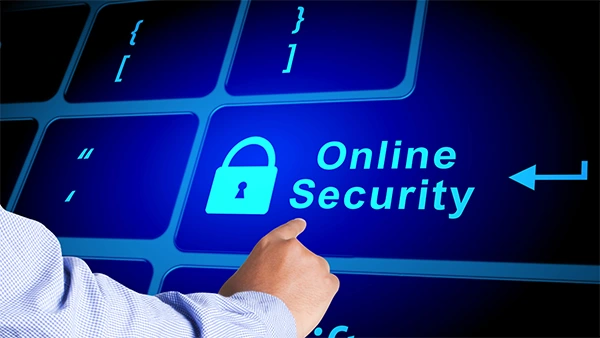
Passwords, firewalls, backup, and monitoring systems are necessary, but ultimately it is the individual who makes the choice. A busy worker may choose to open a suspicious link, accept a fraudulent invoice, neglect a warning, and even use an identical password since everything seems to be all right.
Online safety psychology explores how factors such as trust, habits, stress, and distractions influence these decisions. This matters because 68% of employees make the choice that could put their company under threat of malware, data theft, and financial losses.
Table of Contents:
- The Human Element in Digital Safety Management
- Building a Human-Centered Digital Safety Management Strategy
- Practical Online Security Tips Rooted in Cyber Psychology
- Using Local IT Support to Operationalize Human-Centric Security
- Next-Generation Trends in Cyber Psychology and Digital Safety
- Action Plan for Stronger Digital Safety Management
- Final Thoughts on People-First Online Safety
- Common Questions About Human-Centered Online Safety
The Human Element in Digital Safety Management
And here is what is relevant to your concerns: most security problems are not purely technical. They happen inside real workdays, with inboxes full, meetings stacked, and people trying to move fast. Strong digital safety management has to account for that.
Understanding Cognitive Biases in Online Behavior
The community of businesses in Summerville includes many efficient organizations, such as contractors, clinics, shops, professional firms, and service companies, that cannot afford technology that would slow them down. They need security that fits the way work actually gets done.
That is why access to business IT services in Summerville, SC can make a real difference. Local support can turn everyday behavioral risks into clear security steps, such as user training, endpoint protection, patching, backup checks, and technician help when an email or alert feels “off.”
Cognitive biases explain why smart people still make risky clicks. Optimism bias whispers, “That won’t happen to us.” Familiarity bias makes a fake vendor email feel safe because the logo, tone, or signature looks close enough.
Social Engineering: Exploiting Human Nature
There is no need for clever gimmicks; attackers use haste, fear, curiosity, and habit.
A fake payroll notice, a copied Microsoft login page, or a “CEO” requesting gift cards all target human behavior in digital systems. These scams work because they feel personal, timely, and just believable enough to beat a distracted moment.
The Role of Trust and Authority in Online Decision-Making
Trust in well-known brands, managers, IT notifications, and applications is inherent to all people. While this feature assists businesses in their operations, it also offers hackers something to mimic.
Companies should use standard request formats, confirm payment changes through a second channel, and remind employees that real authority does not mind verification. Safe trust should be designed into the process, not left to guesswork.
Building a Human-Centered Digital Safety Management Strategy
Knowing how people behave is useful only when it changes what they do next. Good online safety psychology turns awareness into habits, and habits into fewer mistakes.
Key Principles for User Training
Training should feel connected to the job. Finance teams need invoice fraud examples. Medical offices need patient data scenarios. Managers need coaching on approvals, access, and impersonation attempts.
Short practice sessions, stories, and simple rules usually beat long slide decks. People remember what feels familiar. “When phishing tests are integrated into regular security awareness training, organizations see this number decline to 18.9% within 90 days. After a year of regular training, it declines to 4.6%.
Advanced Security Awareness Beyond Annual Trainings
Annual training fades. Even good training fades. It’s not a weakness in people; it is human nature.
Microlearning, simulated phishing, quick reminders, and timely prompts keep security visible during real decisions. A clear warning beside a suspicious attachment can do more good than a policy no one has opened since onboarding.
Personalization: Tailoring Security Protocols to Behavior
Everyone is not at the same level of threat. A bookkeeper, owner, receptionist, and systems admin all touch different data and tools.
Behavioral analytics can show who clicks risky links, ignores browser warnings, or signs in from unusual places. Security teams can then adjust coaching, MFA prompts, access rules, and monitoring without making life harder for everyone. They will be able to customize security measures for specific people.
Practical Online Security Tips Rooted in Cyber Psychology
Personalized security works because timing matters. These online security tips use cyber psychology to help people make better decisions when pressure hits.
Empowering Users to Identify and Prevent Threats
Good habits are easier when the next step is obvious. Use a password manager. Turn on MFA. Do not reuse passwords. Verify urgent requests outside email, especially if money, credentials, or sensitive files are involved.
Pause when a message pushes you to rush. Watch for strange wording, changed bank details, unexpected attachments, shortened links, or requests that skip the usual process. That tiny pause can save a very expensive cleanup.
Reducing Human Error Through Interface Design
Even careful users make mistakes when systems are confusing. Better design makes the safe choice the easy choice.
| Risk Moment | Weak Design | Human-Centered Design |
| Password setup | Allows weak choices | Guides toward passphrases |
| File sharing | Public links by default | Private access by default |
| Email warning | Vague alert text | Clear reason and next step |
| Admin access | Always-on privilege | Just-in-time approval |
Digital Wellbeing and Online Safety
Stress, multitasking, and exhaustion are security issues, too. An exhausted person clicks and approves more quickly and verifies less carefully.
Short breaks, focused work blocks, fewer noisy alerts, and reasonable response expectations all support safer choices. Sometimes the best security improvement is simply giving people enough breathing room to think.
Using Local IT Support to Operationalize Human-Centric Security
Human-centered security works best when it is built into daily tools and workflows. It should not feel like an extra chore bolted onto the side of the business.
Integrating Behavioral Security into IT Systems
A solid program connects identity management, endpoint detection, email filtering, DNS protection, patching, backups, and incident response. The purpose goes beyond preventing attacks. It consists of minimizing the frequency with which users encounter difficult situations.
For SMBs, practical steps usually win: MFA rollout, role-based access, secure email quarantine, EDR alerts, firewall rules, and tested backup recovery. Fancy tools are nice. Maintained tools are better.
Case Lessons from Human Behavior
Many incidents begin with something small: an old contractor account, a shared admin password, or a spoofed invoice that looked routine.
The best organizations review incidents without blame. Learn about the user’s perceptions, the environment, and what controls were supposed to catch the issue earlier. That turns mistakes into better systems.
Next-Generation Trends in Cyber Psychology and Digital Safety
Small behavior gaps can create large consequences. Newer cyber psychology approaches help teams spot risk earlier, before one bad click becomes a business interruption.
Behavioral Analytics for Predictive Threat Detection
Modern defenses are shifting from reaction to prediction. User and entity behavior analytics can flag odd logins, unusual downloads, strange file access, or impossible travel.
There must be clear privacy limits on these technologies. Workers should know what is being monitored, why, and how alerts are being addressed.
Digital Identity and Behavior-Based Authentication
Passwords are fragile because people forget them, reuse them, write them down, and share them. Passwordless sign-in, passkeys, biometrics, and adaptive MFA reduce that burden.
Behavior-based authentication adds context, such as device posture, location, typing rhythm, and session activity. If something changes sharply, the system can ask for stronger proof.
Remote and Hybrid Work Habits
Remote work brings flexibility but also isolation, tool sprawl, and blurred personal-work boundaries. People may use home Wi-Fi, personal devices, or unsanctioned apps without intending harm.
Having guidelines around devices, security through a secure VPN or zero trust approach, controlling cloud applications, and having an easy reporting process keeps remote workers secure. This becomes increasingly important when no one is around to ask, “Is this e-mail suspicious?”
Action Plan for Stronger Digital Safety Management
Insight is helpful, but execution closes the gap. A psychology-driven plan makes digital safety management measurable and realistic.
Assess Real Human Risk
Start with phishing results, help desk tickets, access reviews, failed MFA attempts, and incident history. Look for patterns, not one-time embarrassment.
Map risk by role. Finance, HR, executives, and administrators usually need tighter controls and more specific coaching.
Reinforce Better Habits
Use short training cycles instead of annual marathons. Tie lessons to real examples from your business, with names removed and blame left at the door.
Provide a reward for reporting any issues, even if those prove to be false alarms. When people are afraid of being laughed at, they won’t report anything.
Measure and Improve
Track reporting rates, repeat click behavior, MFA coverage, patch completion, backup restore success, and time to contain incidents. These numbers show whether people, processes, and systems are improving together.
This way, you will have an outline to know what should be improved first and what control measures would be the quickest way to reduce risks.
Final Thoughts on People-First Online Safety
People are not automatically the weakest link. Rushed work, unclear systems, weak habits, and poorly designed processes make them vulnerable. However, with consistent training, good advice on internet security, smart design, and controls, daily decisions will turn into a protective layer.
If your team needs hands-on help, business IT services in Summerville, SC, can help you build security around how your staff actually works. Safer clicks start with better design and a little more room for people to think.
Common Questions About Human-Centered Online Safety
These questions come up often, especially when teams want better security without making work feel harder.
What are the most common human errors that compromise digital safety?
How can online safety psychology reduce phishing damage?
It explains why people click, not just that they click. Training can address urgency, fear, trust, and habit, while technical controls add warnings, verification steps, and safer defaults.
Are interface design changes truly effective at reducing user mistakes?
Yes. Clear warnings, secure default settings, MFA, and simplified workflows make it easier for users to make safer decisions.
 Aditi K
Freelance Cybersecurity Writer
About article
The author of this article Aditi K, an Freelance Cybersecurity Writer at Saferloop, brings practical experience and industry knowledge to the subject.
The review and editing by Vinithra Karunanidhi have been done to make sure that it is accurate, clear, and relevant.
At Saferloop, we are determined to provide high-quality, well-researched, and updated content. To understand further how we produce and revise our articles, please refer to our Editorial Guidelines.
Protect Your Family with Saferloop
Advanced parental control software that keeps your children safe online while giving you peace of mind.
- Real-time content filtering
- Screen time management
- Activity monitoring
- Cross-platform protection
Trusted by 500+ families