
No, not always. It’s better to use mobile data or a trusted hotspot, especially for anything involving personal accounts.
×

Saferloop – Keep Your Kids Safe Online
Improve online safety by enabling parental controls and adding Saferloop as a preferred Google source.
Digital Safety for Kids While Traveling: 10 Tips Every Parent Should Know
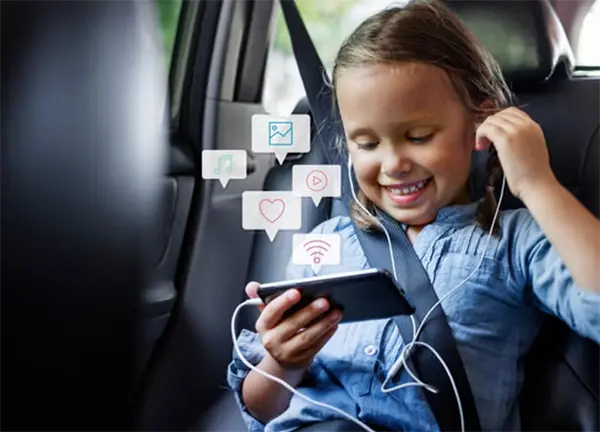
Traveling with kids is exciting, but once devices come along for the ride, things get a bit complicated. UNICEF says nearly 1 in 3 internet users worldwide is a child. That’s not a small number. It basically means kids are already deep inside the online world.
When kids go online through public Wi-Fi or shared networks, the risk side quietly goes up.
The idea isn’t to block everything or make travel stressful. It’s more about a few simple habits that keep things safer without killing the fun. This article runs through those practical, no-fuss steps parents can actually use while traveling.
Table of Contents:
- Why Digital Safety Matters More When Kids Travel
- Tip 1: Set Device Rules Before the Trip Starts
- Tip 2: Use Parental Controls on Phones, Tablets, and Laptops
- Tip 3: Avoid Public Wi-Fi Risks and Use Secure Connections
- Tip 4: Keep Location Sharing Safe and Private
- Tip 5: Teach Kids Not to Share Travel Details Online
- Tip 6: Protect Devices with Passwords and Updates
- Tip 7: Monitor App Usage, Messages, and Online Activity
- Tip 8: Prepare Kids for Scams, Fake Links, and Stranger Contact
- Tip 9: Create a Digital Emergency Plan for the Trip
- Tip 10: Review Online Safety Habits After Returning Home
- Making Family Travel Safer with Smart Digital Habits
- Conclusion
- Frequently Asked Questions
Why Digital Safety Matters More When Kids Travel
At home, parents usually have a better feel for what kids are doing online. It’s familiar, routines are set, and supervision is just easier without trying too hard.
Travel kind of shakes that up. Schedules change, and attention gets divided. So kids start using devices everywhere, like at airports, hotels, cafés, basically, wherever they can find Wi-Fi.
That’s where things get a little tricky. More public networks, more chances for things like scam links, unknown contacts.
Nothing has to go “wrong” for it to become a problem. A bit of planning before the trip just helps keep things smoother, without taking away the fun of using devices on the go.
Tip 1: Set Device Rules Before the Trip Starts
It’s way easier to set some rules before the suitcase is packed than trying to fix things mid-trip when everyone’s already busy.
A few simple things help a lot:
- Set screen time limits
- Decide which apps are okay and which ones are off-limits
- Agree on “no-phone times” like meals or family outings
- Talk about when devices can actually be used (airport wait, hotel downtime, etc.)
Tip 2: Use Parental Controls on Phones, Tablets, and Laptops
Honestly, parental controls can make life a lot easier. Tools like SaferLoop can help parents to manage their kids’ online activities without constantly checking their devices.
Parental controls can help with:
- Limit access to certain apps or websites
- Filter content that isn’t age-appropriate
- Set screen time schedules
- See how devices are being used during the trip
- Get alerts about potential online risks
Tip 3: Avoid Public Wi-Fi Risks and Use Secure Connections
Free Wi-Fi in hotels, airports, and coffee shops is very helpful, but it does not always provide security. In all cases where it is available, kids should connect to mobile data or hotspots.
In case using public Wi-Fi is inevitable, limit their activities online to simple web browsing.
Tip 4: Keep Location Sharing Safe and Private
Location sharing can be very helpful when you’re traveling. It makes things less stressful because one gets to know where the kids are. However, one may easily overlook the number of applications that have access to the location of the child. Some of them do not even require it.
A quick check tips:
- Share location with close family members only
- Turn off location access for apps that don’t need it
- Review app permissions
- Avoid posting live locations on social media.
Tip 5: Teach Kids Not to Share Travel Details Online
Kids love posting photos when they’re on a trip. A cool view, a fun day out, a picture with friends, it feels natural to share it right away.
And that’s just the thing about pictures; they tend to reveal a lot more than one may think. An identifiable landmark in the background, the name of the hotel, or even the geographical location itself can leave no doubt about whereabouts.
There is no harm in encouraging children to preserve their vacation pictures for future use instead of putting them up right away. What’s more important, make sure that geographic tagging is disabled before any upload.
A quick post doesn’t need to advertise exactly where you are.
Tip 6: Protect Devices with Passwords and Updates
Make sure to protect your devices on vacation, because losing a device happens more often than people think.
Making these few quick checks before the trip can make a big difference:
- Use a strong password, PIN, or fingerprint lock.
- Install any pending software updates.
- Turn on device tracking features.
- Avoid reusing the same password everywhere.
Tip 7: Monitor App Usage, Messages, and Online Activity
Kids spend time using technology when they’re on long flights, on road trips, and when there are flight delays – all things that contribute to boredom and the use of devices to fill time during a trip.
You do not have to keep track of every app that your child is using and who they are communicating. However, having a way to monitor their use of technology can aid you in knowing what apps they are using and who they are talking to.
Ultimately, the objective of providing monitoring for your child’s online behavior is not to track where your child goes or what they are doing; the objective is to make sure your child is comfortable coming to you if they encounter something online that makes them uncomfortable.
Tip 8: Prepare Kids for Scams, Fake Links, and Stranger Contact
When travelling, kids will spend more time on the Internet. They could be checking in, downloading applications, using travel-related sites, or clicking on pop-up links while playing games and using social networking. Generally, this type of behaviour is harmless; however, it is also when scams can occur without detection.
Having a simple talk before the trip can help the children avoid becoming victims of these scams. Advising them never to click on any links from unknown people, download anything suspicious, or respond to any stranger’s message. Some scams may not appear as such, and that is why one should always be careful.
Tip 9: Create a Digital Emergency Plan for the Trip
A little preparation beforehand can make those situations much easier to deal with. Nothing complicated, just a few basics:
- Save important family and emergency contact numbers.
- Make sure device tracking features are turned on.
- Talk to kids about suspicious messages, links, and online scams.
- Keep backup copies of passports and other important travel documents.
- Know how to remotely lock or erase a lost device if needed.
- If you’re traveling internationally and one parent isn’t present, bring any required travel consent documents.
You’ll probably never need most of these. Still, having a plan in place can save a lot of stress if something unexpected happens.
Tip 10: Review Online Safety Habits After Returning Home
Discuss with the children their online experiences once you are back from the trip. Such small instances can go a long way to educate the kids.
Such a conversation does not necessarily have to be a heavy-duty one. It could just make children reflect on the positives and negatives of their experience.

Making Family Travel Safer with Smart Digital Habits
Teaching them digital habits doesn’t mean taking all the devices away and making a bunch of rules. Just that children will hopefully have a safer device experience when they’re away from home.
A few simple habits can help:
- Stay connected using a secure internet whenever possible.
- Identify the apps that let you track your kid’s location.
- Educate your kids about the different threats on the internet, such as links, advertisements, and pop-ups from strangers.
- Ensure that the gadgets have passwords and are updated before you go on vacation.
- Make children understand that they need to tell you if something is wrong online.
These tips aren’t difficult to follow. Some preparation prior to vacation may prevent many troubles afterward.
Conclusion
Traveling is not easy. From dealing with flight schedules to making sure that everyone is comfortable at the hotel and getting along well, parents are going to be pretty occupied during their travels. Digital safety need not be overly complex either.
Some quick checks before the actual trip takes place. A few talks to your children. Some ground rules about device usage. Just by doing this much, most issues can easily be avoided.
While planning your trip, remember that there may be some essential documentation, such as a minor travel consent form.
This way, you will not have to monitor your kids constantly. You’ll just be ensuring that they are aware enough to be able to avoid any trouble online.
Frequently Asked Questions
Is public Wi-Fi safe for children to use?
How can parents keep track of their child’s online activity during a trip?
Parents can use parental control tools to manage screen time, app access, and online activity without constantly checking their child’s device.
Do parents need a minor travel consent form when traveling with children?
Sometimes, yes. If only one parent travels with the child or an adult accompanies the child, a minor travel consent form might be necessary.
Why do kids face more online risks while traveling?
It is because children travel with unfamiliar networks and spend more time on their devices.
 Aditi K
Freelance Cybersecurity Writer
About article
The author of this article Aditi K, an Freelance Cybersecurity Writer at Saferloop, brings practical experience and industry knowledge to the subject.
The review and editing by Vinithra Karunanidhi have been done to make sure that it is accurate, clear, and relevant.
At Saferloop, we are determined to provide high-quality, well-researched, and updated content. To understand further how we produce and revise our articles, please refer to our Editorial Guidelines.
Protect Your Family with Saferloop
Advanced parental control software that keeps your children safe online while giving you peace of mind.
- Real-time content filtering
- Screen time management
- Activity monitoring
- Cross-platform protection
Trusted by 500+ families