

Nano Banana 2 is an AI image-generating tool that is an upgraded version of Nano Banana and Nano Banana Pro.
×

Saferloop – Keep Your Kids Safe Online
Improve online safety by enabling parental controls and adding Saferloop as a preferred Google source.
Is Nano Banana 2 Safe for Kids? TikTok Video Guide and Kids Safe Usage Tips for Parents (2026)
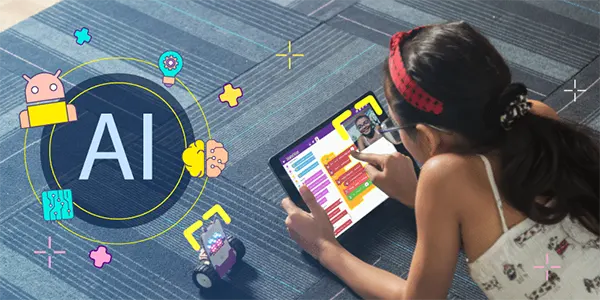
To learn and grow in this fast-paced world, AI offers so many opportunities to kids. Research shows that around 44% children are engaging with AI, and more than 54% use it for their schoolwork or homework. So the AI tools like Khanmigo, ChatGPT, LittleLit, and Gemini help them. Nano Banana 2 is also an example of this.
Nano Banana is an image-generating AI tool that can create 3D cartoon avatars and images, and because of this reason, children have become extensive users of Nano Banana.
Most children use it for TikTok videos. As children are using it mainly, it becomes a concern for parents. In this article, I will give you tips on how you can make your children use Nano Banana safely as a parent.
Table of Contents:
- What is Nano Banana 2, and How Do Kids Use it for TikTok Videos?
- Is Nano Banana 2 Safe for Kids? Key Safety Considerations
- How to Create Stutter-Free TikTok Videos Using Nano Banana 2
- Parental Control Tips to Ensure Safe App Usage
- Best Practices for Kids Using AI Video Generators Safely
- Final Verdict: Should Kids Use Nano Banana 2 in 2026?
- Frequently Asked Questions
What is Nano Banana 2, and How Do Kids Use it for TikTok Videos?
Nano Banana 2 is an image-generating tool that also helps edit the photos. On 26 February 2026, Google launched the Nano Banana 2 as an upgraded version of Nano Banana and Nano Banana Pro, and it is powered by Gemini 3.1 flash.
Kids use TikTok to create and share short, eye-catching videos. And nano banana 2 helps them create those noticeable images.
Here are some steps on how kids use Nano Banana 2 for TikTok –
- Kids follow the trends on TikTok to copy what’s popular nowadays
- They create AI-images with the help of prompts on Nano Banana 2.
- Kids build a short story and create multiple AI-images to depict the story
- Children edit the video as per their preference and upload it with a hashtag and caption
Fun Fact – The original Nano Banana AI Model was launched by Google in August 2025.
Is Nano Banana 2 Safe for Kids? Key Safety Considerations
As we all know, all AI tools come with a risk. Nano banana 2 is designed with a safety feature, but if used without guidance, it can create some safety concerns, especially for kids.
The major risk areas in Nano banana 2 are:
- In Nano Banana AI, the user has to upload an image including a clear selfie. The image data can be stored, possibly used to train AI. So, these images can be misused if they aren’t properly safeguarded. This raises a privacy concern for parents.
- This tool has a high-level editing capacity; if children use it without guidance, they can misuse it to create manipulated or offensive images. This creates the risk of cyberbullying or suicide.
- As nano banana is used widely, and it creates AI images in a few seconds, kids can get addicted to it. This addiction can leave a negative impact on their mental and physical health.
How to Create Stutter-Free TikTok Videos Using Nano Banana 2
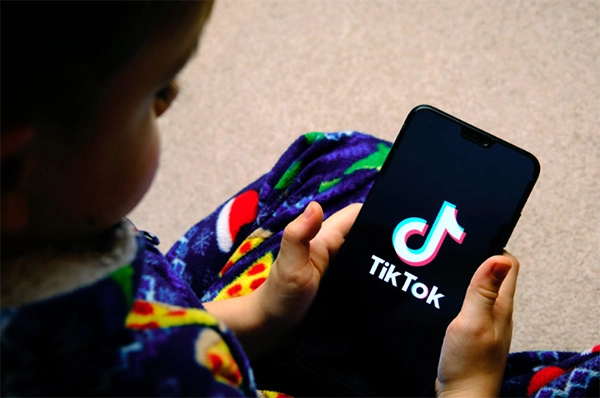
Creating TikTok videos that are smooth, high-quality, and look professional isn’t hard, especially if AI is involved. Most videos that are laggy have unclear images or bad editing choices.
Even children can make a smooth TikTok video with Nano Banana with these simple steps –
- Open nano banana to create images. Choose 4K HD quality for the images if your device supports it, and make sure the images are clear. Use the same quality and lighting for all images.
- Open TikTok Capcut or the other editing app you use. Place trending music and set pictures according to the music and your preference. Keep each image to 1-2 seconds max for smooth video.
- Use music beats to change the images. On the drop of the beat, change the image and place a simple transition if needed.
- The video ratio should be 9:16, and the video settings should be 1080p. Do not use any heavy effects as the device can become leggy.
- Review it before posting with a trending hashtag and caption.
Parental Control Tips to Ensure Safe App Usage
To be honest, creating images from nano banana can be fun and creative for kids, but it also comes with a few security and privacy risks. AI tools like Nano Banana also need some boundaries and monitoring.
Some effective tips that can help parents ensure safe app usage include –
- Limit app usage: To ensure that children are safely using nano banana, parents can set a time limit on their phone. They can use parental control tools like SaferLoop to limit usage.
- Monitor their device: As children can misuse the features of AI, parents should monitor their devices to know what their kids are doing or watching online.
- Open communication: Having an open communication with their child about the evolving concerns of AI can also help parents ensure safe app usage.
Best Practices for Kids Using AI Video Generators Safely
AI Video generator tools have transformed the content creation industry. AI generators offer a wide range of features that help create visual content for TikTok, and that’s why the content creation has become so effortless.
As children are more exposed to AI, here are some best practices for kids to use the AI video generators safely –
- Children should use these AI tools or Video generators under the supervision of their parents to ensure their privacy and security
- Parents should check that children are not uploading private photos or selfies, and are creating age-appropriate content.
- Use trusted AI video generators only, and avoid revealing personal information.
- Do not create inappropriate, offensive, or violent content.
Final Verdict: Should Kids Use Nano Banana 2 in 2026?
Well, the answer is simply yes, kids above 10 can use Nano Banana 2 for its features, but with parents or under their supervision, because AI can be harmful for children. And if it is not used under guidance, it can create risks to privacy and data security.
Nano Banana Flash is an influential tool that creates very realistic images. It is an excellent tool for kids; however, it also carries risks of screen addiction. By using the tips from this article, parents can help kids use it safely.
Frequently Asked Questions
What is the Nano Banana 2 AI tool?
How does Nano Banana help create TikTok videos?
Nano Banana creates HD, realistic images and edits photos that people can use to make TikTok videos.
What are the safety concerns that kids’ parents have with Nano Banana?
Most parents are concerned about the data security of Nano Banana, and they are afraid that their child might get addicted to it.
 Divya Kakkar
Internet Content Writer
About article
The author of this article Divya Kakkar, an Internet Content Writer at Saferloop, brings practical experience and industry knowledge to the subject.
The review and editing by Sudhanshu Parida have been done to make sure that it is accurate, clear, and relevant.
At Saferloop, we are determined to provide high-quality, well-researched, and updated content. To understand further how we produce and revise our articles, please refer to our Editorial Guidelines.
Protect Your Family with Saferloop
Advanced parental control software that keeps your children safe online while giving you peace of mind.
- Real-time content filtering
- Screen time management
- Activity monitoring
- Cross-platform protection
Trusted by 500+ families