

The gap between the two has decreased substantially. Consumer systems have begun to adopt many elements of commercial systems, such as layered detection technology, cloud-based dashboards, and intelligent filtering to effectively achieve commercial reliability for home setups.
×

Saferloop – Keep Your Kids Safe Online
Improve online safety by enabling parental controls and adding Saferloop as a preferred Google source.
Why Smart Home Security Is Becoming a Non-Negotiable for Modern Families
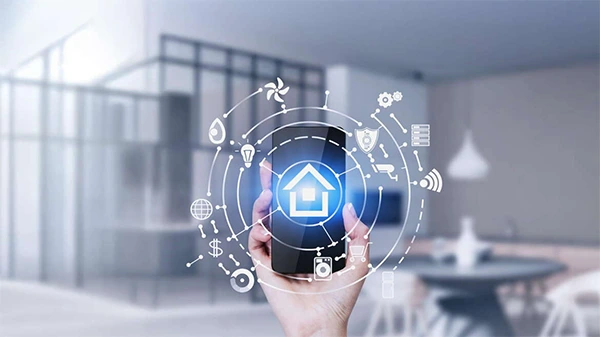
Parents used to think about home safety in traditional terms, mostly including aspects that are physically present, but that version of security belongs to a different era, as homes today are connected, and the threats families face have evolved along with the technology meant to protect them.
Package theft, smart locks left unlocked by accident, and the sense that “checking on the house” should be possible from anywhere have all become normal parts of family life, leading to households adopting technology that used to be only utilized in offices, warehouses, and corporate campuses.
This article outlines what modern home security covers, why it matters more for families with kids, and how to choose the right system without overbuilding.
TABLE OF CONTENTS
- From Corporate Buildings to Family Homes
- What Modern Home Security Actually Covers
- Why This Matters More for Families With Kids
- Choosing the Right System Without Overbuilding
- The Bigger Picture
- Getting the Household on the Same Page
- Frequently Asked Questions
From Corporate Buildings to Family Homes
It’s not just a coincidence that residential security systems function like the systems built for commercial buildings. Cloud-based video monitoring, motion-based alerts, and remote access control all originated in commercial and enterprise environments, where the expenses of a failure are measured in dollars, reputation, and liability.
Companies that build for that world have spent years refining how surveillance, access control, and sensor data work together as a single system rather than a collection of disconnected gadgets.
That expertise doesn’t stay siloed. Vendors like Acre Security have built their reputation on unifying access control and video monitoring for large organizations, and a lot of the underlying thinking- layered detection, centralized alerts, and remote management- has trickled down into the tools parents now use to keep an eye on their own front door.
For families, that means the gap between “commercial-grade” and “consumer-grade” security has narrowed considerably.
A parent monitoring their home from a mobile application is, in a smaller way, doing almost the same thing as managers do when watching a multi-location dashboard: looking for discrepancies, verifying who’s coming and going, and making sure alerts actually reach someone who can act on them.
What Modern Home Security Actually Covers
Physical security used to mean cameras and alarms. Now it’s a layered system, and understanding the layers helps parents figure out where their setup might have gaps.
- Entry monitoring: Video doorbells and smart locks have become the most visible layer, mostly because they solve an immediate, relatable problem: knowing who’s at the door without opening it. But the more useful versions go beyond a live feed. They log every entry attempt, distinguish between a delivery, a stranger, and a returning family member, and send alerts that are specific enough to act on instead of generic motion pings that get ignored after the third false alarm.
- Interior awareness: Sensors that detect motion, temperature, smoke, and unusual sounds fill in what cameras fail to confirm. A kitchen fire risk, a window left open, or a basement leak, allowing the sensor network to identify it before it becomes a bigger problem. This is one of the areas where the influence of business security systems is most obvious. Commercial buildings adopted multi-sensor environments years before residential systems caught up, largely because the cost of missing an incident was so much higher.
- Access management: Smart locks with individual codes, temporary guest access, and automatic logging of who unlocked what and when give parents a level of control that a physical key never could. A babysitter can get a code that expires at 9 p.m. A dog walker can get access limited to Tuesdays and Thursdays. No one needs to track down a spare key, and no one needs to worry about a lock being copied.
- Remote visibility: Maybe the most significant shift is that none of it requires actually being present in the home. Cloud dashboards let parents check in from work, a trip, or a school pickup line, which matters a lot for households where both parents work or where kids are old enough to be left alone but still require visibility for their protection.
Why This Matters More for Families With Kids
There’s a version of this conversation that treats home security as purely about deterring burglars, but for parents, the more pressing use case is often day-to-day peace of mind rather than crime prevention.
Knowing exactly when a child gets home from school, without a phone call or a text that might not come, changes the emotional tenor of an afternoon.
Being able to confirm a door actually shut after a teenager left in a hurry removes the feeling of anxiety. Getting an alert when a garage door has been left open for a long time solves a problem that used to only get noticed until it was too late.
None of this replaces the conversations parents have with kids about safety, but it does something that conversations alone can’t: it closes the gap between “I told them to lock the door” and actually knowing it happened.
There’s also a less obvious benefit. Families that install layered security systems tend to think more holistically about safety in general, extending the same instinct from the physical world into the digital one.
A parent who sets up motion alerts for the back door is usually the same parent who eventually asks what’s happening on their kid’s phone, tablet, or laptop. Physical safety and digital safety aren’t really separate categories anymore; they’re two halves of the same instinct to know what’s going on in a child’s world.
Did You Know?
Automated security systems also have the capability of switching off appliances that are not in use at the moment, thereby decreasing energy consumption and saving costs.
Choosing the Right System Without Overbuilding
The temptation with any of this technology is to go all in, buying every sensor and camera available and ending up with more dashboards than anyone will actually check. A more useful approach is to start with the specific risks that matter for your household and build outward from there.
A family in an apartment might have different requirements than a family in a rural place with a huge driveway and no nearby streetlights. A household with young kids may look for interior sensors and door alerts, whereas a house with teenagers who come and go at odd hours may prioritize access logs and entry notifications.
Matching the system to the actual risk, rather than the most impressive feature list, is what keeps a setup useful instead of ignored.
It’s also worth paying attention to how these systems are marketed to businesses, since the underlying logic is nearly identical. A recent breakdown of electronic security solutions for commercial environments covers many of the same principles that apply at home: layered detection instead of relying on a single camera, centralized alerts instead of scattered notifications, and systems built to scale rather than needing a full replacement every time a need changes. Reading how organizations approach this problem, at a scale where mistakes are expensive, is a useful gut check for what actually matters in a much smaller home setup.
The Bigger Picture
Home security isn’t a one-time purchase anymore. It’s an ongoing relationship with a system that must evolve and become more useful over time, not just louder with alerts.
The families that get the most value out of such tools aren’t the ones having the most cameras installed. They’re precisely the ones who took the time to identify what needs to be known, at what moments, and built a setup that answers such questions without becoming background noise.
That’s really the throughline connecting commercial-grade security and the residential tools now sitting in ordinary living rooms: the goal was never surveillance for its own sake. It was always about giving the people responsible for a space, whether that’s a facilities director managing a campus or a parent managing a household, enough reliable information to act quickly when something actually needs attention, and enough peace of mind to stop worrying when it doesn’t.
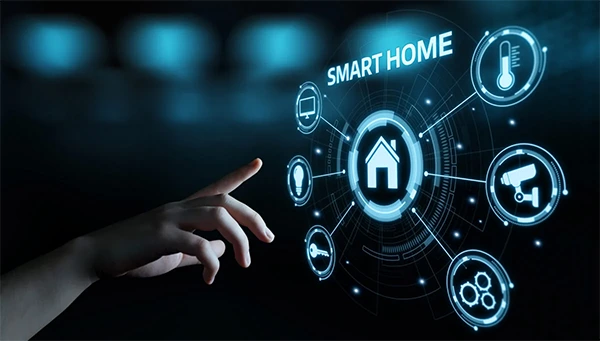
Getting the Household on the Same Page
None of this technology provides any benefit if it’s set up by one parent and never explained to any other household member. Kids old enough to understand a doorbell camera are old enough to grasp the concept of why it’s there, and that conversation tends to proceed better when it’s positioned as a shared tool rather than a surveillance measure aimed at a person specifically.
The same goes for guest access, shared codes, and alert settings. A system that only one person in the household knows how to check is a system that will eventually get ignored the one time it actually matters. Walking through the setup together, even briefly, turns the technology from something imposed on the family into something the whole household understands and trusts.
It’s also worth revisiting the setup periodically. Kids grow up, routines change, and a system designed around a five-year-old’s schedule varies a lot from what a fifteen-year-old actually needs.
Treating the system as something that transforms with the family, instead of a one-time measure, is what keeps it relevant rather than becoming another forgotten app on someone’s phone.
For parents already thinking carefully about what their kids see and do online, extending that same intentional approach to the physical spaces those kids live in isn’t a stretch. It’s the same job, applied to a different door.
Frequently Asked Questions
What distinguishes commercial smart security from consumer smart security in 2026?
How can the use of smart locks increase home security for families?
Smart locks offer parents exclusive access codes that are temporary to be used only by guests and caregivers and keep track of all occasions of entry and exit, lowering the risks related to physical keys.
What do I need to do to avoid being overwhelmed by constant security notifications?
Pay attention to solutions that have smart event classification capabilities to differentiate between humans, animals, and vehicles and tailor alert settings to only get notified in emergencies.
How can parents explain the purpose of smart home cameras to their kids?
Present the technology as a family means of safety and convenience that serves such functions as checking if the children have made it back home from school safely.
 Divya Kakkar
Internet Content Writer
About article
The author of this article Divya Kakkar, an Internet Content Writer at Saferloop, brings practical experience and industry knowledge to the subject.
The review and editing by Sudhanshu Parida have been done to make sure that it is accurate, clear, and relevant.
At Saferloop, we are determined to provide high-quality, well-researched, and updated content. To understand further how we produce and revise our articles, please refer to our Editorial Guidelines.
Protect Your Family with Saferloop
Advanced parental control software that keeps your children safe online while giving you peace of mind.
- Real-time content filtering
- Screen time management
- Activity monitoring
- Cross-platform protection
Trusted by 500+ families