The four Cs of digital safety concern online risk related to Content, Contact, Conduct, and Contract.
×

Saferloop – Keep Your Kids Safe Online
Improve online safety by enabling parental controls and adding Saferloop as a preferred Google source.
Digital Safety in Multigenerational Homes: How SEO for Assisted Living Networks Protects Children from Shared Data Leaks
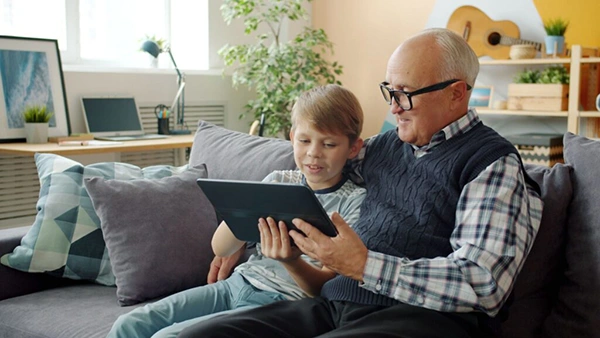
“Privacy is not an option, and it shouldn’t be the price we pay for just getting onto the Internet.” — Gary Kovacs (Mozilla CEO)
In this AI and internet age, data is more precious than you realize. From government and big tech to hackers and data brokers, everybody is after your data to just sell it or profile you even more accurately.
Adults are still somewhat alert about this issue, but it gets difficult to explain it to their parents or children. User engagement makes them compromise with more of their data. If you’re living with them, they must be privy to the problem. Now imagine those who are living with their parents and children in the same house.
Multigenerational homes are households that include three or more generations, typically children, parents, and grandparents living under the same roof. Their popularity is rising as they represented 17% of housing purchases in 2024, a record number for the segment.
Protecting the data of people living in multigenerational homes or assisted living networks with children becomes especially important, as they can be easy targets for cyberattacks. The good news is: it’s not that complicated.
TABLE OF CONTENTS
- Hidden Entry Points: How Unsecured Device Interventions Expose Private Family Data
- Setting Up Smart Network Dividers to Protect Sensitive Children’s Devices
- Simple Firmware Updates: Hardening Home Router Firewalls Against Outside Intruders
- Automated Search Filters: Keeping Family Inboxes Clean from Malicious Tracking Links
- The Family Safety Audit: Quick Tech Steps to Lock Down Shared Household Hardware
- Conclusion
- FAQs
Hidden Entry Points: How Unsecured Device Interventions Expose Private Family Data
Unsecured device interventions are the vulnerabilities that make a device attractive to hackers. They include:
- Unpatched and outdated software
- Weak, default username passwords
- Invasive smart TV apps
They allow entry to hackers and third-party data brokers without us even knowing. The entire family’s data gets out in the open, for sale.
That’s why ignoring these potential vulnerabilities can compromise your whole home security network and personal privacy.
Setting Up Smart Network Dividers to Protect Sensitive Children’s Devices
Smart network dividers isolate children’s devices to a dedicated, restricted network branch. It works by filtering malicious websites at the router level instead of the application level.
This proactive blocking of harmful content and cyber threats prevents them from even reaching the device. So, even if an adult’s device gets compromised, it won’t be able to infect the child’s school tab.
Simple Firmware Updates: Hardening Home Router Firewalls Against Outside Intruders
To keep the suspicious intruders outside, you have to harden your router’s firewall.
The first and best way to achieve that is to update the router’s firmware to the latest version. This patch safeguards the device against every known vulnerability that cyberattackers can use to enter your home network.
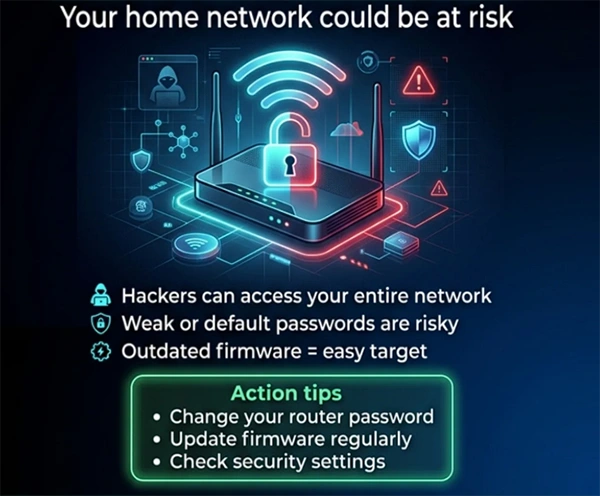
Some other simple settings that you can adjust to make the router more robust after updating its firmware are:
- Disable remote management
- Disable UPnP (Universal Plug and Play)
- Enable WPA3 encryption
Automated Search Filters: Keeping Family Inboxes Clean from Malicious Tracking Links
Family inboxes are regularly attacked by malicious tracking links and phishing. Protecting them requires a multi-layered approach that can include:
- Activating email providers’ built-in defences
- Using proxy-based tracking blockers
- Utilizing AI-powered third-party filtering
Just these adjustments neutralize most of the threats automatically. Search engines are generally secure, but you never know where the clicked links can take you. The best thing is that your everyday communication stays undisturbed, functioning as before.
The Family Safety Audit: Quick Tech Steps to Lock Down Shared Household Hardware
Shielding shared household hardware basically requires doing three key things:
- Separating user accounts
- Enforcing monitoring and restrictions
- Securing web access
For the first one, simply keep individual accounts for every family member. If someone doesn’t have an account, create one. Teach kids healthy internet browsing. For screen time restrictions and other monitoring tools, set up parental control through an app. Mobile-friendly design makes it easier to use. And finally, to secure web access for everyone, the least you can do is enable MFA (Multi-Factor Authentication) on all devices in your home. Accurate business information gathering before hiring a service is also a good precautionary practice.
In addition to providing web security, this structured safety audit prevents unauthorized access, accidental purchases, and exposure to mature content.
Conclusion
Children might be tech-savvy but aren’t bothered with security much. Elders know neither the tech nor digital security. Living with both under the same roof makes your home network the prime target for cyberattackers.
Thank God, just a few simple measures can effectively fill the security gaps that can be exploited by hackers and data brokers.
You can try securing a rest home for the elderly, as they provide professional supported living services. SEO for assisted living makes the best sites appear in your search results.
Regardless, the fully grown, able-bodied adults have always been held responsible for ensuring the safety of their families, elders and children included. Yes, there are still many physical dangers to a family. But much of the danger has shifted from real to virtual, and the rules remain the same. So, it’s you who must teach digital safety to kids and elders.
FAQs
What are the 4 Cs of digital safety?
How to reduce the risk to children from social networking?
Firstly, lock down privacy settings. Behaviourally, you can consider setting strict boundaries and, most importantly, keep open communication.
How to ensure data privacy when sharing data?
While sharing data, always practice data minimization: sharing the least amount of data possible.
What does the Children’s Online Privacy Protection Act prohibit websites and internet providers from?
It prohibits websites and online actors from collecting, using, and disclosing personal information about children without the consent of their guardians.
 Justin Thomas
Cybersecurity Analyst and Digital Safety Writer
About article
The author of this article Justin Thomas, an Cybersecurity Analyst and Digital Safety Writer at Saferloop, brings practical experience and industry knowledge to the subject.
The review and editing by Evan Patterson have been done to make sure that it is accurate, clear, and relevant.
At Saferloop, we are determined to provide high-quality, well-researched, and updated content. To understand further how we produce and revise our articles, please refer to our Editorial Guidelines.
Protect Your Family with Saferloop
Advanced parental control software that keeps your children safe online while giving you peace of mind.
- Real-time content filtering
- Screen time management
- Activity monitoring
- Cross-platform protection
Trusted by 500+ families