
To encrypt your network, simply update your router settings to either WPA3 Personal or WPA2 Personal. WPA3 is the newer and best encryption available, but both will work to scramble your information. Older Router? Check for updates.
×

Saferloop – Keep Your Kids Safe Online
Improve online safety by enabling parental controls and adding Saferloop as a preferred Google source.
The Collaborative Family Farewell: Establishing Group Rules for a Safer Home Network
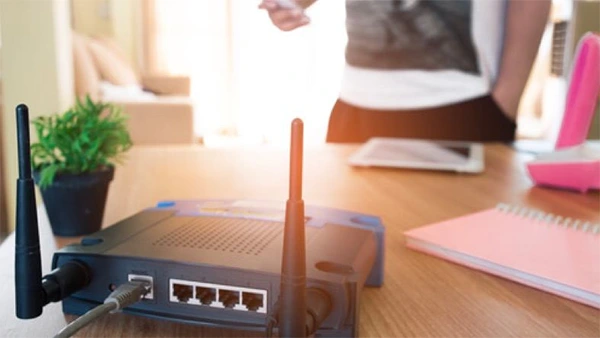
Your router may look like a harmless box blinking in the corner. But is that really the case? It’s essentially an entryway to your bank logins, work documents, private messages, and almost all the things you have online.
Home network security is of much importance in modern times because weak digital habits create real problems, not just a few annoying pop-ups. Home network devices are most vulnerable to external cyber attacks, and protecting them is crucial for safety.
This article highlights the benefits of establishing collaborative group rules for network security and how you can secure your home network by working as a team.
Key Takeaways
- Many homes now have smart devices, home offices, and personal financial accounts all connected to one network
- Every smart speaker, camera, thermostat, and doorbell adds another possible entry point. That does not mean you need to toss them all out. It means you should set them up with care
- Turn on Multi-Factor Authentication (MFA) for email, banking, cloud storage, social accounts, and work tools
- A safer home network does not come from one lecture or one pricey gadget. It comes from defining clear rules, shared duties, quick reporting, and micro habits
Table of Contents:
- Understanding Modern Home Network Security Needs
- Benefits of Establishing Collaborative Group Rules for Network Security
- Setting Up a Family Cybersecurity Committee for Security Success
- Top Rules for Hardening Your Home Network as a Team
- Collaborative Cybersecurity Tips for Daily Family Life
- Engaging Kids and Teens in Group Rules for Network Security
- Smart Home Devices and Secure Home WiFi
- Advanced Strategies for Today’s Smart Households
- Collaborative Family Farewell Ritual: Celebrating Progress and Planning Next Steps
- When to Seek Professional Help: Estate Planning Lawyers Surprise AZ and Cybersecurity Advisors
- Resource Vault: Must-Have Tools and Guides for Family Network Security
- Final Thoughts on Building a Safer Digital Home
- Frequently Asked Questions
Understanding Modern Home Network Security Needs
Your home network now carries the weight of modern life. Banking, homework, remote work, streaming, and smart devices – all of it runs through the same digital doorway.
So, leaving security to luck is not a great plan. Let’s start with what can go wrong and why planning matters close to home.
Why Surprise, Arizona Families Should Care
Surprise, Arizona has become a lively family-centered city with retirees, remote workers, local business owners, and busy neighborhoods across the northwest Valley. Many homes now have smart devices, home offices, and personal financial accounts all connected to one network.
That mix is convenient. It is also a little risky if nobody is paying attention.
Digital Assets Need Planning Too
Families that handle trusts, wills, online accounts, or home businesses usually speak with Estate Planning Lawyers Surprise AZ to determine how digital records, passwords, and devices can fit into a broader estate plan.
This valuable guidance is especially helpful if a child or a trusted person may someday require authorized access to the network.
Warning Signs at Home
Slow internet, unfamiliar devices, changed router settings, and strange login alerts can all point to trouble. Next, let’s turn those warning signs into practical family rules instead of dumping the whole job on one person.
Benefits of Establishing Collaborative Group Rules for Network Security
Home cyber risks have evolved far beyond traditional viruses. Nowadays, identity theft, account hijacks, and scam attempts can reach ordinary families just as easily as businesses. The great news? A shared plan makes protection much easier to follow.
Shared Rules Beat Guesswork
One person should not have to remember every update, password, device, and warning sign. When everyone agrees on group rules for network security, fewer tasks slip through the cracks.
Better Buy-In Across Ages
Kids, teens, parents, and grandparents all use the internet differently. Clear rules help family internet safety feel reasonable instead of bossy. Nobody likes a random tech lecture at dinner. A simple family agreement works better.
Habits That Stick
A written plan helps everyone remember what to update, report, avoid, and check. Now, let’s make the teamwork official with a small family security group.
Setting Up a Family Cybersecurity Committee for Security Success
A family cybersecurity committee sure sounds very fancy, but it doesn’t really need to be. Think of it more like a quick group check-in. With established roles, you’d avoid the usual “I thought you handled” moment.
Pick a Network Guardian
Choose an adult or a tech-savvy teen to monitor updates, passwords, and the device list. Select a backup too, because people get busy, travel, or simply forget. We are all human.
Make Reporting Normal
If a child clicks a weird link, they should not feel scared to say something. Calm reporting helps everyone respond faster. Shame makes people hide mistakes, and hidden mistakes can get expensive.
Schedule Quick Check-Ins
A monthly ten-minute review is enough for many households. Look at connected devices, updates, backups, and any strange alerts. Next, we will turn those check-ins into rules that make your network stronger fast.
Top Rules for Hardening Your Home Network as a Team
Strong passwords, MFA, guest networks, and updates do most of the heavy lifting. They are not glamorous. No one throws a party for router settings. Still, these basics work.
Passwords and MFA
Use long passphrases that are simple for you to remember but tough for someone else to guess. Turn on Multi-Factor Authentication (MFA) for email, banking, cloud storage, social accounts, and work tools.
Guest Networks and Updates
Visitors must be given access to a guest network instead of using the same home network. Also, update routers, phones, tablets, and laptops when alerts appear.
Delaying updates may feel harmless, but those minor patches usually fix many of the existing security gaps.
Backups and Confidence
Do not let setup worries stop you. “More than half of DIY-friendly shoppers said they worry about making a mistake during installation (59 percent), and a similar share (55 percent) said they’re concerned the system might not work properly after they set it up.
Next, let’s bring these rules into everyday life so safer choices become second nature.
Collaborative Cybersecurity Tips for Daily Family Life
Daily habits are where security either holds strong or quietly falls apart. A few collaborative cybersecurity tips can keep everyone alert without making your home feel like an airport checkpoint.
Create a Red-Flag List
Note down common warning signs such as urgent money requests, misspelled links, random attachments, fake reward messages, and login prompts from unknown websites.
Keep the list where it’s visible to every member of the house as they perform their daily activities.
Practice Safe Clicking
Before downloading a file or tapping a link, pause and ask, “Do we know who sent this?” That tiny pause can save a huge headache.
Use Devices Respectfully
Phones, tablets, and laptops should not be passed around with saved passwords open. Next, let’s make kids and teens part of the solution instead of treating them like the problem.
Engaging Kids and Teens in Group Rules for Network Security

When younger family members assist in making the rules, they are more likely to follow them. And usually, teens end up noticing sketchy links or fake messages a lot quicker than most adults do.
Make It a Game
Give points for reporting suspicious texts, updating devices, or spotting fake links. Small rewards can work surprisingly well. Pizza has solved many family management issues.
Hold Short Tech Talks
Dinner-table tech talks do not need to drag on. Ask what scams classmates are seeing, which apps feel suspicious, or whether anyone received a strange message that week.
Build Youth Ambassadors
A teen can help grandparents check privacy settings or update apps. Next, we will use that same team mindset for smart home devices.
Smart Home Devices and Secure Home WiFi
Every smart speaker, camera, thermostat, and doorbell adds another possible entry point. That does not mean you need to toss them all out. It means you should set them up with care.
Check Settings Before Use
Change default passwords right away. Turn off features your family does not need. If a device comes with settings you do not understand, look them up before connecting it.
Read Privacy Basics Together
Before installing a device, check what data it collects and whether it shares recordings, location details, or usage information. A few minutes of reading now beats regret later.
Keep a Device List
A shared list supports secure home WiFi because everyone knows what should be connected. Next, let’s look at stronger steps for busy smart households.
Did You Know?
IoT gadgets like smart bulbs, baby monitors, and refrigerators are frequently targeted by cybercriminals. Hackers use these low-security devices to access data-heavy devices in your home.
Advanced Strategies for Today’s Smart Households
Once your network is organized, you can limit damage if something goes wrong. These steps may sound technical, but many newer routers make them fairly manageable.
Separate Sensitive Devices
Keep work laptops and banking devices on the main network. Put guests and smart gadgets on separate access when possible.
Watch for Strange Activity
Router apps can show unknown devices or odd traffic. If something looks off, change passwords and restart the router.
Test Before Full Use
Try new apps on one device before everyone installs them. Next, we will turn progress into a farewell ritual that actually feels motivating.
Collaborative Family Farewell Ritual: Celebrating Progress and Planning Next Steps

Celebrating small wins makes security feel doable. The “farewell” simply means saying goodbye to risky habits together.
Retire Old Habits
Say goodbye to shared passwords, ignored updates, and “click first, think later” behavior. Yes, it is a little cheesy. That is partly why it sticks.
Create a Family Charter
Write a one-page promise covering passwords, updates, reporting, backups, and guest access. Hang it near the router, family desk, or charging station.
Review Yearly
Update the charter as devices and needs change. Next, let’s talk about when outside help makes sense.
When to Seek Professional Help: Estate Planning Lawyers Surprise AZ and Cybersecurity Advisors
For families with complex requirements, especially those managing remote work, significant estates, rentals, or sensitive client information, it is wise to work with Estate Planning Lawyers in Surprise, AZ, along with cybersecurity consultants.
Together, they help you design a plan for both legal access and digital safety if someone becomes ill, passes away, or can no longer handle accounts on their own.
Legal and Digital Overlap
When creating your estate plan, ask your attorney about instructions for digital files, device access, passwords, and online accounts. This planning can make a hard season less confusing for loved ones.
Cybersecurity Help
Ask advisors about router setup, backups, monitoring, and privacy risks. Next, here is a quick resource view for choosing practical tools.
Resource Vault: Must-Have Tools and Guides for Family Network Security
With the right checklists, family security becomes less mysterious. Keep tools simple, or no one will use them.
Useful Tool Comparison
| Tool Type | Best Use | Family Benefit |
| Password manager | Shared and private logins | Fewer weak passwords |
| Router app | Device checks | Easier visibility |
| Cloud backup | Photos and files | Faster recovery |
Rulebook Template
Create pages for passwords, guest Wi-Fi, updates, backups, and emergency contacts. Next, let’s clear up common questions.
Final Thoughts on Building a Safer Digital Home
A safer home network does not come from one lecture or one pricey gadget. It comes from defining clear rules, shared duties, quick reporting, and micro habits your family can actually follow and repeat.
Begin with passwords, updates, guest access, backups, and a simple family charter, and review it every year as devices get changed over time.
If legal or digital assets are involved, professional guidance can connect security with long-term planning. Retire risky habits now, while the choice is still easy.
Frequently Asked Questions
How do I encrypt my home network?
Can smart home devices put my whole network at risk?
Yes, especially when you use weak passwords or outdated software. Keep the devices updated consistently, place them on a separate network when possible, and get rid of devices that are no longer in use.
What regular maintenance does a secure home WiFi require?
A good routine includes router updates, password reviews, device checks, backup tests, and guest network cleanup. Do it monthly if your household uses lots of connected devices.
How do I make all the smart home devices secure?
It is best to check each and every setting before installing the device, maintain a proper list of the available devices connected to the home network, and read privacy basics together to improve understanding.
 Srikanth Panasa
Cybersecurity Analyst and Online Safety Specialist Writer
About article
The author of this article Srikanth Panasa, an Cybersecurity Analyst and Online Safety Specialist Writer at Saferloop, brings practical experience and industry knowledge to the subject.
The review and editing by Vinithra Karunanidhi have been done to make sure that it is accurate, clear, and relevant.
At Saferloop, we are determined to provide high-quality, well-researched, and updated content. To understand further how we produce and revise our articles, please refer to our Editorial Guidelines.
Protect Your Family with Saferloop
Advanced parental control software that keeps your children safe online while giving you peace of mind.
- Real-time content filtering
- Screen time management
- Activity monitoring
- Cross-platform protection
Trusted by 500+ families