Ans: No, people find Net Nanny a bit pricey because its safety features, like geofencing, alerts, and updates, are not yet competitive.
×

Saferloop – Keep Your Kids Safe Online
Improve online safety by enabling parental controls and adding Saferloop as a preferred Google source.
Saferloop vs Net Nanny: Complete Comparison of Monitoring, Safety & Control Features
It is crucial to install a trustworthy parental control app to protect your children from scammers and predators. That’s why I compare Saferloop vs Net Nanny to compile information on which is ideal for your kids.
So, as a helicopter parent, you should stay till the end of this article to understand features-by-features comparison, an overview, setup guidance, pros and cons, and some recommendations.
Quick Answer:
In comparison between Saferloop and Net Nanny, Saferloop wins the race. It offers an AI-powered and comprehensive package to safeguard children online. However, Net Nanny lacks in monitoring YouTube, offering a panic button, and tracking calls and SMS.
Table of Contents:
- Saferloop Vs Net Nanny: Overview of Parental Control Apps
- How to Set Up the Saferloop Parental Control Software?
- How to Set Up the Net Nanny Parental Control App?
- Features-By-Features Comparison: Saferloop Vs Net Nanny
- Pros and Cons of Saferloop and Net Nanny Parental Control Apps
- Saferloop Vs Net Nanny: Which is Suitable for Your Kids?
- Conclusions and Recommendations
- Frequently Asked Questions
Saferloop Vs Net Nanny: Overview of Parental Control Apps
Saferloop and Net Nanny are widely known parental control apps that prioritize children’s safety online and keep them away from inappropriate content.
Let’s skim through this section to have an overview of both parental controls in great detail.
1. Saferloop Parental Control Software
Ratings: ★★★★★ (5.0)
Free Trial: Yes
Price: $44.95/Year
Platforms: Compatible with iOS and Android devices
Best for: AI-powered web filters and real-time alerts
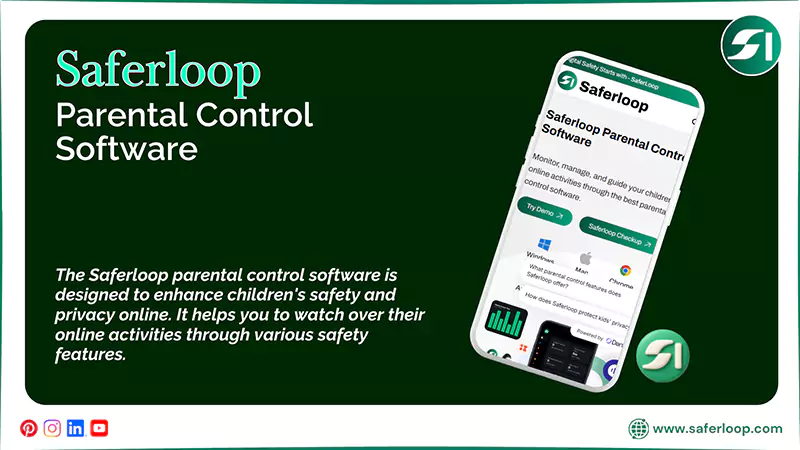
The Saferloop parental control software is designed to enhance children’s safety and privacy online. It helps you to watch over their online activities through various safety features, such as:
- Monitor online activities
- Track calls and messages
- Set screen time limits and routines on devices
- Track location and geofencing
- Filter inappropriate content
- Block apps and websites
- Saferloop AI version
- Saferloop safety checkup extension
Additionally, it offers compatibility across iOS and Android devices and a user-friendly interface for smooth functionality. The software gives you peace of mind regarding your children’s protection.
2. Net Nanny Parental Control App
Ratings: ★★ (2.2)
Free Trial: No
Price: $39.99 per year
Platforms: Compatible with iOS and Android devices
Best for: Web filtering and blocking pornographic sites
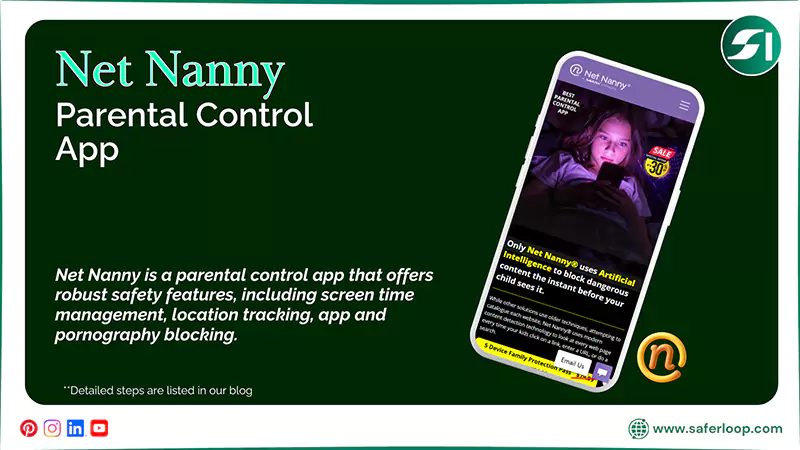
Net Nanny is a parental control app that offers robust safety features, including screen time management, location tracking, app and pornography blocking, internet filtering, and website restrictions.
In addition, you can use the app on both iOS and Android devices to enable restrictions on your children’s accounts. However, it doesn’t offer a free trial for testing, which might be concerning for you.
How to Set Up the Saferloop Parental Control Software?
To set up the Saferloop parental control software, you should download the software > create a parent and child account > link both devices > customize all settings.
Here are the following simple and detailed steps for better understanding.
Step 1: Download the Saferloop parental control software on your and your child’s devices.
Step 2: Create a parent and child account by entering your email address and passwords.
Step 3: On a parent device, go to the “Device” option from the menu.
Step 4: Enter the name of your child and device model.
Step 5: Click on “Generate Link Code,” and a 6-digit code will appear in the drop-down list.
Step 6: On a child’s device, go to the “Pair” option from the menu.
Step 7: Now, enter your name and a 6-digit code and hit the “Pair now” button.
Step 8: After linking both devices, you are all set to customize settings like screen time limits, website filtering, and app blocking.
How to Set Up the Net Nanny Parental Control App?
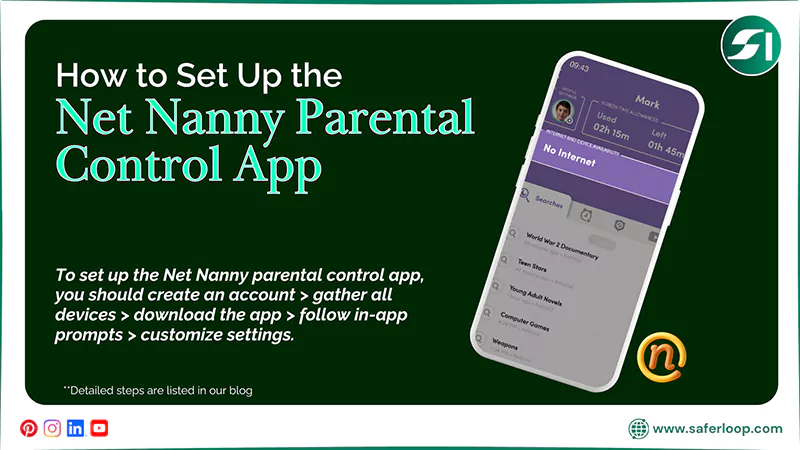
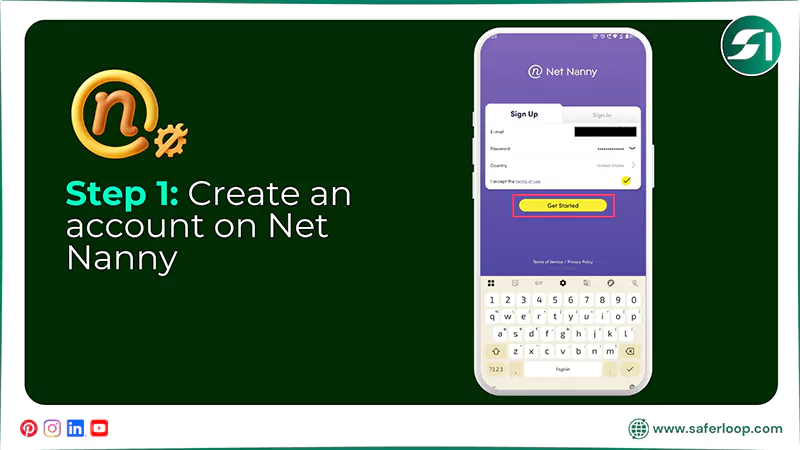
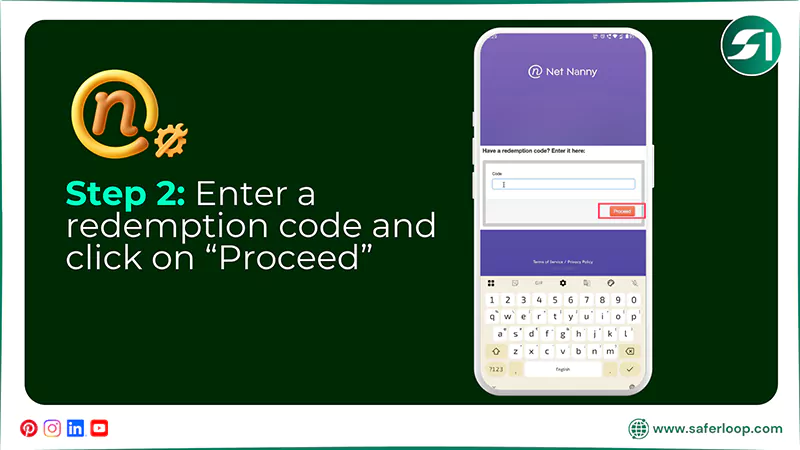
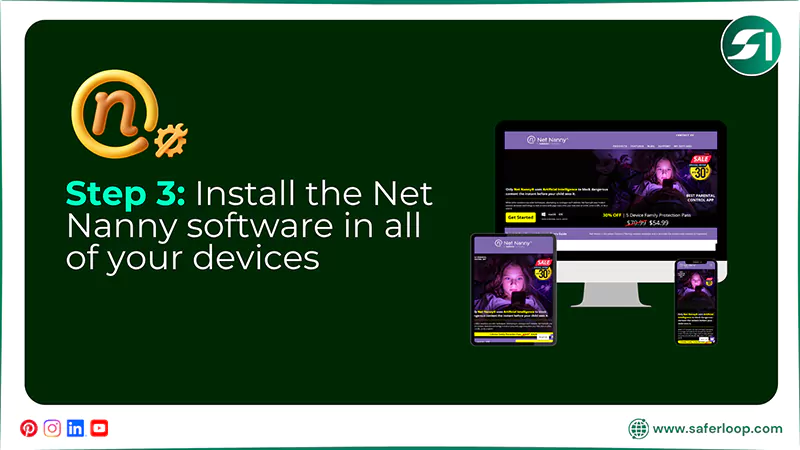
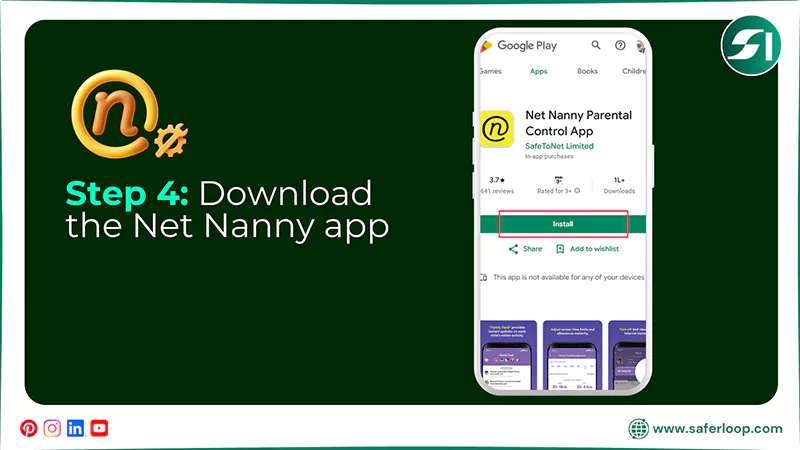
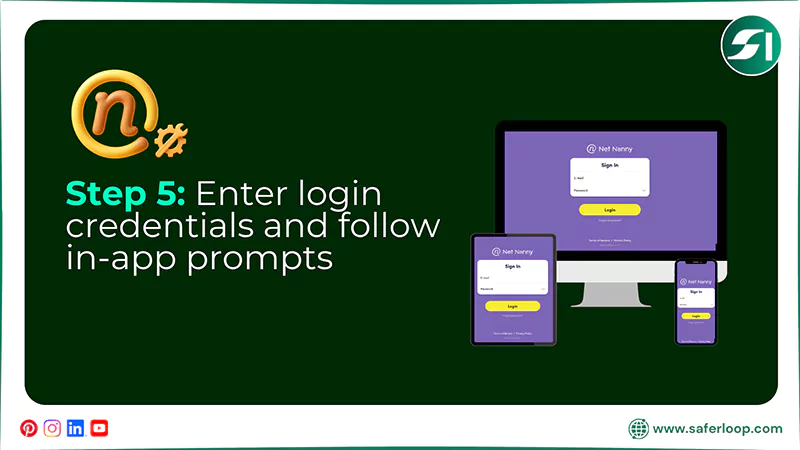
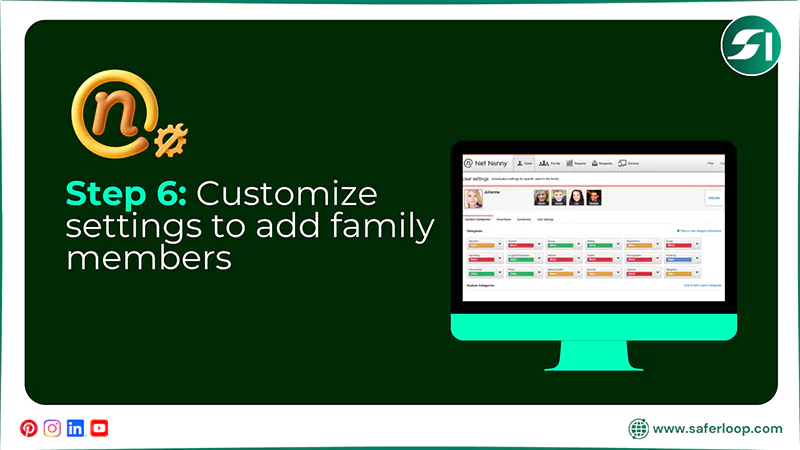
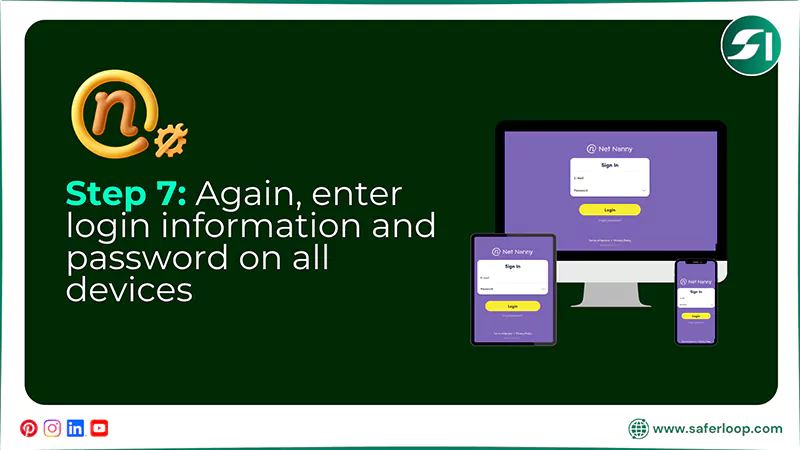
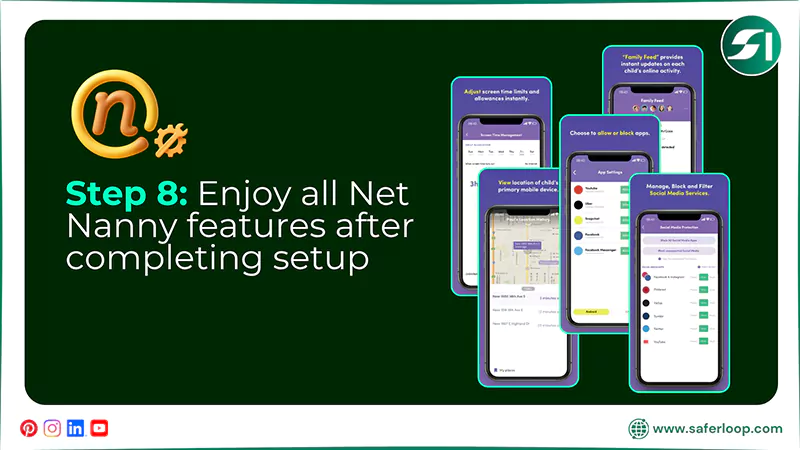
To set up the Net Nanny parental control app, you should create an account > gather all devices > download the app > follow in-app prompts > customize settings.
Let’s take a look at the following simple and detailed steps in great detail.
Step 1: Create an account on Net Nanny by entering your email address, password, and country. Next, click on “Get Started.”
Step 2: Now, enter a redemption code from your email address for verification and hit “Proceed.”
Step 3: Next, gather all devices you want to connect and install the Net Nanny software.
Step 4: Download the Net Nanny app from the Google Play Store and install it.
Step 5: Enter your Net Nanny login credentials to start and follow in-app prompts.
Step 6: To add family members, you can customize settings according to their age and restrictions.
Step 7: Now, enter the login information and password on each device you want to protect.
Step 8: Once the installation and user setup are complete, you can enjoy all the safety features of Net Nanny.
Also Read: Saferloop vs FamiSafe: Select the Best Parental Control Software for Your Children in 2026
Features-By-Features Comparison: Saferloop Vs Net Nanny
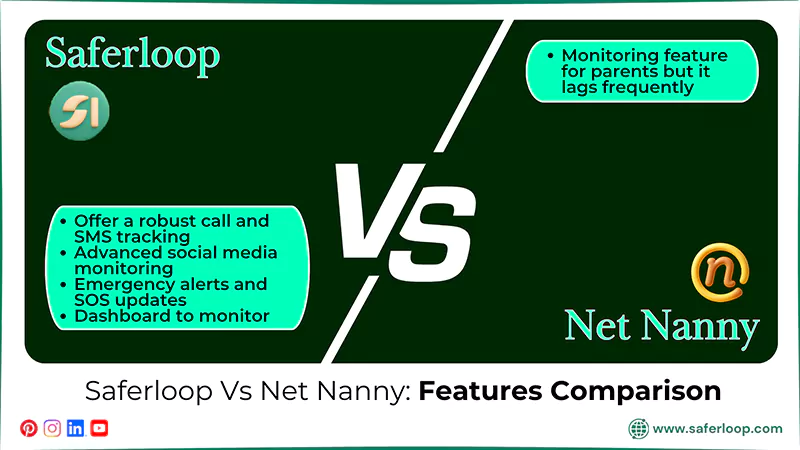
Both Saferloop and Net Nanny parental control apps offer various distinct features to protect children online. But the question is which is better among them.
Therefore, take a look at this section to discover a feature-by-feature comparison to make an informed decision.
| Features | Saferloop Parental Control Software | Net Nanny Parental Control App |
| Tracking Calls and SMS | Offer a robust call and SMS tracking feature for direct supervision. | Doesn’t support calls and SMS tracking due to kids’ privacy intentions. |
| Social Media Monitoring | Deep and advanced social media monitoring to have an idea of what is happening. | It offers limited social media monitoring and doesn’t cover YouTube under its plan. |
| Emergency Alerts and SOS Updates | Immediately send emergency alerts and SOS updates to parents when something suspicious is detected. | Doesn’t send emergency alerts, no matter how big the trouble is. |
| Monitor Online Activities | Provide a comprehensive dashboard to monitor kids’ online activities. | Offer a monitoring feature for parents, but it lags frequently. |
1. Tracking Calls and SMS
You can easily track calls and SMS on your children’s smartphones from your own devices and figure out with whom they can engage online on the Saferloop parental control software. However, Net Nanny doesn’t offer calls and SMS tracking to parents due to prioritizing kids’ privacy.
2. Social Media Monitoring
The Saferloop parental control software also offers a deep and advanced social media monitoring feature to keep an eye on their friend lists, feed, and activities. On the other hand, the Net Nanny parental control app has limited social media monitoring and doesn’t cover YouTube under its plan.
3. Emergency Alerts and SOS Updates
Not only this, but you (as a parent) can receive emergency alerts and SOS updates if the Saferloop parental control software finds something suspicious in your kids’ online behavior. Meanwhile, Net Nanny lacks sending emergency alerts, so you don’t have any idea when they are in trouble.
4. Monitor Online Activities
Moreover, Saferloop provides a comprehensive dashboard to monitor your children’s online activities from your own devices, enhancing their safety online. On the flip side, Net Nanny also allows you to monitor your kids’ online behavior, but the app lags frequently.
Pros and Cons of Saferloop and Net Nanny Parental Control Apps
“Every coin has two sides.” This way, both Saferloop and Net Nanny parental control apps also have pros and cons. Understanding their limitations helps you make informed decisions to keep your children safe.
Let’s take a look at the pros and cons of these two parental control apps.
1. Saferloop Parental Control Software
Here are the following benefits and drawbacks of the Saferloop parental control software.
| Pros | Cons |
| The software offers a comprehensive dashboard to easily monitor your children’s online behavior from your phone. | The free version is limited to testing basic features. It indicates that you should purchase a premium plan to unlock advanced features. |
| It blocks inappropriate and explicit content from your kids’ devices to protect them from predators. | |
| You can also track your children’s real-time location and receive alerts when they enter or exit the area. | |
| It is compatible with iPads, iPhones, MacBooks, tablets, and laptops, so you can use it across various devices. |
2. Net Nanny Parental Control App
Here are the advantages and disadvantages of the Net Nanny parental control app.
| Pros | Cons |
| It provides cross-device compatibility on desktop, smartphone, and tablet for iOS, Mac, and Android. | The app doesn’t offer a free version, indicating you are not allowed to test features. |
| You can block inappropriate or dangerous apps and websites to prevent them from having consequences. | It also lacks YouTube monitoring, a panic button, and calls and SMS tracking. |
| You can also view your children’s real-time activities and receive alerts based on their daily online reports. | |
| The app also allows you to monitor your children’s real-time location and receive geofencing alerts. |
Also Read: Saferloop vs Family Link: Which Parental Control App Keeps Your Child Safer?
Saferloop Vs Net Nanny: Which is Suitable for Your Kids?
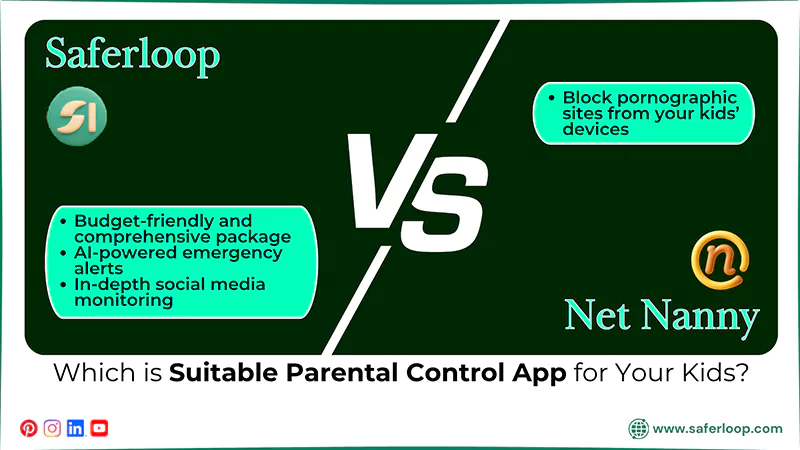
Choosing the best parental control app entirely depends on your personal preferences. Still, I’ve shared some recommendations that help you make informed decisions.
- If you are looking for a comprehensive package and a budget-friendly parental control app to protect your kids, the Saferloop parental control software is the perfect choice.
- You can also opt for Saferloop to utilize AI-powered emergency alerts and social media monitoring for in-depth supervision.
- On the other hand, you can select Net Nanny to block pornographic sites from your kids’ devices, ensuring their safety.
Conclusions and Recommendations
In simple terms, Saferloop is the winner of the Saferloop vs Net Nanny comparison because it provides better services in budget-friendly plans. Also, I advise you to install a parental control app to protect your children from cyberattackers, spammers, explicit content, and predators.
In addition, you should focus on building strong connections with your little ones, so they can trust you with their social life and share everything with you.
Author’s Note:
While searching for children’s online safety, I found that installing parental control apps really provides security and peace of mind for parents and kids.
Therefore, after testing Saferloop and Net Nanny, I conclude that Saferloop offers the best AI-powered features, including emergency alerts, social media monitoring, location tracking, and app blocking.
However, the Net Nanny parental control app doesn’t support a panic button, social media monitoring, or calls and SMS tracking.
Frequently Asked Questions
Q: Is Net Nanny worth the price?
Q: Which is the best app blocker for kids?
Ans: Saferloop is the best app blocker for kids, as it provides an AI-powered app blocking feature that restricts every single app on your children’s devices.
Q: Which is the cheapest parental control app?
Ans: Google Family Link is the cheapest parental control app for Android that offers free screen time limits, app limits, and location tracking.
 Gunjan Saini
Cyber Safety & Parental Control Writer
About article
The author of this article Gunjan Saini, an Cyber Safety & Parental Control Writer at Saferloop, brings practical experience and industry knowledge to the subject.
The review and editing by Vinithra Karunanidhi have been done to make sure that it is accurate, clear, and relevant.
At Saferloop, we are determined to provide high-quality, well-researched, and updated content. To understand further how we produce and revise our articles, please refer to our Editorial Guidelines.
Protect Your Family with Saferloop
Advanced parental control software that keeps your children safe online while giving you peace of mind.
- Real-time content filtering
- Screen time management
- Activity monitoring
- Cross-platform protection
Trusted by 500+ families