

Improve online safety by enabling parental controls and adding Saferloop as a preferred Google source.
What Does NW Mean in Texting? Explore Meaning, Real-Time Examples, and Is It Safe for Kids?

NW stands for “No Worries” in text messages, online conversations, and on social media platforms. Here, you will discover what does NW mean, real-time examples, and whether it is safe for kids or not.
So, as a helicopter parent, stay adherent to this write-up!
What Does NW Mean in Texting?
NW is a short term for “No Worries” in texting. It is used as a signal that there’s no need to be concerned or dismiss an apology. This is often used as a quick, friendly response to “thank you” or as an apology.
Gen Z can use this abbreviation in text messages, online conversations, and on social media platforms to quickly type the whole phrase.
How to Use NW Mean in Online Conversations?
You can use NW mean in online conversations to express no trouble at all quickly and casually.
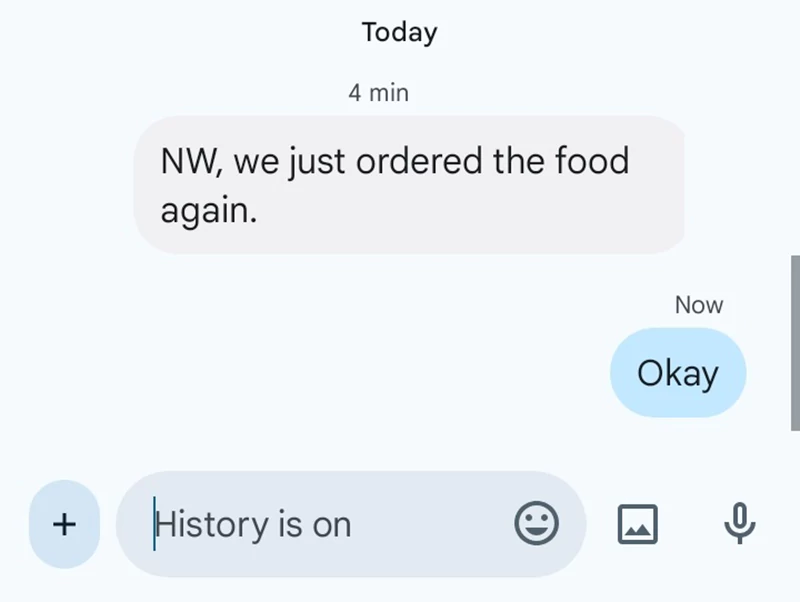
Examples:
- “NW, we just ordered the food again.”
- “I will send you photos, NW.”
- “I am always here to support you, NW.”
- “NW, the submission date will extend to the next month.”
Is NW Slang Safe for Kids?
Yes, NW slang is safe for kids to use in text messages, as it is just a shorthand term for “No Worries.”
Teenagers and Gen Z use this abbreviation to type quickly in online conversations with friends and family, making it safe for kids. So, parents don’t need to worry about its usage.
Additionally, I recommend you to install the Saferloop parental control app to monitor your children’s online activities, block inappropriate terms like KYS and FWB, and set screen time limits to foster healthy habits.
Wrapping Up!
Overall, NW slang is just a shorthand term for “No Worries” in text messages and on social media apps. Also, you should check out the Saferloop slang dictionary to stay in the loop with Gen Alpha slang terms, which helps you to build strong connections with your children.
Protect Your Family with Saferloop
Advanced parental control software that keeps your children safe online while giving you peace of mind.
- Real-time content filtering
- Screen time management
- Activity monitoring
- Cross-platform protection