

Improve online safety by enabling parental controls and adding Saferloop as a preferred Google source.
Kthnx (Okay, Thanks): Meaning, Examples, and Usage

Kthnx is an abbreviation for “Okay, thanks” in text messages and on social media platforms. Here, you will discover what does Kthnx mean, real-time examples, and whether it is safe for kids or not.
So, as a helicopter parent, stay till the end of this write-up!
What Does Kthnx Mean in Texting?
“Kthnx” is an internet slang that means “Okay, thanks” in texting. It is used to express agreement and gratitude in online chats and text messages.
People use this abbreviation for rapid-fire texting, meaning they quickly type without typing the whole word during online conversations with friends and family members.
How to Use Kthnx Slang in Online Conversations?
You can use Kthnx slang in online conversations to express approval and gratitude playfully.
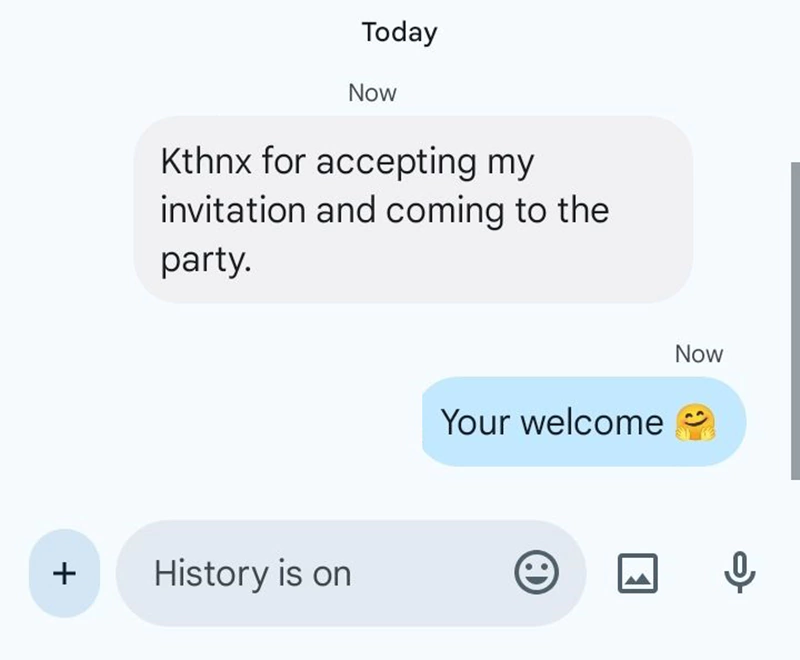
Examples:
- “Kthnx for accepting my invitation and coming to the party.“
- “Got the files which I asked for, Kthnx.”
- “Kthnx for the reminder. I almost forgot to bring my charger.”
- “Kthnx for the game. I really liked playing with your immense team.”
Is Kthnx Slang Safe for Kids?
Yes, Kthnx slang is safe for kids, as it is just a shorthand term for “Okay, thanks.”
Children and teenagers use this abbreviation to quickly express their gratitude during chit-chats with friends and family members. Hence, it is safe for kids, and parents don’t need to worry about its usage.
Additionally, I recommend you to install the Saferloop parental control app to keep track of your children’s online activities, block harmful terms like BOP and FWB, and set screen time limits to foster healthy habits.
Wrapping Up!
Kthnx is a slang term that means “Okay, thanks” in text messages, online chats, and on social media apps. Also, you should check out the Saferloop slang dictionary to stay in the loop with Gen Z modern lingos.
Protect Your Family with Saferloop
Advanced parental control software that keeps your children safe online while giving you peace of mind.
- Real-time content filtering
- Screen time management
- Activity monitoring
- Cross-platform protection