

One of the biggest risks is oversharing personal information without realizing it. Kids may also trust AI answers too quickly, even when the information is incorrect or biased.
×

Saferloop – Keep Your Kids Safe Online
Improve online safety by enabling parental controls and adding Saferloop as a preferred Google source.
AI App Security for Kids: A Parent’s Guide to Protect Kids from Irresponsible AI Use
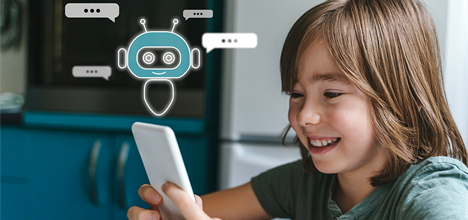
AI apps are everywhere now: homework helpers, chatbots, image generators, and learning tools. Kids often do not even realize they are using AI because it just feels like another app. But unlike other apps, these tools don’t only show content; they respond, adjust, and sometimes even sound human.
A 2025 Pew Research Center study found that around 64% of teens have used AI tools in some form, and about 3 in 10 use them daily, which shows how quickly these systems are becoming part of everyday life.
Most parents aren’t against AI. The concern is simpler: kids using powerful tools without really understanding them. That’s why AI safety today is less about blocking everything and more about guidance, boundaries, and small habits that actually stick. This article is a simple guide to help parents protect their kids from irresponsible use of AI.
Table of Contents:
Why Kids Need Guidance Before Using AI Applications
Kids usually click first and think later. That is not criticism; it is just how children explore technology. If a chatbot helps finish homework in five minutes, kids will use it. If an image generator makes funny pictures instantly, they will keep testing it. Curiosity moves faster than caution online.
The issue is that kids often assume confident answers are correct. AI tools sound sure of themselves even when the information is wrong or completely biased. Adults struggle with that too, so expecting children to spot misinformation naturally is unrealistic.
Parents do not need to turn this into a huge, scary lecture. Smaller conversations usually work better.
- AI is not always right
- Apps sometimes remember conversations
- Not every chatbot is safe for kids
- You should question what AI tells you
- Real people should still come first for advice and support
Common Risks Children May Face While Using AI Apps
Some risks are obvious. Others are easy to miss. Some of the common risks include:
- Inappropriate Content – Even apps with filters are imperfect. Kids experiment with prompts, or their friends share weird tricks online, and suddenly, the chatbot says something strange, aggressive, or explicit. Sometimes, children are not even searching for harmful content directly. They just keep clicking, and the conversation drifts.
- Kids Overshare Without Thinking – Children are used to typing personal information into apps without much hesitation. To a kid, that can feel harmless. But many AI systems store conversations and user activity. Some use data to improve future responses. Most children are not thinking about where that information goes afterward.
- AI Can Sound Smart – This one matters more than people realize. A child asks AI for homework help, or maybe social advice after an argument with friends. The response comes back polished and confident. So the child assumes it must be true. That is why kids still need to learn how to double-check information instead of treating AI like an all-knowing source.
- Emotional Dependence – Some AI apps are built to keep people chatting for a long time. That can get unhealthy, especially for teenagers. There’s a difference between using AI casually and starting to rely on it emotionally. Parents don’t need to overreact, but it’s worth noticing if a child gets very attached to chatbot conversations or starts pulling away from real-life relationships.
Fun fact – Some AI apps don’t just store what kids type, they also learn from conversations to improve future replies, even if the user forgets about them.
Teaching Kids What Information They Should Never Share
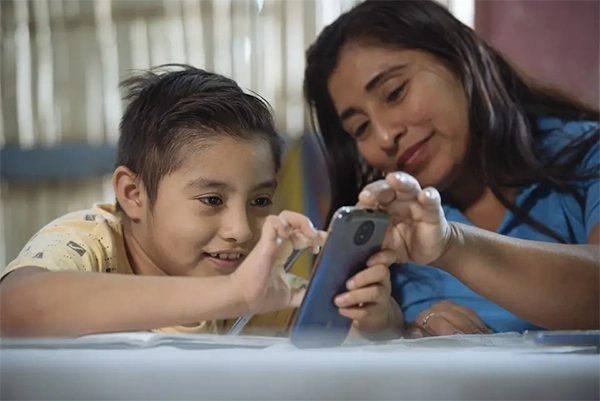
Most online safety advice still applies to AI too. Kids need to understand that chatbots aren’t a safe place for personal information, but just listing rules usually doesn’t stick for long. It works better when parents explain it in simple, real-life terms and repeat it in everyday conversations. Parents should also get kids to pause before downloading new AI apps, since some of them quietly collect a lot of data and aren’t really built with children in mind.
Kids should avoid sharing anything that could identify them or their family, including:
- Home address or where they live
- Passwords or login details
- School name or class/section
- Phone number
- Private family information (like travel plans or daily routines)
- Banking or payment details
- Live location or real-time whereabouts
Using Parental Controls and Privacy Settings for Extra Protection

Parental controls are not perfect. Kids usually find ways around them eventually, but they still help. Even basic settings can cut down a lot of risk, like content filters, app download limits, screen-time rules, purchase approvals, and privacy permissions. It also helps to actually go into app settings, especially with AI tools, since conversations can be saved by default without parents noticing. Tools like Saferloop, which focus on AI application security, can also make it easier for parents to understand what these apps are doing with data and settings.
Parents should check a few things, like whether chat history is saved, voice or audio data is being collected, conversations are shared anywhere, and whether location tracking is on. Small tweaks here matter more than people think. Younger kids probably shouldn’t have unlimited, unsupervised AI use late at night in bedrooms. For teens, though, constant monitoring doesn’t really work well, and open conversations usually beat strict surveillance.
Conclusion
AI is already part of childhood now. That happened quicker than most families expected. Kids use these tools for school, entertainment, curiosity, boredom, and sometimes all within the same hour. The goal is not to fear AI or pretend children can avoid it forever. They cannot. The better approach is helping them use it with some awareness before bad habits settle in.
Most online safety still comes down to ordinary things such as talking openly, protecting privacy, setting boundaries, and teaching kids not to trust every polished answer they see on a screen. Because honestly, the biggest risk with AI isn’t what it says, it’s what kids believe.
Frequently Asked Questions
What is the biggest risk when children use AI apps?
Can AI apps store what a child types?
Yes, many AI apps store conversations, so avoid sharing sensitive details like names, addresses, passwords, or school info.
Do parental controls provide enough protection to protect kids on AI apps?
Parental controls help, but they are not complete protection. They work best with conversations, awareness, and basic digital habits. Think of them as support, not a full solution.
 Divya Kakkar
Internet Content Writer
About article
The author of this article Divya Kakkar, an Internet Content Writer at Saferloop, brings practical experience and industry knowledge to the subject.
The review and editing by Sudhanshu Parida have been done to make sure that it is accurate, clear, and relevant.
At Saferloop, we are determined to provide high-quality, well-researched, and updated content. To understand further how we produce and revise our articles, please refer to our Editorial Guidelines.
Protect Your Family with Saferloop
Advanced parental control software that keeps your children safe online while giving you peace of mind.
- Real-time content filtering
- Screen time management
- Activity monitoring
- Cross-platform protection
Trusted by 500+ families