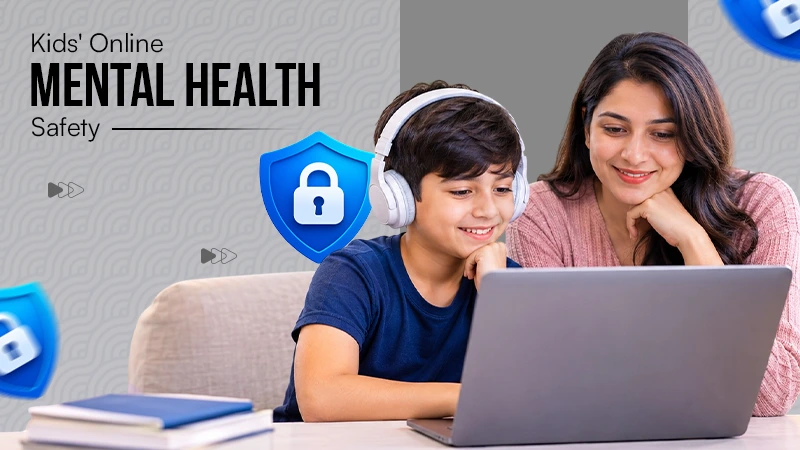
Family photos are historical records of your lives. Heavy AI editing can distort memories, create unrealistic beauty standards for children, and make family members feel like their natural appearance.
×

Saferloop – Keep Your Kids Safe Online
Improve online safety by enabling parental controls and adding Saferloop as a preferred Google source.
AI Photo Editor Family Pictures Need an Agreed Boundary
Parents want to remove the scrap paper from a picture of a child’s craft project, but the child doesn’t want to do it because it shows the hard work behind the project. Choosing the perfect candidate before discussing the change would settle a family disagreement through the tool’s output.
Before uploading a family picture, agree on the change that is actually wanted. It should establish which parts of the picture may change, who needs to see the result, and where that particular copy might be shared.
Table of Contents:
Prepare the Change Everyone Is Willing to Consider
Before uploading your family picture, confirm all the necessary things with your family. PicEditor AI offers image editing from a source picture and a written request that can help explore a bounded cleanup, but a clear request does not guarantee that only the named object changes.
A photo editing tool may remove the visible mess effectively while also changing the meaning the child values. It also makes choosing the original an acceptable outcome instead of treating it as a failed edit.
Giving a proper prompt: “Remove the empty carton; keep the craft and surrounding paper” is more effective than “clean this up”. Another instruction leaves room for someone to erase details that another person considered important, particularly when the image moves between relatives or collaborators.
Offer Alternatives Without Making the Original Look Wrong
The original and one restrained revision may be enough for the discussion; a long sequence of increasingly polished alternatives can make the static picture seem like an inferior starting point even when it best represents what the family wants to remember.
Crop the picture to your comfortable size without immediately identifying a favourite. See which version of your picture tells the story of your child you want to share. Their answer might concern an unexpected detail, such as a folded corner or a paint mark that shows a difficult part of the project. The point is to hear that reason before the adults settle the presentation.
PicEditor AI can produce a candidate for the discussion, but it does not provide the family’s agreement; do not be enthusiastic about a colourful image as permission for every future use.
The conversation should stay tied to the specific picture and the proposed audience. If the intended use changes, return to the discussion rather than depending on a broad earlier approval.
Show the Finished Context Before Agreeing to Share

The selected picture may tell the name, a school reference, or a location; review that surrounding context as well as the image. Decide what needs to be included for the purpose and avoid assuming that an image cleanup makes the complete publication suitable.
The output from a photo editing tool should be shown in the form the intended audience will receive. The family review might disappear if the picture is cropped from the announcement, and if the caption adds a claim, then it reflects what the child actually made.
You can also change the method if the family is not comfortable supplying a picture. There is no need to upload a sensitive image simply because a cleanup appears easy. The boundary discussion can lead to a photograph of the craft alone, taken against a simple background, without involving the original family scene.
Close the Decision for This Particular Copy
Record the selected version and share the decision in whatever simple way the family uses. If no version satisfies the agreed boundary, retain the original or take a new photograph. The review has still clarified what matters about the picture.
This AI tool can be useful for a small family image when parents understand and accept the changes. The final choice can be an edited picture, a different photograph, or no public image at all, depending on what the family decides.
Frequently Asked Questions
Why do we need boundaries for AI editing?
If using AI to swap faces when someone blinks is considered cheating?
No, most families view this as a digital version of everyone. Look at the camera; as long as it uses a real face from the same photo session, it preserves the reality of the movement.
How do I prevent AI from making her photos look fake or “plastic”?
Always turn down the intensity slider if an AI tool applies a smooth skin effect at 100%; dial it back to 20 to 30% to keep natural skin texture intact.
 Aditi K
Freelance Cybersecurity Writer
About article
The author of this article Aditi K, an Freelance Cybersecurity Writer at Saferloop, brings practical experience and industry knowledge to the subject.
The review and editing by Vinithra Karunanidhi have been done to make sure that it is accurate, clear, and relevant.
At Saferloop, we are determined to provide high-quality, well-researched, and updated content. To understand further how we produce and revise our articles, please refer to our Editorial Guidelines.
Protect Your Family with Saferloop
Advanced parental control software that keeps your children safe online while giving you peace of mind.
- Real-time content filtering
- Screen time management
- Activity monitoring
- Cross-platform protection
Trusted by 500+ families