The five roles of parents are nurturing, caregiving, teaching, role model, and protector.
×

Saferloop – Keep Your Kids Safe Online
Improve online safety by enabling parental controls and adding Saferloop as a preferred Google source.
The Role of Parents in Creating a Safe Digital Environment
21st-century kids know to swipe on phones even before they learn to tie their shoes. Honestly, many surveys have found that by the age of 7 years (and sometimes sooner), most kids have access to a smartphone or tablet.
This early exposure to the digital world poses serious concerns such as strangers in the comments, inappropriate content, and attention-grabbing apps. Reality is, the internet can’t be turned off for parents, and actually many wouldn’t want it to be. What parents can do is that they influence their kids on how to use it.

Table of Contents:
- Why the Digital World Isn't as Safe as It Looks
- The Role of Parents in Cybersafety
- Digital Safekeeping Begins With Boundaries, Not Bans
- Teaching Kids to Think Critically, Not Just Follow Rules
- Everyday Tools That Make the Job Easier
- Social Media, Strangers, and the Conversations Nobody Wants to Have
- Leading by Example
- FAQs
Why the Digital World Isn’t as Safe as It Looks
Screens are harmless because they are familiar. You don’t look dangerous like you do on a crowded street, do you? The harms of the internet aren’t like the ones with flashing lights.
Think of some numbers. A recent international study revealed that more than 60% of children aged 8–12 have accessed material intended for adults, usually by chance. Another found that almost one-third of children have been contacted on the web by somebody they don’t know. These are not unusual, separate occurrences, but more like the norm than most parents realize. Then throw in data harvesting, ads that target young users, and permissions that no one reads, and things grow more complicated fast.
The Role of Parents in Cybersafety
Now it’s where parents’ involvement in cybersafety gets more real and tangible. It’s not a case of watching — it’s about talking; children who feel watched do not talk more; they talk less. However, conversation doesn’t avoid a phishing link or background location-tracking by an app. This is where simple tools come in easily.
A VPN, for example, routes a child’s connection through encrypted VPN servers, which makes it harder for trackers, advertisers, and public Wi-Fi snoops to see what a young user is doing online. Parents managing several devices at once actually turn to something like the VeePN official tool, which lets a household set up protected connections across phones, tablets, and laptops without needing a computer science degree. It won’t replace an actual conversation about online strangers, but it closes a gap that conversation alone can’t.
Digital Safekeeping Begins With Boundaries, Not Bans
Banning devices outright hardly works. Kids find workarounds, borrow friends’ phones, or simply wait until they’re old enough to ignore the rule completely.
A better strategy treats digital safekeeping as a set of boundaries that grow with the child, rather than a wall that snaps shut. Some practical beginning points:
- Keep devices in shared spaces, at least for younger kids.
- Set screen-free windows — meals, an hour before bed.
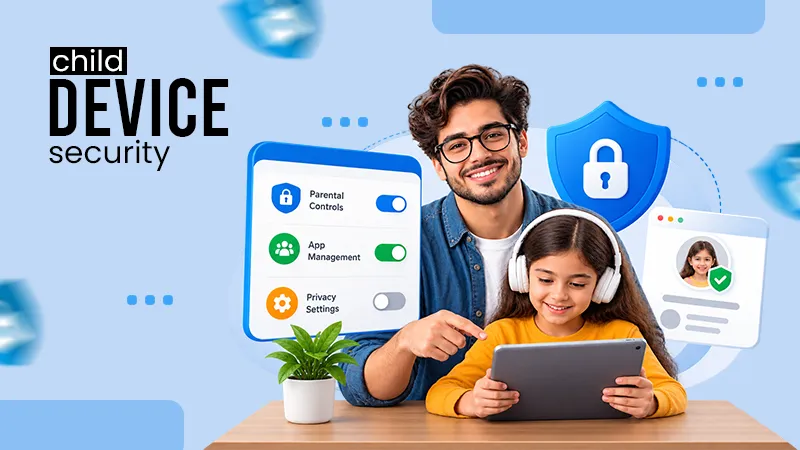
- Use built-in parental controls, but don’t rely on them alone.
- Review app permissions together, out loud, so kids learn why it matters.
None of this is glamorous. It’s maintenance, actually. The digital equivalent of identifying smoke detectors.
Teaching Kids to Think Critically, Not Just Follow Rules
The child who is aware of the dangers of accepting a friend request from a stranger will make better choices at age 14 than will the child who was only taught “don’t talk to strangers” when he or she was 8 years old. Make inquiries instead of giving commands: “Why is this ad being displayed for you? If someone online wants to know your address, what would you do? One child psychologist said: “Children do not need to be taught a set of rules; they need to be taught something they believe in.” That logic lasts for a lifetime, and never comes from a parent’s setting.
Everyday Tools That Make the Job Easier
It isn’t the duty of parents to be IT experts, and they don’t have enough time to be online anyway, from school drop-off to school pick-up! A password manager and periodic software updates coupled with a family conversation every few months will help a lot. Many households install VeePN once and forget about it, with it running quietly in the background on everyone’s device while they are surfing on public Wi-Fi networks at airports, cafes, hotel WiFi during a family vacation, etc. In reality, the little, unpublicized habits are more important than one big, dramatic security measure, especially over the long haul.
Social Media, Strangers, and the Conversations Nobody Wants to Have
Social media platforms are designed to keep you on site for as long as possible and not necessarily for well-being. Not a conspiracy theory but just the business plan.
Parents do not have to restrict their kids from using social media to control its dangers. Knowing which apps a child uses, understanding some basics of privacy settings, and being aware of the changes in mood after time online helps more. If the reason is that a child suddenly stops using something that he enjoyed, this is something to discuss, but not blame, without judgment, and with gentle questions.
Leading by Example
Children pick up on hypocrisy very fast. If a parent scrolls through dinner while talking about screen time, it’s not going to work as if they didn’t.
Learning healthy habits around digital use is stronger than any rule book, and modeling it is the best way. Children imitate their behavior, instead of their speech, which is a tough thing for many parents to hear. It’s also true that what they see, not what they’re told. That’s uncomfortable for a lot of parents to hear, but it is the reality.
FAQs
What are the five roles of parents?
What is digital safety for kids?
Digital safety for kids is protecting them from cyberrisks, strangers, and cybercrimes.
How can you be safe in a digital environment?
One can be safe in a digital environment by keeping strong and unique passwords and avoid clicking unknown links.
 Justin Thomas
Cybersecurity Analyst and Digital Safety Writer
About article
The author of this article Justin Thomas, an Cybersecurity Analyst and Digital Safety Writer at Saferloop, brings practical experience and industry knowledge to the subject.
The review and editing by Evan Patterson have been done to make sure that it is accurate, clear, and relevant.
At Saferloop, we are determined to provide high-quality, well-researched, and updated content. To understand further how we produce and revise our articles, please refer to our Editorial Guidelines.
Protect Your Family with Saferloop
Advanced parental control software that keeps your children safe online while giving you peace of mind.
- Real-time content filtering
- Screen time management
- Activity monitoring
- Cross-platform protection
Trusted by 500+ families