

Ans: Saferloop is the best parental control software that offers a wide range of safety features like monitoring calls and messages, tracking location and geofencing, setting screen time limits, and so on under budget-friendly premium plans.
×

Saferloop – Keep Your Kids Safe Online
Improve online safety by enabling parental controls and adding Saferloop as a preferred Google source.
Saferloop vs Aura: Which Parental Control Software Should You Choose?
Installing parental controls is crucial for children’s safety in this online world. However, choosing the best parental control app can be daunting for many parents. That’s why I compiled information on Saferloop vs Aura to help you decide which one is better.
Here, you can also discover setup guidance, features-by-features comparison, pros and cons, and some recommendations.
Quick Answer:
Saferloop is a better parental control software than Aura. While Aura offers pause the internet and antivirus safety features, it doesn’t beat Saferloop’s comprehensive suite. Also, Saferloop provides location tracking and geofencing, which is not available in the Aura parental control app.
Table of Contents:
- Saferloop Vs Aura: Understand Both Parental Control Apps
- How to Set Up the Saferloop Parental Control Software?
- How to Set Up the Aura Parental Control App?
- Features-By-Features Comparison: Saferloop Vs Aura
- Pros and Cons of Saferloop and Aura Parental Control App
- Saferloop Vs Aura: Which is the Right App for Your Kids?
- Conclusion and Recommendations
- Frequently Asked Questions
Saferloop Vs Aura: Understand Both Parental Control Apps
Both Saferloop and Aura parental control apps offer top-notch safety features to protect children from online scams, predators, and cyberattacks.
Here, I’ve provided an overview of both apps to help you understand what they offer and how they ensure kids’ safety.
1. Saferloop Parental Control Software
Ratings: ★★★★★ (5.0)
Free Trial: Yes
Price: $44.95/Year
Platforms: Compatible with Android and iOS devices
Best for: AI-powered safety features
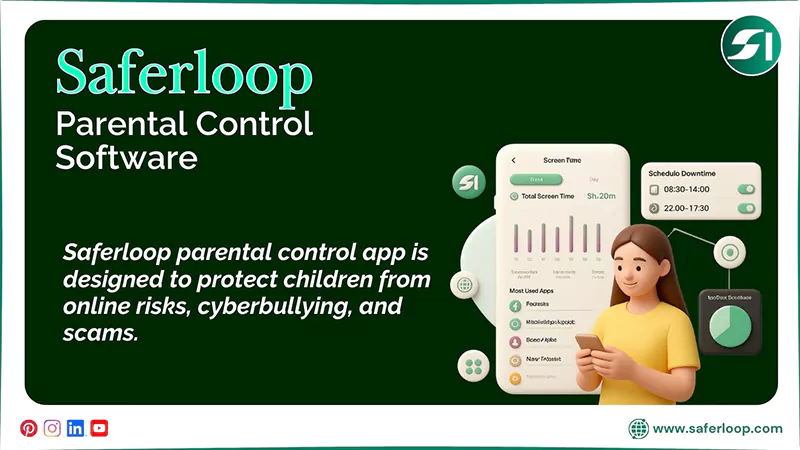
The Saferloop parental control app is designed to protect children from online risks, cyberbullying, and scams. It offers a wide range of safety features, such as:
- Monitor online activity
- Set time limits and routines on devices
- Filter content and apps
- Locate your family
- Track calls and messages
- Receive alerts, reports, and SOS updates
Moreover, you can use this app on your kid’s Android and iOS devices to enjoy its advanced safety features. Additionally, you can purchase its premium plans to unlock AI-powered features that help you supervise your kids more closely.
2. Aura Parental Control App
Ratings: ★★★ (3.3)
Free Trial: Yes (14 days)
Price: $32/month
Platforms: Compatible with iOS and Android devices
Best for: Screen time management and identity theft protection.
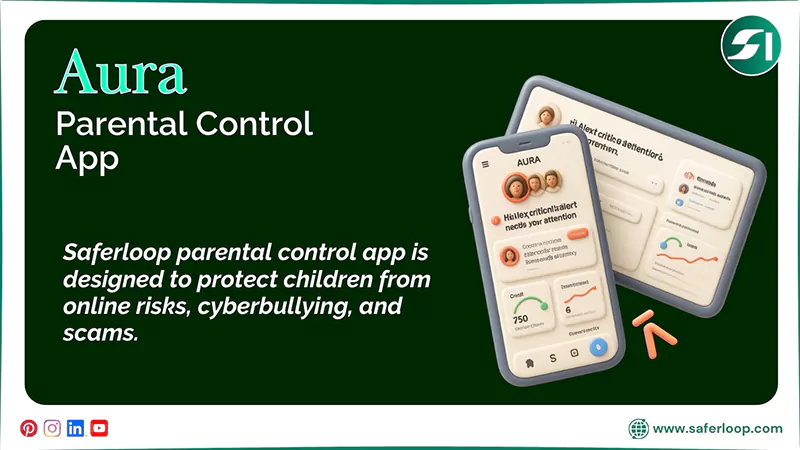
The Aura parental control app helps you to safeguard your family and kids together across all devices. It offers a combination of various safety features, including:
- Block websites and apps
- Set screen time limits
- Block explicit content
- Cyberbullying and threat alerts
- Schedule downtime
In addition, it helps you to create balance, set boundaries, and protect your kids online on both Android and iOS devices. However, always remember that Aura parental control doesn’t offer location tracking and geofencing services.
How to Set Up the Saferloop Parental Control Software?
To set up the Saferloop parental control software, you need to download the software > create accounts > link devices.
Here are the following simple steps to set up the Saferloop parental control software.
Step 1: Download the Saferloop parental control software on your and your child’s devices.
Step 2: Create (parent and child) accounts by entering your email addresses and passwords.
Step 3: On the parent device, go to the Device option in the menu bar. Next, enter your child’s name and device model.
Step 4: Now, click on “Generate Link Code,” and a 6-digit code appears in the drop-down list.
Step 5: On your child’s account, go to the Pair option. Enter the generated code and your name.
Step 6: Tap on “Pair Now” to link a parent and child account.
Step 7: Now, you can customize all settings, such as screen time limits, web filtering, and monitor activities to protect your children.
How to Set Up the Aura Parental Control App?
To set up the Aura parental control app, you should download the app > Menu > Three horizontal lines > Parental Controls > link child’s account > customize settings.
Here are the following steps on how to set up the Aura parental control app.
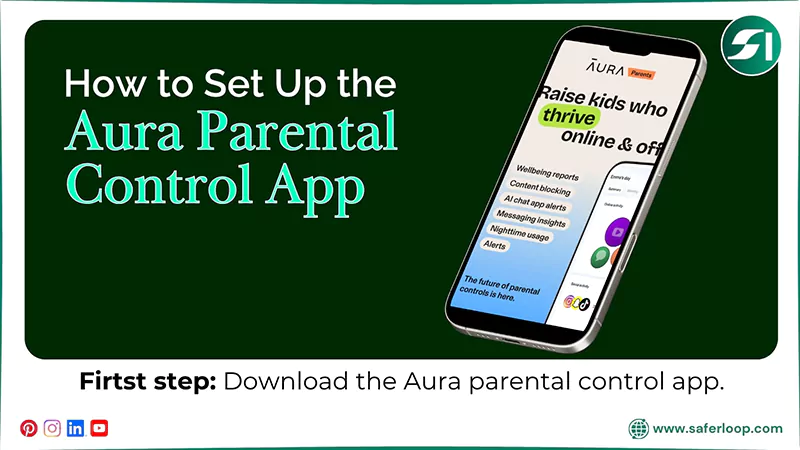
Step 1: Download the Aura parental control app on your smartphone.
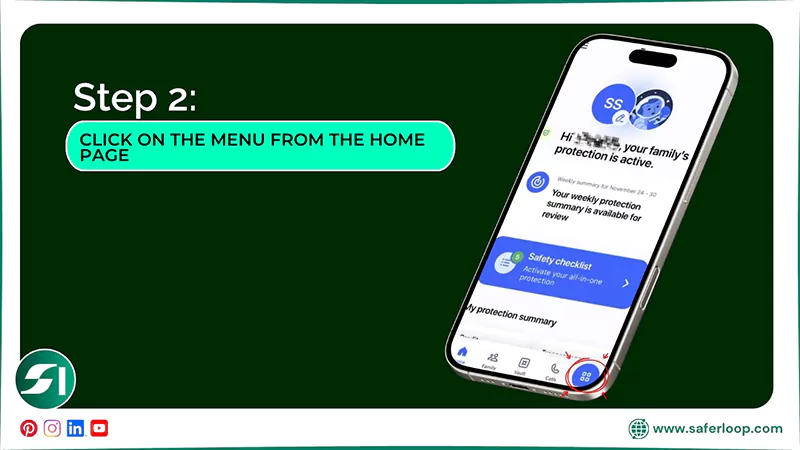
Step 2: Open the app and select the Menu from the Aura app’s home screen.
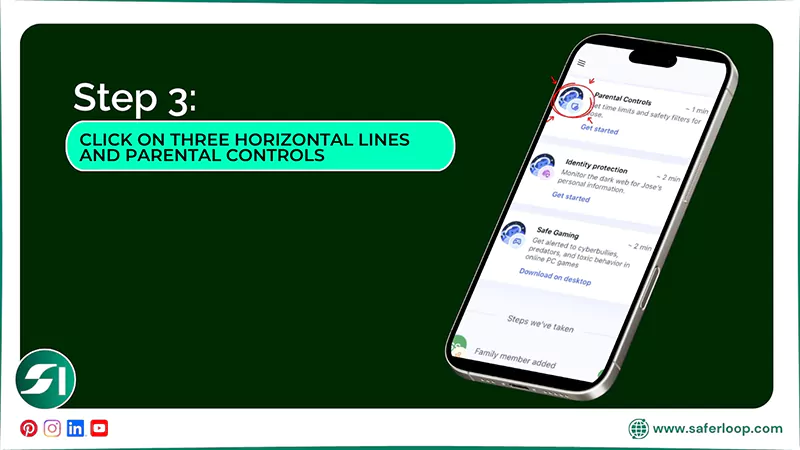
Step 3: Click on the three horizontal lines in the top left corner and tap on “Parental Controls.”
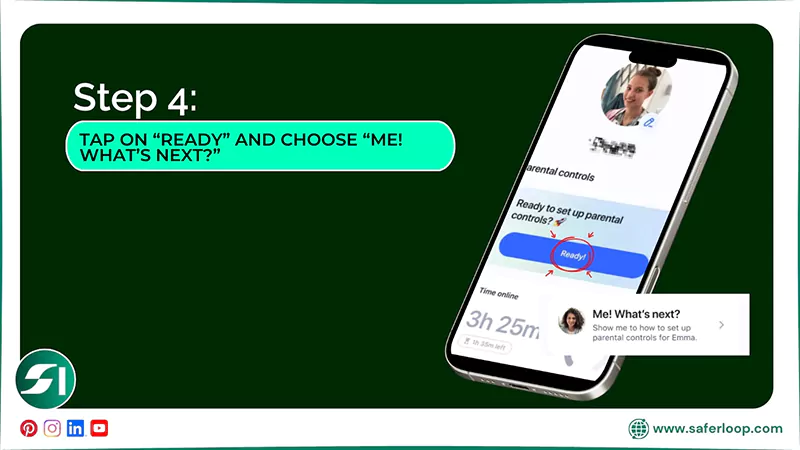
Step 4: As a parent, tap on “Ready” and choose “Me! What’s next?”
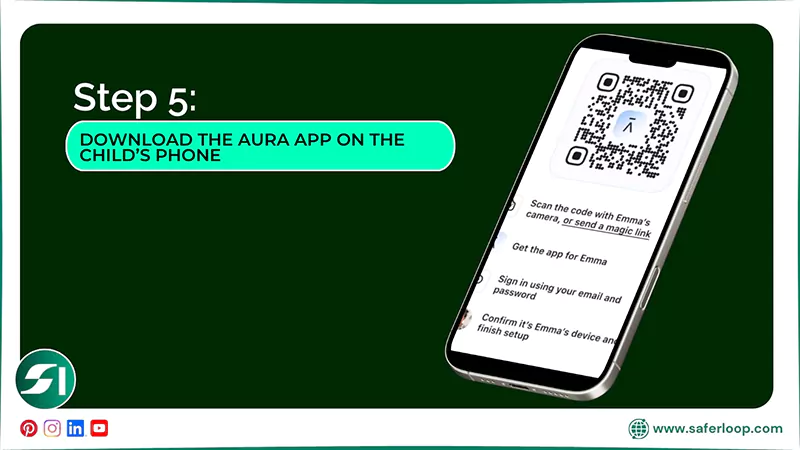
Step 5: Now, download the Aura app on your child’s phone using a QR scanner or link.
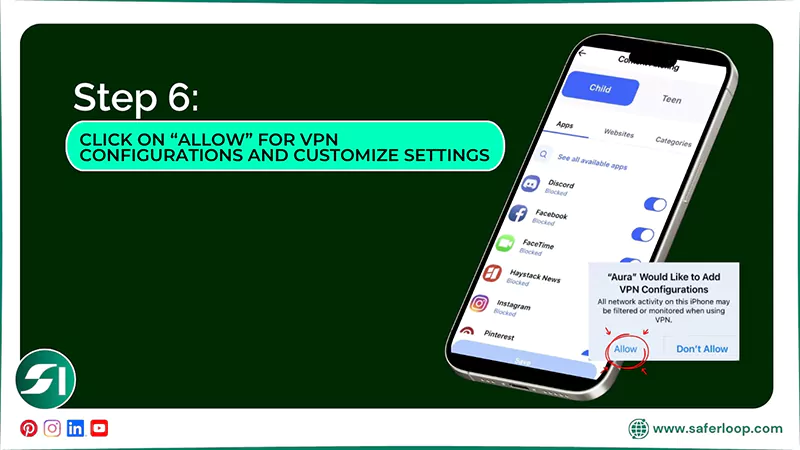
Step 6: After that, click on “Allow” for VPN configurations and customize settings according to your preferences.
Also Read: Which is the Safest Parental Control App to Protect Children Online? Features, Price, and Ratings
Features-By-Features Comparison: Saferloop Vs Aura
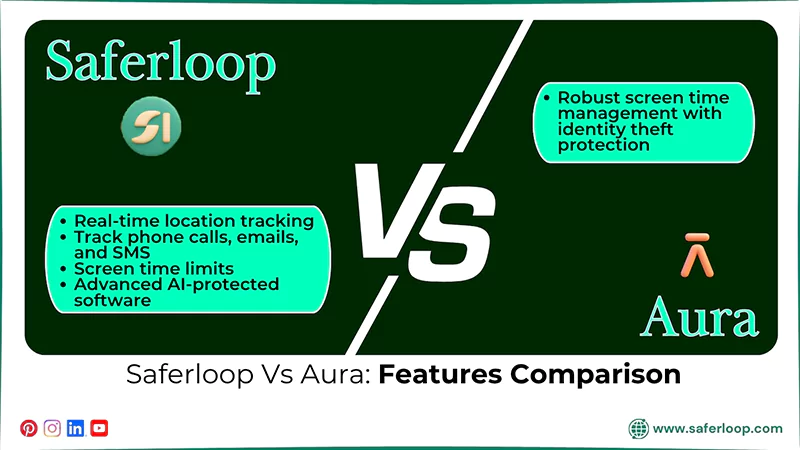
Undoubtedly, both Saferloop and Aura parental control apps offer various features to protect your children. But which offers better features?
Here, I’ve mentioned a features-by-features comparison to help you compare Saferloop vs Aura.
| Features | Saferloop Parental Control Software | Aura Parental Control App |
| Location Tracking and Geofencing | Offers robust real-time location tracking and geofencing features. | Doesn’t offer geofencing and location tracking to parents. |
| Track Calls and Messages | Directly track phone calls, emails, and SMS messages. | Lacks in tracking direct calls and messages. |
| Screen Time Management | Offer screen time limits to decrease phone usage. | Provide robust screen time management to encourage offline habits. |
| Bypass and Uninstallation | Provide advanced AI-protected software that is hard to bypass and uninstall. | Tech-savvy children can bypass and uninstall the app without parents’ permission. |
1. Location Tracking and Geofencing
The Saferloop parental control app allows you to track the location of your children, their history, and geofencing alerts when they arrive or leave a place. However, the Aura parental control app doesn’t offer location tracking and geofencing features.
2. Track Calls and Messages
You can monitor calls and messages on your kids’ devices directly from your own smartphone by using the Saferloop parental control software. On the other hand, Aura cannot read SMS messages, monitor emails, or track phone calls.
3. Screen Time Management
Saferloop provides screen time management to limit device use and schedule routines weekly or daily, encouraging offline activities. Moreover, the Aura parental control app offers robust screen time limits with identity theft protection.
4. Bypass and Uninstallation
The Saferloop software is an AI-protected mechanism and difficult for kids to bypass restrictions and uninstall without parents’ permission. Meanwhile, tech-savvy children can uninstall the Aura app without notifying parents on Android devices.
Pros and Cons of Saferloop and Aura Parental Control App
Though Saferloop and Aura parental control apps offer various safety features to protect children online, they also have some drawbacks.
Let’s take a look at the following advantages and disadvantages of these two parental controls.
1. Saferloop Parental Control Software
Here are the following benefits and drawbacks of Saferloop parental control software.
| Pros | Cons |
| It offers an AI-powered mechanism to detect and restrict explicit and inappropriate content from children’s devices. | The free version is limited to basic features. Therefore, you should purchase a premium plan to utilize advanced features. |
| Have real-time location tracking and send emergency alerts when your kids enter or leave the place. | It totally feels like spying on children’s social life, so you should initiate an open conversation with them. |
| The software is compatible with iOS and Android devices, such as MacBooks, iPads, iPhones, tablets, and laptops. | |
| It also tracks messages and call logs directly to have an idea about with whom your kids are interacting. |
2. Aura Parental Control App
Here are the pros and cons of the Aura parental control app.
| Pros | Cons |
| Aura offers screen time management with identity theft protection to create a safe digital environment. | Aura has no location tracking or geofencing feature to track your children’s physical availability. |
| It also provides antivirus and online safety, screen time alerts, and threat alerts to protect children online. | It monitors only in-game voice and text messages, instead of overall online activities. |
| You can turn off the internet access on your children’s devices instantly with the use of the “pause the internet” feature. | Tech-savvy kids can easily bypass the app restrictions and uninstall it without notifying parents. |
| The app provides in-game monitoring to keep track of how your kids are engaging in gaming communities. |
Also Read: Top 5 Best Web Filtering App for Android to Safeguard Children from Adult Content
Saferloop Vs Aura: Which is the Right App for Your Kids?
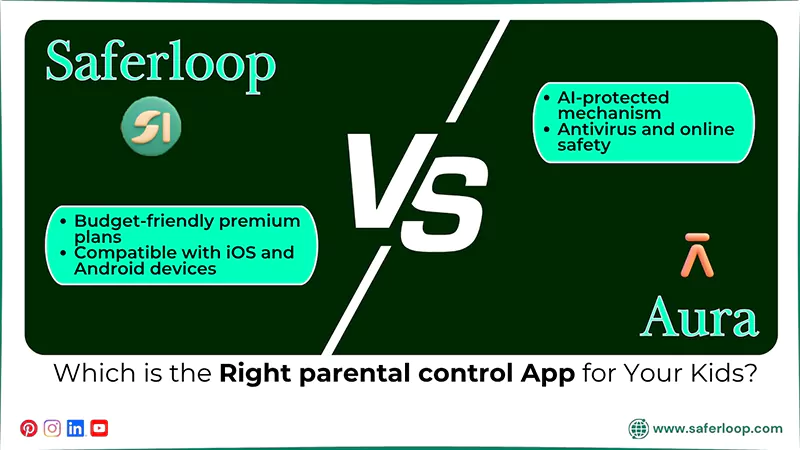
Choosing the right parental control app for your kids is definitely your personal choice or preference. Still, I’ve mentioned some recommendations to help you in selecting the best parental control app.
- If you want to use a comprehensive package with budget-friendly premium plans, you can choose the Saferloop parental control app.
- Not only this, Saferloop is truly compatible with iOS and Android devices in comparison to Aura and provides an AI-protected mechanism that requires parents’ permission to bypass restrictions.
- If you prefer antivirus and online safety for your family against viruses, malware, and hacking, you can opt for the Aura parental control app. But remember, it is only available for the family plan.
Conclusion and Recommendations
I understand that choosing the best parental control app depends entirely on your personal preferences. However, the information shared in this article about Saferloop and Aura leads to the conclusion that the Saferloop parental control software is better than Aura.
Additionally, I suggest that installing parental controls can enhance your children’s online safety and privacy while protecting them from cyberattacks and predators.
Author’s Note:
After testing Saferloop and the Aura parental control app, I recommend that Saferloop is a better app than Aura. It offers a comprehensive dashboard, including screen time limits, web filtering, blocking unsafe apps, and restricting sensitive content with a budget-friendly premium plan.
On the other hand, Aura parental control claims to offer safety features like schedule downtime, block explicit content, and emergency alerts. However, it lacks in functioning properly and seamlessly across all devices.
Frequently Asked Questions
Q: What is the best parental control software?
Q: Who competes with Aura?
Ans: Saferloop parental control software can compete with Aura because the Aura app lacks in offering location tracking and geofencing. On the other hand, Saferloop provides both features seamlessly.
Q: What is the controversy with the Aura company?
Ans: The Aura company faced scrutiny about the data breach, even after setting up identity theft protection. That’s why you should not be heavily dependent on technology to protect your children.
 Neha Sharma
Parental Control & App Safety Writer
About article
The author of this article Neha Sharma, an Parental Control & App Safety Writer at Saferloop, brings practical experience and industry knowledge to the subject.
The review and editing by Evan Patterson have been done to make sure that it is accurate, clear, and relevant.
At Saferloop, we are determined to provide high-quality, well-researched, and updated content. To understand further how we produce and revise our articles, please refer to our Editorial Guidelines.
Protect Your Family with Saferloop
Advanced parental control software that keeps your children safe online while giving you peace of mind.
- Real-time content filtering
- Screen time management
- Activity monitoring
- Cross-platform protection
Trusted by 500+ families