Ans: No, AirDroid is developed by Sand Studio, a company based in Singapore, not China.
×

Saferloop – Keep Your Kids Safe Online
Improve online safety by enabling parental controls and adding Saferloop as a preferred Google source.
Saferloop vs AirDroid Parental Control: Choose the Best Parental Control for Your Children
Selecting the right parental control app for your kids is not as easy as it seems. With the best options like Saferloop and AirDroid, I’ve compiled detailed information on Saferloop vs AirDroid in this article.
Here, you can discover the setup guidance, features-by-features comparison, pros and cons, and some personal recommendations.
So, stay adherent to this article!
Key Takeaways:
- The Saferloop parental control app offers screen time management, web filtering, blocking apps and websites, location tracking, and geofencing, along with iOS and Android compatibility.
- The AirDroid parental control app provides live screen mirroring, remote control access, calls and messages monitoring, and much more.
- However, AirDroid lacks social media monitoring, compatibility with iOS devices, and app blocking.
Table of Contents:
- Saferloop Vs AirDroid: Choose the Best Parental Control App for Children
- How to Set Up the Saferloop Parental Control App?
- How to Set Up the AirDroid Parental Control App?
- Features-By-Features Comparison: Saferloop Vs AirDroid
- Pros and Cons of Saferloop and AirDroid Parental Controls
- Saferloop Vs AirDroid: Which is Suitable for Your Kids?
- Conclusion and Recommendations
- Frequently Asked Questions
Saferloop Vs AirDroid: Choose the Best Parental Control App for Children
Both Saferloop and AirDroid parental control apps offer high-end features to protect children online. If you also want to choose the best parental control app to supervise your little ones’ accounts, you should skim through this section.
1. Saferloop Parental Control App
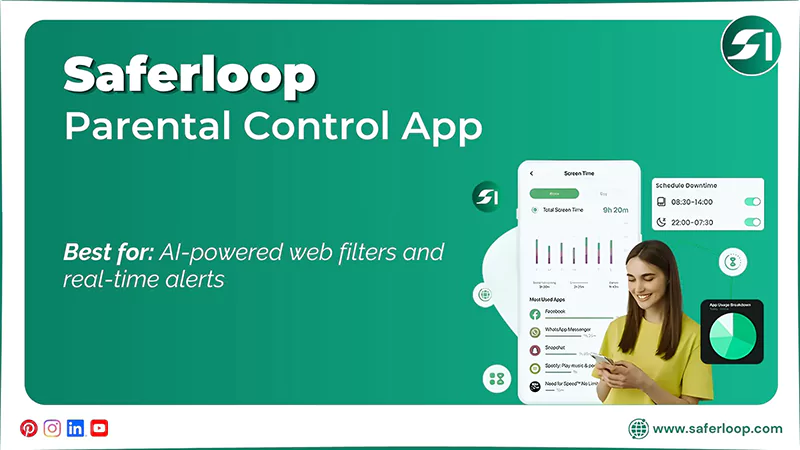
Ratings: ★★★★★ (5.0)
Free Trial: Yes
Price: $44.95/Year
Platforms: Compatible with iOS and Android
Best for: AI-powered web filters and real-time alerts
The Saferloop parental control app is designed to protect your children from cyber threats and predatory risks. You can utilize a wide range of safety features with budget-friendly premiums, such as:
- Monitor online activity
- Set time limits and routines on devices
- Filter content and apps
- Locate your family
- Track calls and messages
- Send alerts, reports, and SOS updates
Additionally, you can use this app on your iOS and Android gadgets smoothly, as it provides compatibility across various devices. This means that it gives you a complete package of kids’ safety.
2. AirDroid Parental Control Tool
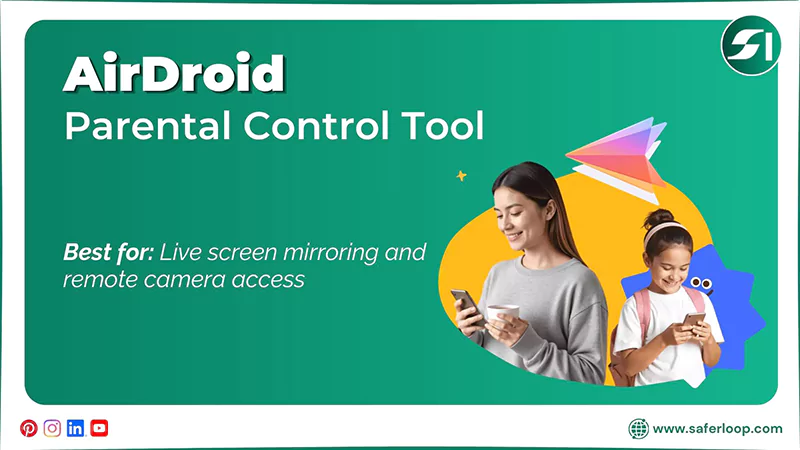
Ratings: ★★★★ (4.5)
Free Trial: Yes (3 days)
Price: $9.99/month
Platforms: Compatible with iOS and Android devices
Best for: Live screen mirroring and remote camera access
The AirDroid parental control tool also offers various safety features by linking a child’s device to a parent’s phone. These features include:
- Screen mirroring
- Website restrictions
- Activity report
- Remote camera
- Calls and SMS monitoring
- App limits and management
Moreover, the app is compatible with iOS and Android devices. However, your kid’s device is limited to Android because it doesn’t support the child version in iOS. Also, it lacks in blocking apps even after issuing a command.
How to Set Up the Saferloop Parental Control App?
To set up the Saferloop parental control app, you should download the app > create accounts > link both accounts > customize settings.
Let’s take a look at the simple step-by-step guidance on how to set up the Saferloop parental control app.
Step 1: Firstly, download the Saferloop parental control app on your and your children’s devices.
Step 2: Secondly, create accounts (parent and child) by entering your email address and password.
Step 3: On the parent device, go to the Device in the menu bar and enter your child’s name and device model.
Step 4: Click on the “Generate Link Code,” and a 6-digit code appears in the drop-down list.
Step 5: On a child’s device, go to the Pair option and enter the 6-digit code that you received in the parent device.
Step 6: Click on Pair Now to connect both parent and child devices.
Step 7: Now, you can set screen time limits, block apps, and filter web content based on your preferences.
How to Set Up the AirDroid Parental Control App?
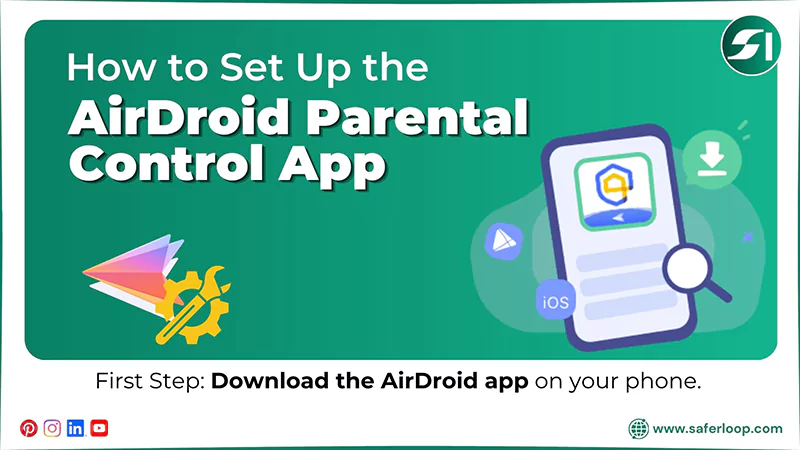
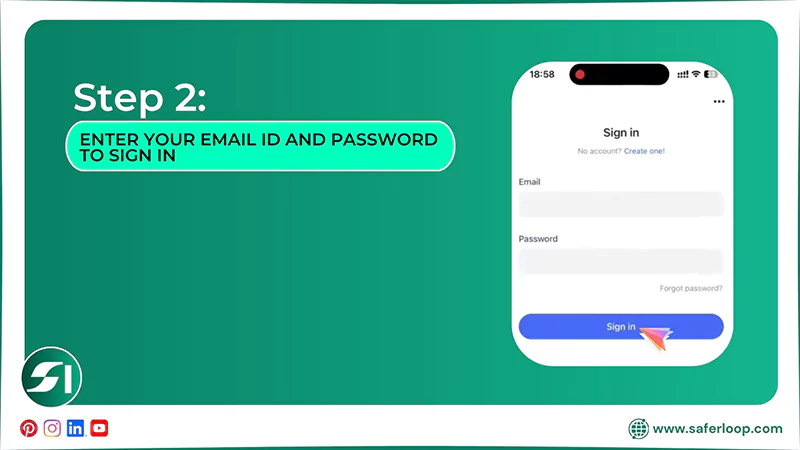
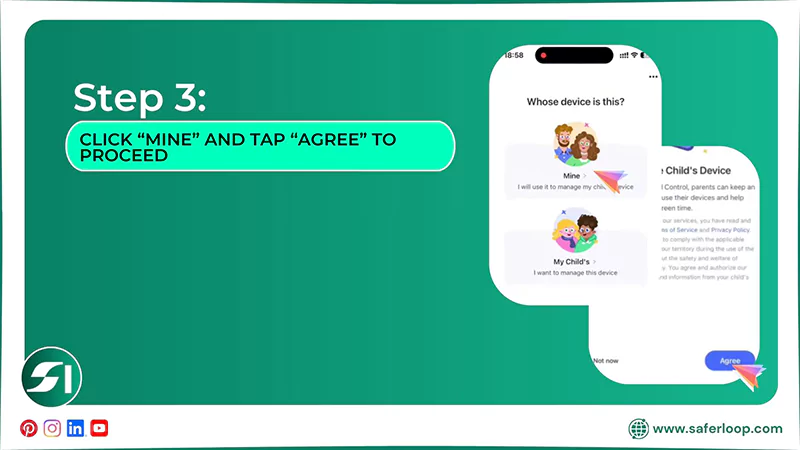
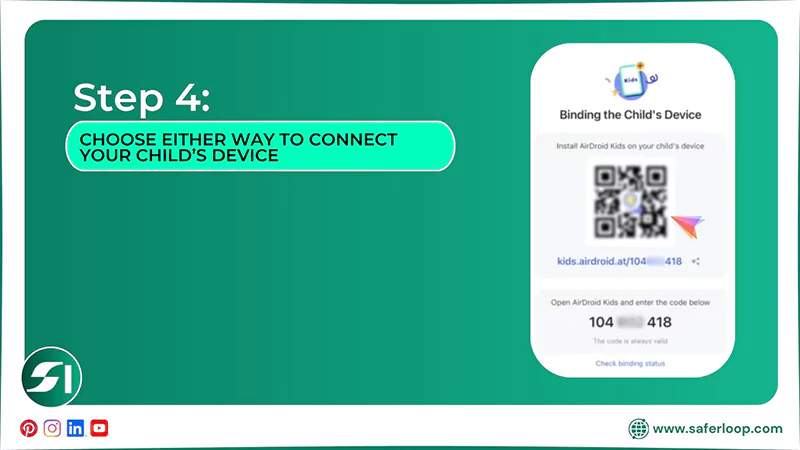
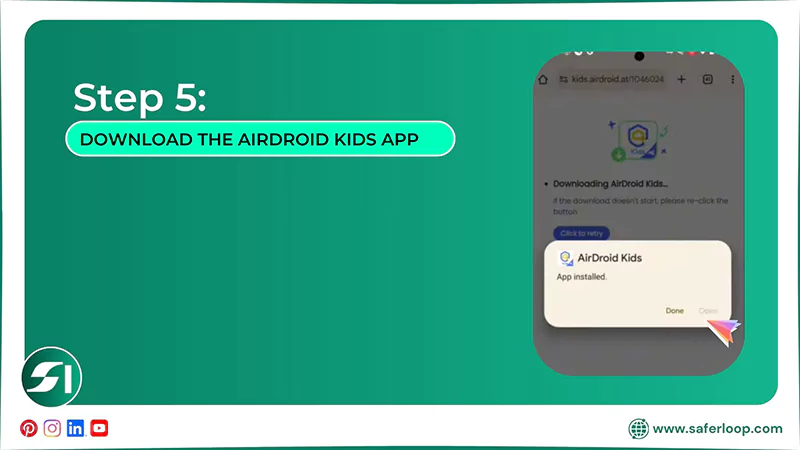
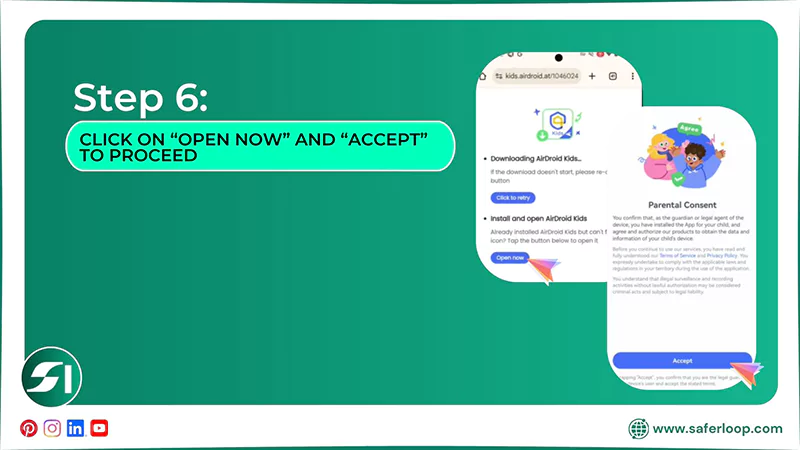
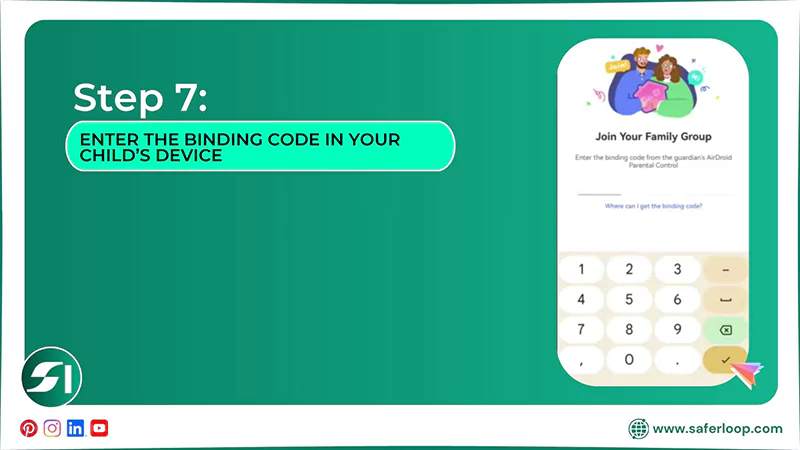
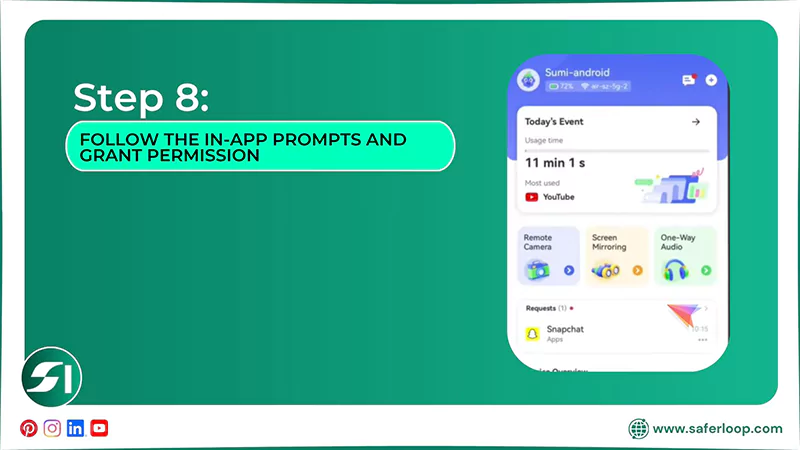
To set up the AirDroid parental control app, you should download the app > enter your email ID and password > link the child’s account > grant permissions.
Here are the following steps that guide you on how to set up the AirDroid app.
Step 1: Firstly, download the AirDroid parental control app on your (parent) smartphone.
Step 2: Now, enter your email ID and password to sign in, or you can create a new account.
Step 3: As a parent, click “Mine” and tap “Agree” to proceed.
Step 4: You will now see a binding page with a QR code, a URL, and a code. You can choose either way to connect your child’s device.
Step 5: Here, you can scan the QR code through your child’s phone and download the AirDroid Kids app.
Step 6: Click on “Open now” and “Accept” to proceed.
Step 7: Enter the binding code that you received on your device to complete pairing.
Step 8: Follow the in-app prompts and grant permission to access parental control features.
Also Read: Saferloop: Safe Kids App for Android | Explore Features, Step Up Guidance, and Trustworthiness
Features-By-Features Comparison: Saferloop Vs AirDroid
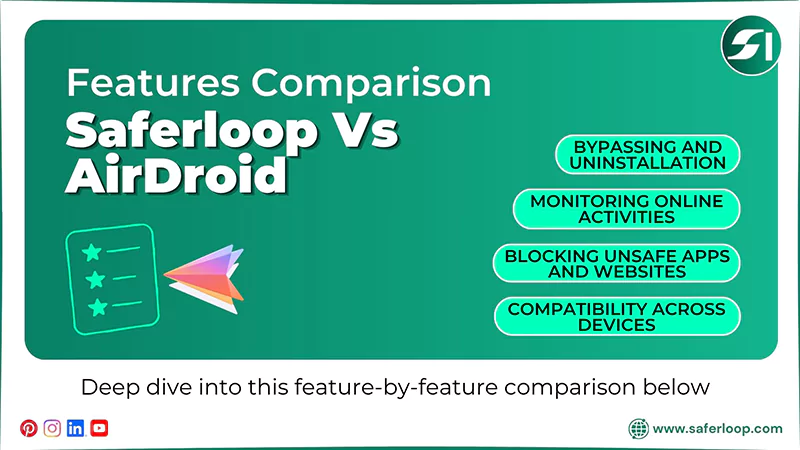
While Saferloop facilitates a comprehensive set of features, AirDroid lacks social media monitoring and blocking apps.
Let’s deep dive into this feature-by-feature comparison to acknowledge which serves better.
| Features | Saferloop Parental Control App | AirDroid Parental Control Tool |
| Blocking Unsafe Apps and Websites | Provide robust blocking of websites and app features | Children can run apps despite blocking. |
| Monitoring Online Activities | Monitor online activities, calls, messages, and social media. | Track calls and messages, but lacks social media monitoring. |
| Compatibility Across Devices | Provide compatibility across iOS and Android devices. | Claims to provide compatibility but has limited functionality on iOS devices. |
| Bypassing and Uninstallation | Don’t allow kids to bypass or uninstall the app without parents’ permission. | Tech-savvy children can easily bypass restrictions and uninstall the app without their parents’ concern. |
1. Blocking Unsafe Apps and Websites
The Saferloop parental control app offers a robust blocking feature. When you block a certain app like Instagram or YouTube, it immediately restricts it from your child’s phone.
Meanwhile, AirDroid also claims to provide a blocking apps and websites feature, but you might encounter some problems regarding it. Many parents complain that the apps can run smoothly on their child’s device despite the blockage.
2. Monitoring Online Activities
You can also monitor your kids’ online activities, calls, messages, and social media apps with the help of Saferloop’s monitoring feature. It helps you to have control over what they surf on the internet.
On the other hand, the AirDroid parental control app provides a call and SMS monitoring feature to track their activities. However, it lacks social media monitoring, and you are not able to track their social lives.
3. Compatibility Across Devices
Furthermore, you can use the Saferloop parental control app on iOS, Android, MacBooks, tablets, and laptops seamlessly. It offers a user-friendly interface and compatibility across various devices.
AirDroid claims to provide compatibility with Android and iOS devices, but it has limited functionality for iOS settings. This means that you cannot utilize the full features on your iPhone and iPad.
4. Bypassing and Uninstallation
The Saferloop parental control app provides advanced AI-powered security features so that your kids can’t bypass restrictions or uninstall the app without your permission.
On the contrary, tech-savvy children can bypass or uninstall the app without their parents’ concern. They can change settings or restrictions, which can risk their online safety.
Pros and Cons of Saferloop and AirDroid Parental Controls
“Every light has its own shadow.” Hence, both Saferloop and AirDroid parental controls also have some drawbacks, along with benefits.
Let’s take a look at the pros and cons of these two parental control apps.
1. Saferloop Parental Control App
Here are the advantages and disadvantages of the Saferloop parental control app.
| Pros | Cons |
| It offers an AI-powered mechanism to restrict inappropriate content, predators, and strangers in order to protect children. | The free version has limited features. As a result, you need to purchase a premium plan to set up parental controls. |
| The app is compatible with iOS and Android devices and supports iPad, tablets, laptops, and MacBooks. | |
| It also allows you to track real-time location and create digital boundaries for your kids. | |
| Additionally, the app sends emergency alerts, weekly reports, and SOS updates if something suspicious is detected. |
2. AirDroid Parental Control App
Here are the advantages and disadvantages of the AirDroid parental control app.
| Pros | Cons |
| AirDroid parental control app offers live screen monitoring and remote camera access to control over kids’ online behavior. | It lacks social media monitoring and cannot detect your kids’ social activities. |
| It offers a 3-day free trial, so that you can decide to purchase a plan after testing all safety measures. | Though it advertises compatibility with iOS and Android devices, it offers limited functionality on iOS. |
| You can track your children’s calls and messages directly through this app. | |
| It also sends an activity report, real-time alerts, and synced app notifications. |
Also Read: Top 5 Best Web Filtering App for Android to Safeguard Children from Adult Content
Saferloop Vs AirDroid: Which is Suitable for Your Kids?
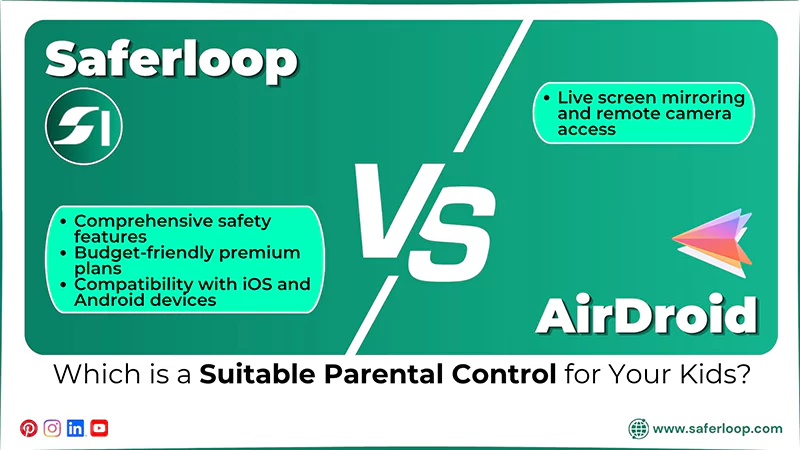
Choosing the best and safest parental control app depends on your personal preferences and your children’s safety. Still, I’ve mentioned some recommendations to clear your doubts while picking the parental control app.
- You can choose the Saferloop parental control app for comprehensive safety features that are required to protect children online.
- The Saferloop parental control app also provides these features with budget-friendly premium plans and smoother compatibility with iOS and Android devices.
- On the other hand, you can opt for the AirDroid parental control app to utilize live screen mirroring and remote camera access.
Conclusion and Recommendations
Overall, installing a reliable parental control app and watching over your kids’ online lifestyles is essential to prevent cyberattacks. In the Saferloop vs AirDroid comparison, the Saferloop parental control app wins the race. It offers advanced AI-powered features to protect your children online.
Author’s Note
As a parental control expert, I have encountered that kids are excessively using social media and engaging with strangers through DMs. This has raised my concern over online safety and privacy. So, I decided to test Saferloop and AirDroid to figure out which is best.
After testing both Saferloop and AirDroid, I find Saferloop parental control more suitable for kids, as it works on iOS and Android devices easily.
On the other hand, if you want to enjoy the screen mirroring feature, you can opt for AirDroid parental control.
Frequently Asked Questions
Q: Is AirDroid a Chinese app?
Q: Which is the best child monitoring app?
Ans: The Saferloop parental control app is the best child monitoring app, as it offers AI-powered features to track calls, messages, and social media platforms directly.
Q: How can I block my child’s WhatsApp?
Ans: You can block your child’s WhatsApp by utilizing Saferloop’s blocking apps feature and restricting the app usage.
 Gunjan Saini
Cyber Safety & Parental Control Writer
About article
The author of this article Gunjan Saini, an Cyber Safety & Parental Control Writer at Saferloop, brings practical experience and industry knowledge to the subject.
The review and editing by Evan Patterson have been done to make sure that it is accurate, clear, and relevant.
At Saferloop, we are determined to provide high-quality, well-researched, and updated content. To understand further how we produce and revise our articles, please refer to our Editorial Guidelines.
Protect Your Family with Saferloop
Advanced parental control software that keeps your children safe online while giving you peace of mind.
- Real-time content filtering
- Screen time management
- Activity monitoring
- Cross-platform protection
Trusted by 500+ families