Ans: You can try the Saferloop parental control app for better web filtering, monitoring calls, and messages that Qustodio offers.
×

Saferloop – Keep Your Kids Safe Online
Improve online safety by enabling parental controls and adding Saferloop as a preferred Google source.
Saferloop vs. Qustodio: Which is the Best Parental Control App for Your Children’s Safety?
Due to the increasing cases of cybercrimes, parental controls are crucial to safeguard children from online risks, such as inappropriate content and predators. That’s why Saferloop and Qustodio parental controls are gaining immense popularity among parents.
Here, I’ve compiled detailed information on Saferloop Vs Qustodio, including an overview, pros and cons, feature comparisons, and recommendations in this write-up.
Table of Contents:
- Detailed Overview: Saferloop Vs Qustodio
- Comparison Through Features: Saferloop Vs Qustodio
- Pros & Cons of Saferloop and Qustodio Parental Controls
- SaferLoop vs Qustodio: Which Parental Control App Fits Your Needs?
- How Parents Can Balance Supervision and Kids’ Privacy?
- Conclusion & Recommendation
- Frequently Asked Questions
Detailed Overview: Saferloop Vs Qustodio
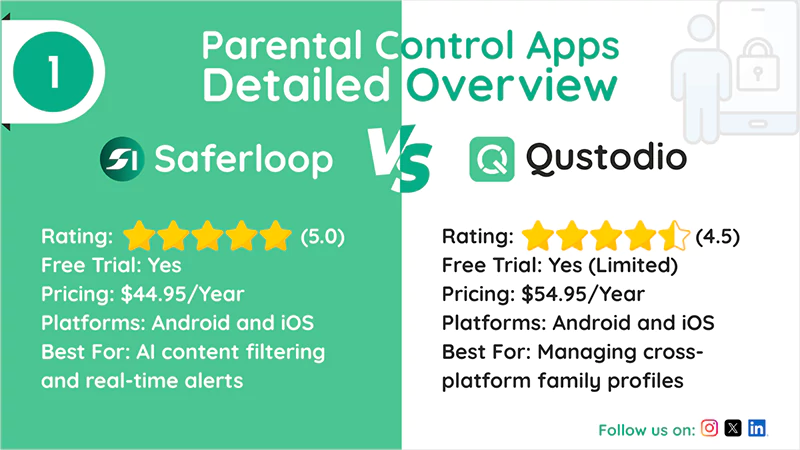
Both parental control apps provide top-notch features to protect children on digital platforms. Let’s get a review of Saferloop and Qustodio in the following section!
1. Saferloop Parental Control Software
| Rating: ★★★★★ (5.0) Free Trial: Yes Pricing: $44.95/Year Platforms: Android and iOS Best For: AI content filtering and real-time alerts |
Saferloop offers easy-to-use parental control features, including AI-powered filtering, geofencing, monitoring messages/calls, real-time alerts, and SOS. It automatically makes decisions and blocks inappropriate content to support digital parenting, facilitating complete control over minors.
2. Qustodio Parental Control Software
| Rating: ★★★★☆(4.5) Free Trial: Yes (Limited) Pricing: $54.95/Year Platforms: Android and iOS Best For: Managing cross-platform family profiles |
Qustodio seamlessly syncs across multiple devices, making it ideal for parents to safeguard kids on laptops, smartphones, and tablets together. You can utilize safe search, app insights, web filtering, and games and apps blocking, although some limitations apply.
Also Read: Saferloop Vs Kids360: Choose the Right Parental Control App for Your Child
Comparison Through Features: Saferloop Vs Qustodio
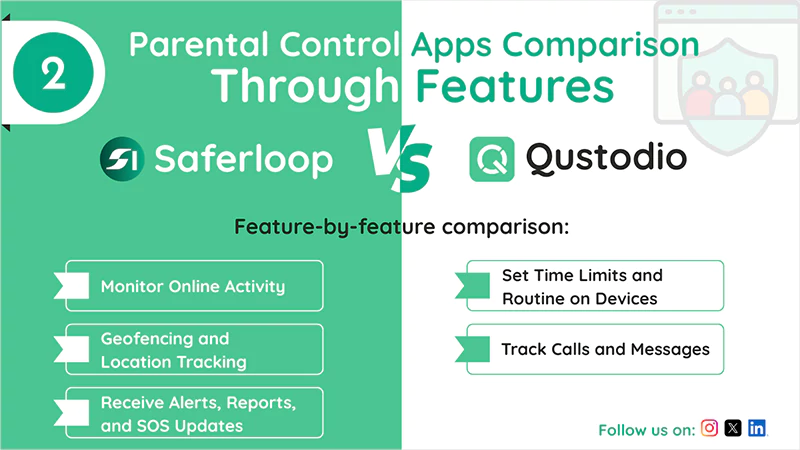
You may be intrigued about which parental control is best for your children’s safety.
That’s why, here, I’ve jotted down a feature-by-feature comparison of both parental controls for in-depth guidance.
1. Monitor Online Activity
Saferloop enables you to monitor your children’s online activities, including YouTube videos, browsing data, and screen time data on both Android and iOS devices. Meanwhile, Qustodio tracks online activities with limitations (e.g., monitoring Instagram is only available on Android).
2. Set Time Limits and Routine on Devices
Saferloop’s screen time feature offers faster adjustments, real-time controls, and intuitive scheduling that manage devices easily. Qustodio also provides advanced screen time management, but its interface can feel more complex and have slower updates.
3. Geofencing and Location Tracking
Additionally, Saferloop offers real-time location tracking with geofencing alerts that notify you when a child leaves or enters a specific area. However, Qustodio has no geofencing feature for location surveillance, making it unsuitable for kids’ safety.
4. Track Calls and Messages
With the free package of Saferloop, you can monitor the emails, messages, and calls of your little ones’ accounts and block spammers. While on Qustodio, you can utilize email support with the premium plan.
5. Receive Alerts, Reports, and SOS Updates
With Saferloop, you will receive constant and real-time alerts, weekly reports, and SOS updates if suspicious activity is detected. On the other hand, Qustodio emergency alerts have some limitations with WhatsApp, VPNs, and web browsers, where kids can bypass restrictions easily.
Also Read: Saferloop vs Family Link: Which Parental Control App Keeps Your Child Safer?
Pros & Cons of Saferloop and Qustodio Parental Controls
Let’s skim through this section to explore the benefits and drawbacks of Saferloop and Qustodio parental controls.
1. Saferloop Parental Control App
| Pros | Cons |
| It uses an AI-powered mechanism to detect inappropriate content and send alerts. | The free version has some limitations regarding monitoring and tracking. |
| Provide detailed reports and insights into your children’s digital footprints in a single dashboard. | The web filtering feature is less effective in blocking unsafe websites. |
| Work across various devices and operating systems, including Android, iOS, Windows, and Mac. | |
| Have advanced security tools and features to safeguard your Saferloop account. |
2. Qustodio Parental Control App
| Pros | Cons |
| Offers web filtering, app blocking, and screen time limits across many devices. | Children can easily bypass the web filter by using a VPN. |
| It has a user-friendly interface with real-time notifications about children’s online activities. | The premium plans can be expensive for parents looking for budget-friendly parental controls. |
| Allows you to get insights into daily reports and monitor calls and messages. |
SaferLoop vs Qustodio: Which Parental Control App Fits Your Needs?
Choosing between Saferloop and Qustodio depends on your needs and preferences. Therefore, I’ve mentioned some cases to identify which option is better for you.
- If you’re looking for a pocket-friendly and safest parental control with advanced tools and features, Saferloop is the better option.
- Saferloop also provides AI-powered filters and a transparent approach that detects online risks and cyberbullying across iOS and Android.
- Choose Qustodio when you require an all-in-one solution, including robust filters and detailed reports. But always keep in mind that premium plans can be too expensive.
How Parents Can Balance Supervision and Kids’ Privacy?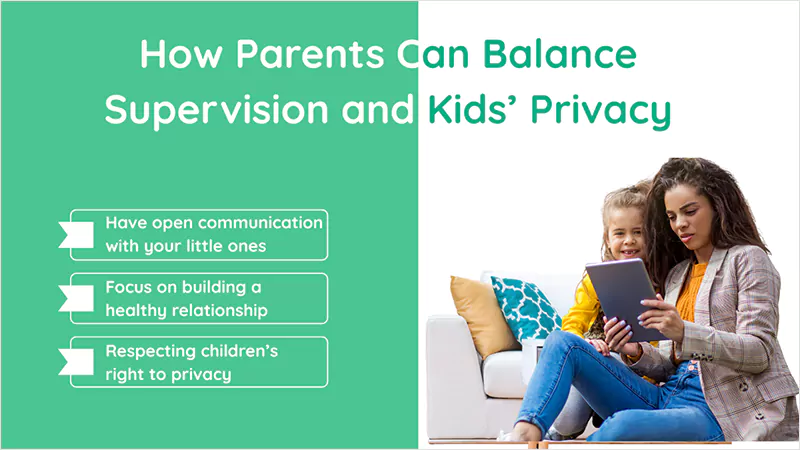 It is important to consider that implementing parental controls involves a balance between ensuring safety and respecting children’s right to privacy. As a concerned parent, it is essential to have open communication with your little ones about security and privacy, and focus on building a healthy relationship with them. This way, you can easily balance their online and offline lifestyles with parental controls. |
Conclusion & Recommendation
Overall, selecting the best parental control app depends entirely on your personal needs and preferences. Therefore, the information mentioned above helps to get insights into Saferloop Vs Qustodio parental controls. Still, I recommend that you make an informed decision to prioritize your children’s digital safety and privacy as soon as possible.
Author’s note:
I have been using both parental control apps since last month, and found that the Saferloop app offers advanced monitoring features in a less expensive package than Qustodio.
On the other hand, if you have no budget issue, you can also try Qustodio premium plans for children’s safety.
Frequently Asked Questions
Q: Which app is better than Qustodio?
Q: What are the downsides of Qustodio?
Ans: Qustodio is one of the best parental control apps, but it lacks in monitoring emails and is unable to geofence your children’s devices.
Q: Can Qustodio see incognito history?
Ans: Yes, Qustodio can see your incognito history and report any inappropriate content from apps and browsers.
 Neha Sharma
Parental Control & App Safety Writer
About article
The author of this article Neha Sharma, an Parental Control & App Safety Writer at Saferloop, brings practical experience and industry knowledge to the subject.
The review and editing by Vinithra Karunanidhi have been done to make sure that it is accurate, clear, and relevant.
At Saferloop, we are determined to provide high-quality, well-researched, and updated content. To understand further how we produce and revise our articles, please refer to our Editorial Guidelines.
Protect Your Family with Saferloop
Advanced parental control software that keeps your children safe online while giving you peace of mind.
- Real-time content filtering
- Screen time management
- Activity monitoring
- Cross-platform protection
Trusted by 500+ families