Employee assistance programs (EAP) are a benefit provided to all employees to help them with mental support by providing counselling and follow-ups during any workplace grievances or other mental/digital health or safety concerns.
×

Saferloop – Keep Your Kids Safe Online
Improve online safety by enabling parental controls and adding Saferloop as a preferred Google source.
The Modern HR Suite: Your Secret Ally in Creating a Safer Digital Home

In the modern world, technology has taken centre stage in our lives, keeping kids busy with digital devices in their free time.
Working parents aren’t always there at home to monitor their kids and correct them. So, modern corporate platforms are helping them with this task by introducing all-in-one modern HR suites.
In this guide, we will look at how companies include employee assistance and family digital wellness programs with HR software to help employees create a safer digital environment at home.
Key Takeaways
- How corporate platforms assist employees with digital wellness packages
- HR tools help set healthy digital boundaries in the family
- Tracking risky patterns online, similar to HR software’s functionality
- Making use of employee assistance programs (EAP) for digital parenting support
Table of Contents:
- How Enterprise HR Software is Bridging the Gap to Family Safety
- Smarter Management: Using HR Tools to Set Healthy Digital Boundaries
- Why Your Company’s Security Software is a Blueprint for Kids' Online Safety
- Remote Work Privacy: Protecting Your Child’s Data on Work-Provided Devices
- Leveraging Employee Assistance Programs (EAP) for Digital Parenting Support
- Conclusion
- Frequently Asked Questions
How Enterprise HR Software is Bridging the Gap to Family Safety
As part of their digital family safety initiatives, many modern corporate platforms have introduced parental control subscriptions and digital wellness benefits that are now included as basic employee benefits.
This initiative aims to help and make it easier for working parents to manage and set healthy digital boundaries in their homes and gain some peace of mind that their family’s online safety is being taken care of with these benefit packages.
Smarter Management: Using HR Tools to Set Healthy Digital Boundaries
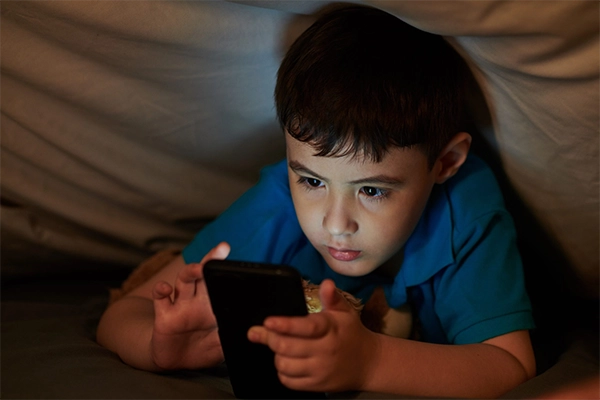
Payroll software that was originally only used for HR related activities is now paired with digital safety features that let parents control their kids’ digital time and monitor their usage. This makes management of both work and home much easier and simpler for employees.
With this all-in-one solution, they have made it possible for working parents to check updates on payroll and other things, parental control features for their home, and, also see whether an app was spying on the system, all part of one unified interface.
Syncing Work Schedules with Kids’ Screen Time Routines
This multi-functionality lets parents sync their working hours with kids’ screen time allowances, so when they are at home, they can enjoy quality time with their children, away from all digital disturbances.
Automated “Focus Modes” to Prevent Digital Overlap at Home
The “focus mode” feature can be set for all members of the family, just like a Workflow Automation Software, which automatically switches their phone to allow use of only certain emergency actions, starting daily at a specified time and ending at a chosen timeframe.
Families are able to avoid digital overlaps and the damage to their health with increased exposure to devices with smart features like these.
Why Your Company’s Security Software is a Blueprint for Kids’ Online Safety
Just as the original HR software sends out alerts and monitors every employee’s record and statistics, in the same way, parents are now able to track and are instantly alerted if there is a trigger of a risky digital pattern, like if the child has been consuming too much of AI-generated content, which could lead to social and emotional damage.
This blueprint guides their children to avoid these unsafe paths and allows them to remain digitally secure.
Interesting Fact
According to research, people under the age of 20 have a higher risk of developing brain tumours than people who start using wireless devices as adults.
Remote Work Privacy: Protecting Your Child’s Data on Work-Provided Devices
Parents often select remote work options to better handle the responsibilities of home and work. This enables them to carry work-provided devices to work from home effectively.
Sometimes, children use the same devices to watch their favourite shows, go on the internet, play games, and more. One practical starting point is the ESS portal parents already use for other HR requests, since raising a request there to set up a separate device profile is often quicker than going through IT directly.
Here are a couple of ways in which you can protect your child’s personal data on work-provided devices:
- Setting different profiles for each user
- Creating strong passwords
- Enable Multi-factor authentication (MFA)
- Keeping software up to date
Leveraging Employee Assistance Programs (EAP) for Digital Parenting Support
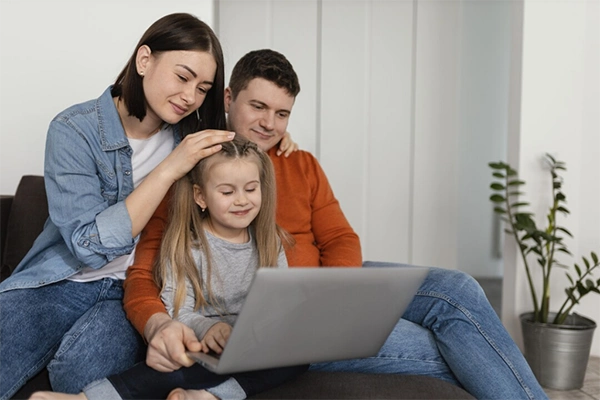
Employee assistance programs (EAP) are designed to support employees during times of need, offering short-term counselling and other services, such as financial wellbeing programs and debt relief workshops.
Additionally, HR managers and departments use their software to schedule follow-ups and other appointments for discussion.
They also responsibly deal with cyberbullying issues and online safety concerns, whether it’s the employee affected or their family, the company is required to provide appropriate mental support to deal with such grievances.
Conclusion
This is why the modern HR suite is a suitable ally in creating a safer digital home for you and your loved ones by providing many added benefits and conveniences for parents to ensure a better peace of mind for them and a healthy and secure digital life for their children.
Frequently Asked Questions
What is EAP?
How do HR tools help set healthy digital boundaries in the family?
Modern HR platforms have integrated digital safety features, such as parental control, screen time limit, focus modes and more. The company also includes digital wellness subscriptions as standard benefits for employees.
How can I be digitally safer?
The following are the ways you can be safer and more secure digitally:
- Stronger and Complex Passwords
- Multi-factor authentication (MFA)
- Updated software
- Setting access controls for each user
What are the dangers of a digital environment?
A long exposure to a hostile digital or online environment can cause much harm, such as cyberbullying, online harassment, social and emotional detachment, addiction, and behavioural changes.
 Divya Kakkar
Internet Content Writer
About article
The author of this article Divya Kakkar, an Internet Content Writer at Saferloop, brings practical experience and industry knowledge to the subject.
The review and editing by Vinithra Karunanidhi have been done to make sure that it is accurate, clear, and relevant.
At Saferloop, we are determined to provide high-quality, well-researched, and updated content. To understand further how we produce and revise our articles, please refer to our Editorial Guidelines.
Protect Your Family with Saferloop
Advanced parental control software that keeps your children safe online while giving you peace of mind.
- Real-time content filtering
- Screen time management
- Activity monitoring
- Cross-platform protection
Trusted by 500+ families