Improve online safety by enabling parental controls and adding Saferloop as a preferred Google source.
Is PNG to Word Convert Really a Paid Task?

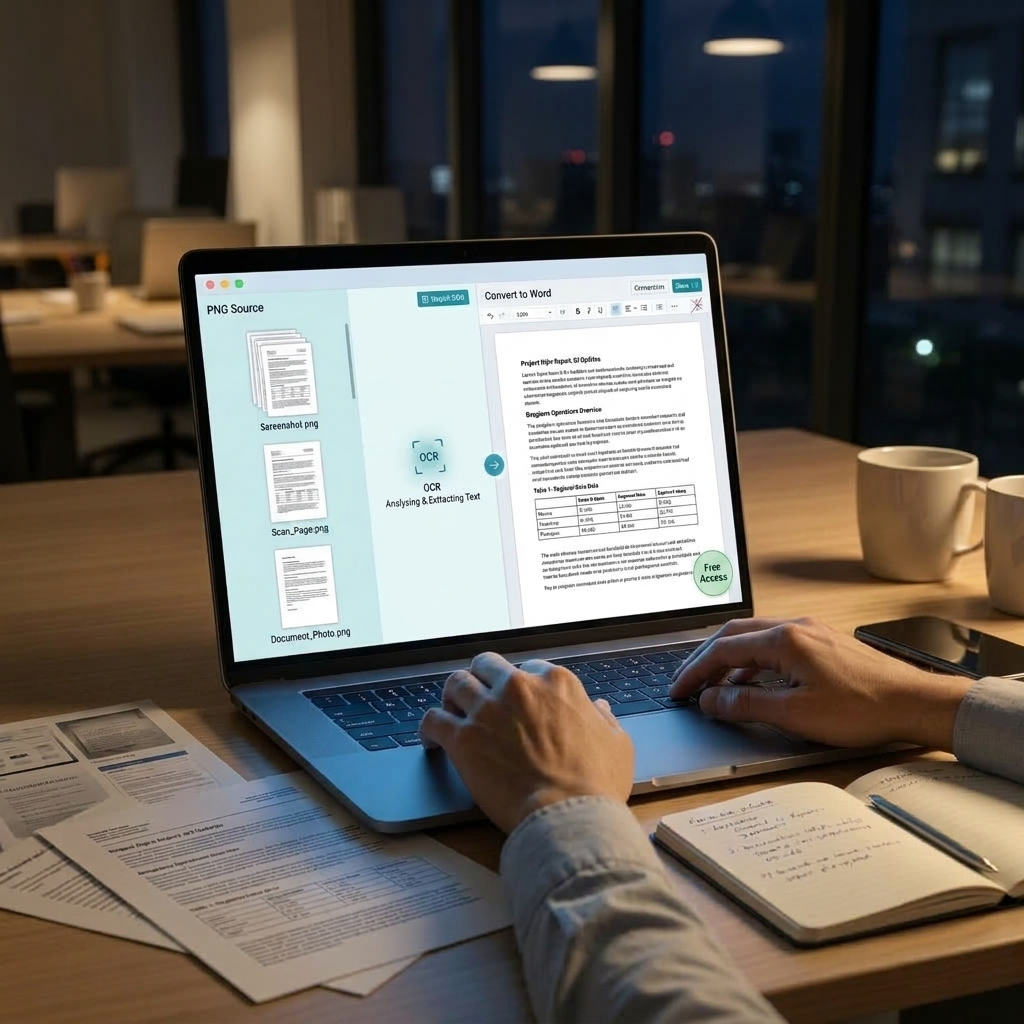
When you write articles, tutorials or any presentations, as a writer you often implement screenshots as useful details in the process. This is even more frustrating when typing every single line and particularly every sentence.
Using a PNG to Word convert tool produce the methods so efficient that they use OCR tools to extract the text from any type of complex images.
This means you can easily convert one or more images without getting tired of typing and feeling exhausted. There are several free options available, like iLovePDF and Google Drive, which provide better quality in conversion.
The overall quality of the image, layout and readability of the text affect the accuracy of the text. If you convert frequently, you will automatically choose the free OCR tools that are usually sufficient to operate.
Selecting the Appropriate PNG to Word Converter
Speed is not the only thing I will consider before choosing a PNG to Word converter. Some of the aspects I verify include:
- Text Accuracy: Extracts wording correctly from reports, forms, invoices & research files.
- Workload: Handles multiple images in one run instead of processing them individually.
- Languages: First, in case my images have several languages, I will find out whether the converter identifies them appropriately.
- Output of the Converter: In case I require something other than the output of the converter, I will find out what the converter delivers.
- File Security: In case the images are personal or business records, I will prefer services that ensure the security of the files and tell me the duration for which it will keep my files.
- User-friendly Interface: The process of uploading the images, extracting text and copying it is user-friendly.
PNG to Word Conversion Software Tests
iLovePDF2, Google Drive OCR and Online OCR were put to the test for converting PNG files to Word. Comparison was done with regard to text recognition, formatting, batch file handling and ease of use.
iLovePDF2.com
The iLovePDF2 is a 100% free document tool that incorporates many free tools for PDF and image conversions, OCR, editing, compression, merging, separating, and background displacement. Other features integrated into this program include batch processing, file management, password security, and authorization settings. The platform edits text, images, graphics, signatures, and adds watermarks with no effort. Create your edits accurately to the final pixel.
Key Features
- High-end Conversion: The initial layout is enclosed in a Word document.
- OCR: Image-based text is converted to Word editable text.
- No OCR: Initial layout is maintained as there is no editable text.
- Bulk Conversion: Multiple PNG files are transformed into Word files together.
Google Drive OCR
The OCR abilities supplied by Google Drive provide an easy PNG to Word converter choice to users who are already working within the Google habitat. All you need to do is upload your PNG or PDF to Drive and open it with Google Docs for text extraction.
Key Capabilities:
- Included for free with Google Workspace
- Text extraction done automatically when opening images in Google Docs
- Processing done in the cloud without the need to install any software
- Multiple language options for international manuscripts
- Shared processing for teams
Online OCR
Online OCR is a simple and reliable image-to-text converter tool available on the web that works with multiple languages and file types. Fundamental translation is available at no charge, while refined tools demand charges.
Features:
- Accepts a wide combination of image and PDF file types.
- Sign-up is not required for primary functions
- Precision is sufficient for standard documents
- Ease of uploading and converting
Restrictions in the free version in terms of file length and number of translations per month.
Tool Comparison
| Tool | OCR | Word Output | Batch Processing | Free Access |
| iLovePDF2 | Yes | Editable/visual | Yes | Yes |
| Google Drive OCR | Yes | Google Docs | Limited | Yes |
| Online OCR | Yes | Word and other formats | Limited | Free + paid |
Final Verdict
Following the test of all three platforms for free PNG to Word convert, it has been seen that the best PNG to Word conversion results were provided by iLovePDF2. The OCR of this platform generated editable Word text and the conversion options were instrumental in maintaining the actual layout. Google Drive OCR proved quite efficient for simple text, whereas Online OCR did well for regular images.
How to Convert PNG to Word Using iLovePDF2?
Three steps. That’s all!
The process of transforming PNG to Word conversion using i Love PDF 2 would be easier. I don’t need any specialized know-how nor do I have to install any software.
- Upload my image – Drag my picture, scanned document, or screenshot into the box.
- Save Extracted Text– Handwritten, typed text, or both.
- Copy my text – Select and paste my text.
Bonus Feature: iLovePDF2 PNG to Word converter is capable of translating the extracted text into the language of my choice online. Not only does it convert text; the best thing is that it also maintains the original PDF layout and configuration. Keeping the content as close to the actual as possible.
PNG to Word Converter Tool Uses
PNG to Word extractor has numerous uses such as turning reviewed material into text that can be explored and modified. Apart from that some uses are discussed below:
Data Extraction
Captures structured details from invoices, forms, receipts & tables for digital records. If you have large table images, you need to transform them with a free PNG to Word tool.
Accessibility
Convert printed or handwritten documents into digital text that is feasible to read with a screen reader.
Digitizing Books
Make printed books searchable by converting them into a digital form.
Text Editing
The text will become editable after extraction. It will not require retyping the facts.
Data Analysis
Brings data locked inside diagrams, screenshots, reports, and checks into an analyzable format.
Regulatory Document Handling
Extracts the key information from the contracts, forms, documents, and other papers.
Business Automation
Make the data entry process less time-consuming by transforming documentation into digital text.
PNG to Word Conversion Doesn’t Have to Cost You Anything
A suitable converter for PNG to Word conversion is capable of significantly improving productivity by avoiding transcription work and supplying the capability to search and edit picture content efficiently. From all the discussed products, iLovePDF2.com is the most appropriate tool, as it combines the required attributes mentioned above.
For occasional use, Google Drive OCR or Online OCR would be acceptable choices. With the development of OCR technology, such applications will be very helpful in the future.
Frequently Asked Questions
Is converting PNG to Word really a paid task?
No. While some platforms offer paid tiers, free tools like iLovePDF2 and Google Drive OCR let you convert PNG files into editable Word documents at no cost.
Which free tool gives the best PNG to Word conversion results?
iLovePDF2 delivers the strongest overall results by combining accurate OCR text extraction with layout preservation and bulk conversion.
Can I convert multiple PNG images to Word at once?
Yes. Tools like iLovePDF2 support bulk conversion, allowing you to process multiple PNG files simultaneously instead of one by one.
 Aditi K
Freelance Cybersecurity Writer
About article
The author of this article Aditi K, an Freelance Cybersecurity Writer at Saferloop, brings practical experience and industry knowledge to the subject.
The review and editing by Vinithra Karunanidhi have been done to make sure that it is accurate, clear, and relevant.
At Saferloop, we are determined to provide high-quality, well-researched, and updated content. To understand further how we produce and revise our articles, please refer to our Editorial Guidelines.
Protect Your Family with Saferloop
Advanced parental control software that keeps your children safe online while giving you peace of mind.
- Real-time content filtering
- Screen time management
- Activity monitoring
- Cross-platform protection