Public wifi is generally unsafe for sensitive tasks. Use a VPN or mobile hotspot whenever possible.
×

Digital Safety Basics for Travel and Remote Access

Updated On Jan 09, 2026
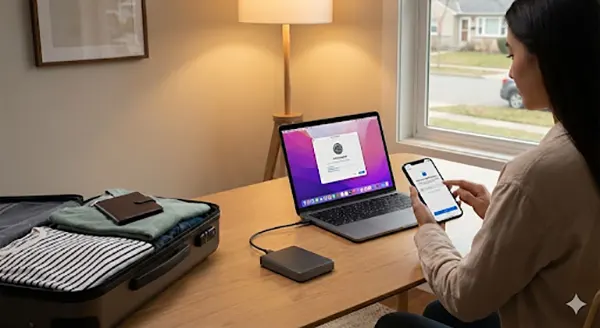
Travelling is fun until your digital safety comes at risk. When you get exposed to unfamiliar environments – airport’s wifi, hotel business centers and shared workspaces – the risk of digital vulnerability gets higher than at home. In fact,
around 90% of international travelers have reported risky tech behaviour while abroad. (Source – all about COOKIES)
Yet, many travellers ignore its importance. Whether you are working remotely from another city or simply checking your bank account at an airport, travel brings a set of rules for online safety.
This guide shares the basics of digital safety that every traveller should know – what to prepare before leaving, ways to stay secure on the go and how to handle if something goes wrong. So that your trip feels like a trip!
Why Prioritize Digital Safety While Travelling
Travelling environments are perfect hunting grounds for cyber threats. Public wifi networks, shared charging points and that continuous movement make it easier for attackers to exploit unnoticed gaps.
Digital safety while travelling is like crossing a busy road in an unfamiliar city. You’re unaware of traffic patterns – the signals might be different and even a small mistake can bring serious consequences with it. The same applies online while traveling – what feels safe at home becomes risky on the road.
An unsecured email, banking app or working account can lead to identity theft, financial loss and data leaks. According to Verizon’s 2025 Data Breach Investigations Report, stolen credentials are the major cause of breaches worldwide.
Secure Your Devices Before You Leave
Recovery from any attack might be costlier. It’s better to prevent and prepare your devices even before you zip your suitcase.
Update Everything From Laptops, Apps, Battery Chargers to Security Software
Updates are not just about adding new features, but are known to fix the security gaps and integrate new features, if any. Don’t forget to update your phone, laptop, apps, and battery chargers too. A faulty battery charger can disrupt the entire mobile session.
Skipping updates is like leaving your house doors unlocked just because ‘nothing had happened last time’. Cybercriminals actively look for outdated software because it helps them to exploit your data easily.
A real world example – travellers often postpone updates to avoid restarts. And later connect with the airport’s wifi with outdated software – unknowingly exposing their sensitive data.
Enable Two-Factor Authentication
Two factor authentication (2FA) adds a second lock to your digital doors. In case an attacker succeeds in stealing any of your passwords, they won’t be able to access them without a second verification – the way an ATM card requires a PIN to get money. Losing one will ask for another to get your access.
Enable 2FA for – Email accounts, Cloud storage, work related platforms, banking and payment apps. And use authenticator apps instead of SMS where possible – they’re safer while traveling internationally.
Create a Backup of your Important Data
Backups are the modern ‘digital backup insurance policy’. If your device is lost or stolen, your data won’t be out of your reach – you can access it again. Use both cloud backups (encrypted) and offline backups (external drive kept separately).
In case you lose your laptop in a cafe while travelling, weeks of work will be gone in seconds. With backup, things get under control just after logging in to some other device.
Practical Security Tips For Every Traveler
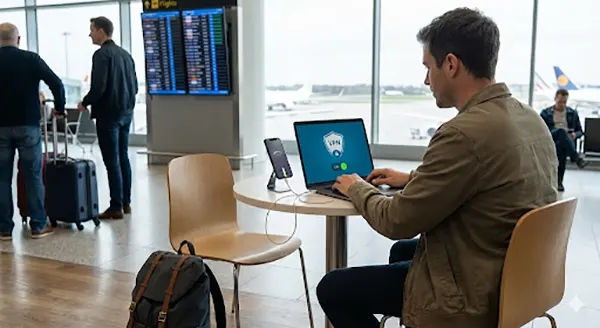
Once you are on the go, follow these security tips to make sure you are always on the safer side –
- Avoid using public wifi for any banking or other activity that involves using personal credentials. If unavoidable, use a trusted VPN.
- Instead of using charging stations, keep a battery charger at hand to prevent ‘juice jacking’, where malicious ports access your data.
- Limit your web browsing to trusted and well known sites. Or else use encryption when possible.
- Turn off cookies and don’t leave devices unattended, even briefly.
Surprising Fact
More than 40% of the travellers have reported having their information compromised on public wifi while travelling. (Source – Forbes)
What to Do If Something Goes Wrong
Despite being completely aware, some minor slips may still happen. What makes a change is how fast you act.
If a device is lost or stolen outside of your home, immediately:
- Change passwords at priority (begin with email)
- Lock or wipe it remotely
- Revoke active sessions
- Inform your bank or employer if relevant
Document the complete scenario and keep monitoring accounts closely for any unusual activity over the next few weeks.
Wrapping Up: Begin Your Safe Travel
Digital safety isn’t about paranoia – it’s about preparation before an incident. Just as you wouldn’t travel without any travel insurance or a national ID, you shouldn’t travel without securing your digital life.
A few updates, backups and smart habits can keep you away from months of stress later. Safer Travel begins at the moment you leave your place and stays with you at every step of your journey.
Is public wifi ever safe while travelling?
Should I look for a VPN even for short trips?
Yes, even a short exposure on unsecured networks can lead to data interception.
How often should I back up data while travelling abroad?
Essentially, a backup should be taken before leaving and within a span of days on long trips – especially if working remotely.
Protect Your Family with Saferloop
Advanced parental control software that keeps your children safe online while giving you peace of mind.
- Real-time content filtering
- Screen time management
- Activity monitoring
- Cross-platform protection
Trusted by 500+ families