
Usually, if you ask the platform rather than your bank. Apple, Google, PlayStation and Nintendo all run their own refund routes, and going through them keeps the account intact, which a card dispute may not.
×

Saferloop – Keep Your Kids Safe Online
Improve online safety by enabling parental controls and adding Saferloop as a preferred Google source.
PennyGuard: The Complete Guide to Locking Down In-Game Purchases and Microtransactions
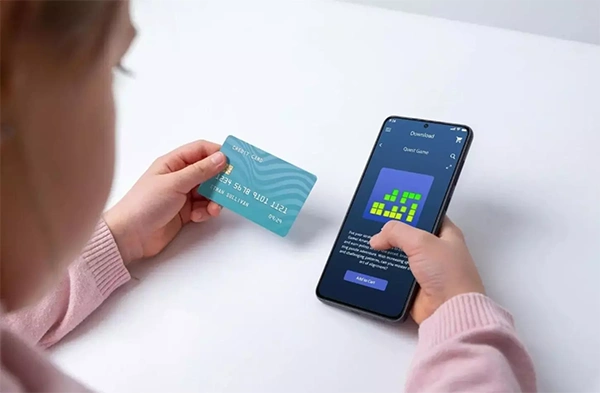
In December 2022, the Federal Trade Commission dictated that Epic Games had to return $245 million to consumers who paid for unwanted products.
The explanation of how it all happened is worth reading carefully. The payments were processed with just a click of a button as the player woke the game from sleep or lingered on the loading screen.
This is not a parenting issue. This is a system doing what it was made to do.
I have gone through the menus on four platforms to find out what each lock actually prevents, which was found lacking in the documentation and what layer triggers the charge no matter which route it takes.
Quick Answer!Remove the saved card first, then turn on purchase approvals on the account store, then set the console limit, then watch the card statement monthly. The last step is the only one that catches everything.
Table of Contents:
Why the Charges Land Before Anyone Notices
Nobody finds out about in-game spending from the game itself; they find out from a statement, usually weeks later and usually in a lump.
There are two reasons for why this delay can be considered normal. The first and most basic reason for the delay is that in video games, money is usually not used to purchase items, so the child uses their virtual money to buy games and the real money left the child’s bank account a while ago. In addition to that, app stores combine several small purchases into one payment.
Approval requests also follow a similar principle. The request arrives on your phone at 11 p.m.; it is the third request this week and you do not know what the game is so you just click on the approval button.
The FTC found Epic had been letting children buy V-Bucks by pressing buttons, with no cardholder involved, until 2018. That is fixed now. The design habit it came from is not.

Which is why the money side needs its own watch, separate from whatever the console is doing. PennyGuard sits on that side of the problem, reading the card rather than the game, flagging recurring charges and warning before a renewal or a price rise lands.
A statement you read once a month is a slow alarm. It is still the only one wired to every route.
What Each Platform’s Lock Actually Covers
| Platform | The control | What it does not cover |
|---|---|---|
| Apple, Family Sharing | Ask to Buy. Every app download and in-app purchase waits for an approval tap from the organizer | Redemption codes, redownloads of the child’s own purchases, and app updates |
| Google Play | Purchase approvals, set to all content, purchases on the family payment method, or in-app purchases only | Anything not billed through Google Play’s billing system |
| PlayStation | A monthly spending limit set by the family manager, which sits at zero by default | Anything under the limit, and the money comes out of the family manager’s wallet |
| Nintendo | Spending Restrictions, which switch off purchases and auto-renewal across Switch and the Nintendo Store | Nothing gradual. There is no spending limit to set, so it is off or it is open |
Apple’s path is Settings, then Family, then the child’s name, then Apps & Websites, then Restrictions, then Ask to Buy. Depending on where you live it may already be on and locked on for under-eighteens.
Google allows you the four levels instead of just having a single option to be selected. It is worth noting that the Only in-app purchases level will make sure that all the applications are downloaded without any need for authorization.
Set all of these. They work. Just know what each one is blind to.
Where Every One of These Leaks
Every control in that table has a hole in it that the platform documents itself, which I find more reassuring than annoying, because a documented gap is one you can plan around before it turns up in April.
The Apple approach is frustrating. The Ask to Buy feature does not work in case the child uses a gift card, according to their support page. So a gift card loaded onto the account converts into store credit that the approval system never sees again.
There is no setting that closes that. What works instead is treating store credit as cash you have already handed over, because functionally it is, and deciding the amount on that basis, then leaving it alone when a birthday produces another card.
Common Mistake:The standard advice is to swap the saved credit card for a prepaid gift card. On Nintendo that is exactly right, because there is no spending limit and pre-loaded funds are the only real cap. On Apple it quietly switches off the approval layer you just set up.
Google’s boundary is narrower than it sounds. Approvals apply to purchases made through Google Play’s billing system, so a game that takes payment another way is outside the fence by design.
PlayStation’s is the plainest of the four. The limit is the whole protection, and the default really is zero. Every purchase under it comes out of the family manager’s wallet with nothing else asked.

None of those gaps are secrets and none of them are bugs. They are the seams between systems that were never built to talk to each other, and a spend that arrives through a seam only shows up on the card. Reading the card is the job PennyGuard is built for, and it is the reason I would not treat the platform settings as finished work.
What Happens if You Dispute a Charge?
It can cost your child their account.
The FTC found Epic had locked the accounts of customers who disputed unauthorized charges with their card issuer, and a locked account loses access to everything already bought in it. Try the platform’s own refund route first. Keep the chargeback for when that fails.
Wrapping Up
This week, dedicate a mere twenty minutes to tweaking the settings, and you will have stopped most of it. Delete the saved card, switch on the approvals toggle, set the console limit to zero dollars, and publicly decide with your child what constitutes “Yes”.
Then, read the statements, as it is the only layer that has a view of any pathway to your money. The settings used capture what their platform sees. The card captures everything else.
Be prepared to take note of the changes. Every gap in this article is a gap between two systems, and the platforms will redraw these gaps without letting you know.
Frequently Asked Questions
Can I get a refund for a purchase my child made?
Does turning on approvals stop gift card spending?
No. Store credit from a redemption code is already sitting on the account, and on Apple no approval request is generated for spending it.
Is a prepaid card a good idea or not?
It depends on the platform, which is why blanket advice goes wrong. On Nintendo it is a real cap and the method Nintendo itself suggests. On Apple it bypasses the approval layer.
My child is over 13. Do these controls still work?
Yes, though some tighten automatically and some loosen as birthdays pass. Apple keeps Ask to Buy switched on and unremovable for under-eighteens in certain regions, whatever you would prefer.
What is the single most useful thing to do first?
Take the saved card off the account. Every other control governs how spending gets approved, and this one removes the thing being spent in the first place.
Sources:
- Federal Trade Commission, Fortnite maker Epic Games to pay more than half a billion dollars: https://www.ftc.gov/news-events/news/press-releases/2022/12/fortnite-video-game-maker-epic-games-pay-more-half-billion-dollars-over-ftc-allegations
- Apple Support, Approve what your child can purchase and download with Ask to Buy: https://support.apple.com/en-us/105055
- Google Play Help, Purchase approvals on Google Play: https://support.google.com/googleplay/answer/7039872
- PlayStation Support, How to manage your family on PlayStation Family app: https://www.playstation.com/en-us/support/account/ps-family-app/
- Nintendo Support, Can I Set a Nintendo eShop Spending Limit for My Child?: https://en-americas-support.nintendo.com/app/answers/detail/a_id/45226/
 Srikanth Panasa
Cybersecurity Analyst and Online Safety Specialist Writer
About article
The author of this article Srikanth Panasa, an Cybersecurity Analyst and Online Safety Specialist Writer at Saferloop, brings practical experience and industry knowledge to the subject.
The review and editing by Vinithra Karunanidhi have been done to make sure that it is accurate, clear, and relevant.
At Saferloop, we are determined to provide high-quality, well-researched, and updated content. To understand further how we produce and revise our articles, please refer to our Editorial Guidelines.
Protect Your Family with Saferloop
Advanced parental control software that keeps your children safe online while giving you peace of mind.
- Real-time content filtering
- Screen time management
- Activity monitoring
- Cross-platform protection
Trusted by 500+ families