Improve online safety by enabling parental controls and adding Saferloop as a preferred Google source.
JK (Just Kidding): Meaning, Usage & Examples

JK is a shorthand term for “Just Kidding” in text messages and on social media platforms. Here, you will discover what does JK mean in texting, real-time examples, and whether it is safe for kids or not.
So, as a helicopter parent, stay adherent to this write-up!
What Does JK Mean in Texting?
JK stands for “Just Kidding” in texting, indicating that the part of the statement is not to be taken seriously. It is used to add sarcasm in online conversations and text messages.
Moreover, it can be used to refer to Japanese high school girls (Joshi Kousei) in certain contexts. However, Gen Zs often use this slang term for “Just Kidding” on social media apps.
How to Use JK Slang in Online Conversations?
You can use JK slang in online conversations to indicate jokes and to tease someone sarcastically.
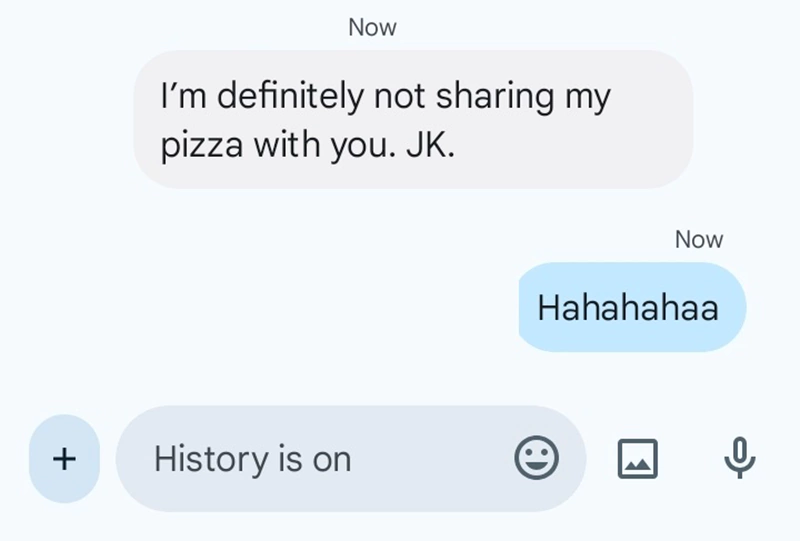
Examples:
- “I’m definitely not sharing my pizza with you. JK.”
- “You are taking a lot of time to complete homework. JK.”
- “I won the lottery. JK, guys!”
- “Save the drama for your birthday, bro. JK.”
Is JK Slang Safe for Kids?
Yes, JK slang is safe for kids, as it is just a shorthand term for “Just Kidding.”
Children and teenagers use this abbreviation to make jokes during online conversations with their friends and family members. Hence, it is safe for kids, and parents don’t need to worry about its usage.
Additionally, I recommend you install the Saferloop parental control app to keep an eye on your children’s online activities, restrict harmful terms like SYBAU and FWB, and set screen time limits to promote healthy habits.
Wrapping Up!
JK is a shorthand term for “Just Kidding” and is often used in text messages, online chats, and on social media apps. Also, you should check out the Saferloop slang dictionary to stay updated with Gen Alpha slang terms.
 Aditi K
Freelance Cybersecurity Writer
About article
The author of this article Aditi K, an Freelance Cybersecurity Writer at Saferloop, brings practical experience and industry knowledge to the subject.
The review and editing by Vinithra Karunanidhi have been done to make sure that it is accurate, clear, and relevant.
At Saferloop, we are determined to provide high-quality, well-researched, and updated content. To understand further how we produce and revise our articles, please refer to our Editorial Guidelines.
Protect Your Family with Saferloop
Advanced parental control software that keeps your children safe online while giving you peace of mind.
- Real-time content filtering
- Screen time management
- Activity monitoring
- Cross-platform protection